Category Archives: Jason Yenter

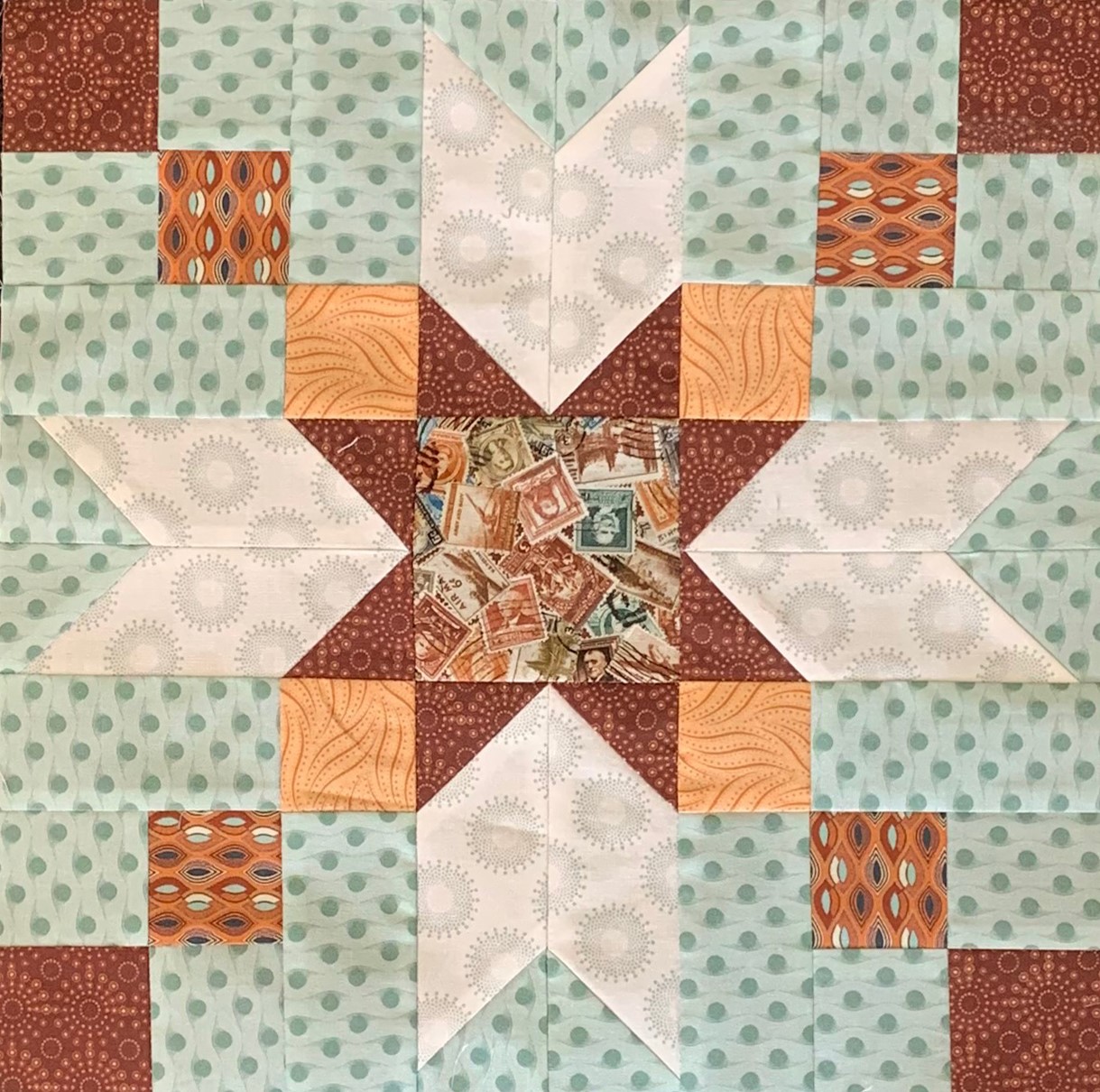
Journeys Month 5 – Homeward Bound

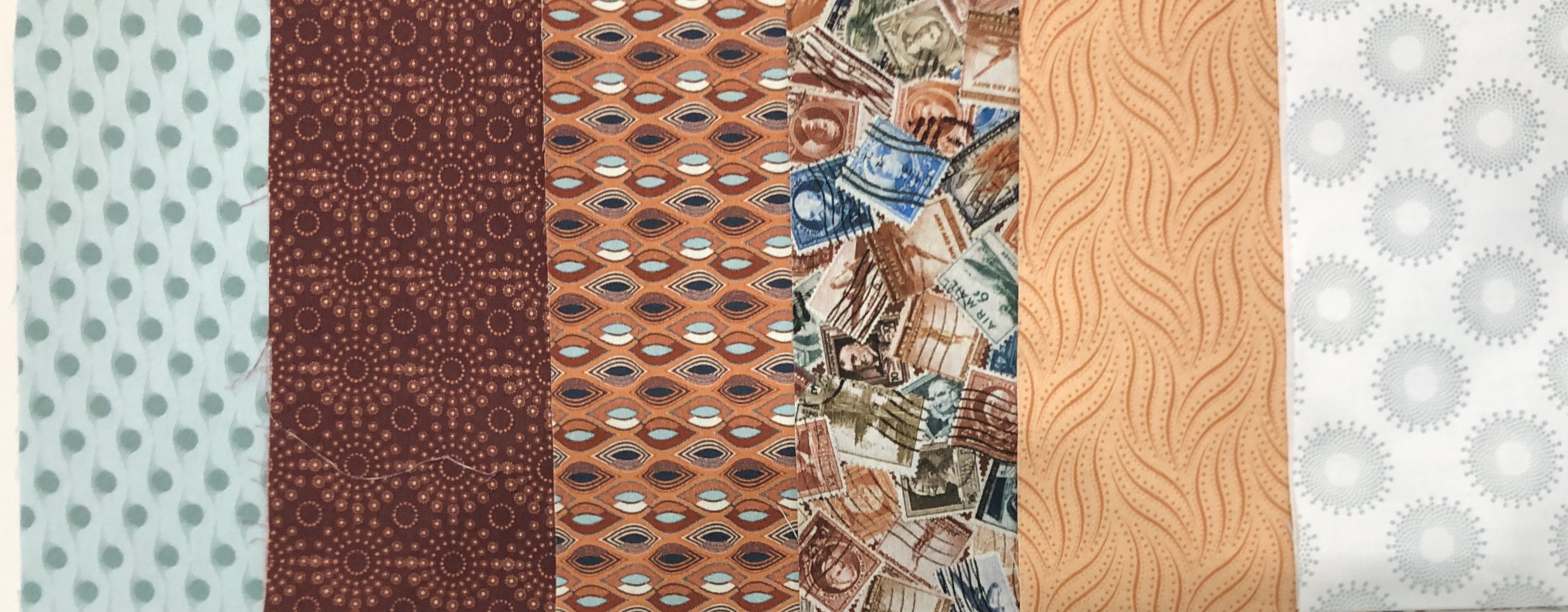
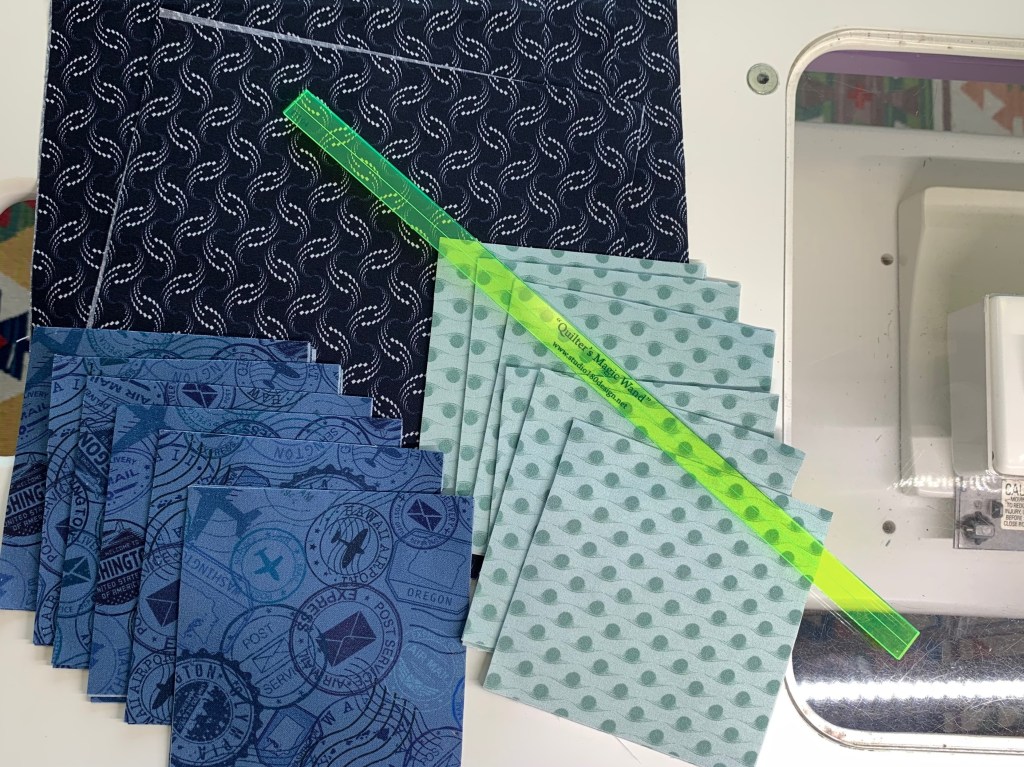
Welcome to Stitchin Heaven’s Journeys Month 5. My helper for Month 5 is Deb Tucker, of Studio 180 Design. This month you are going to learn to make Lemoyne Star Quarters using the Rapid Fire Lemoyne Star and Tucker Trimmer I tools. You will be using Prints 7, 9 & 11. Label your fabrics and use your best cutting skills when cutting your starter squares.

Piecing Instructions

Step 1 – Organize Strips. Place Print 9 and Print 7 into two separate piles. Use Print 7 to make the A Strip Set and Print 9 to make the B Strip Set.

Step 2 – Make Strip Sets A and Strip Sets B in the same manner as described in the Rapid Fire® Lemoyne Star basic instructions. Position each diamond strip 4¾” down from the top of the background strip. Sew the strips lengthwise and press as indicated in the diagram below. Pay close attention to proper strip alignment and pressing to ensure success.

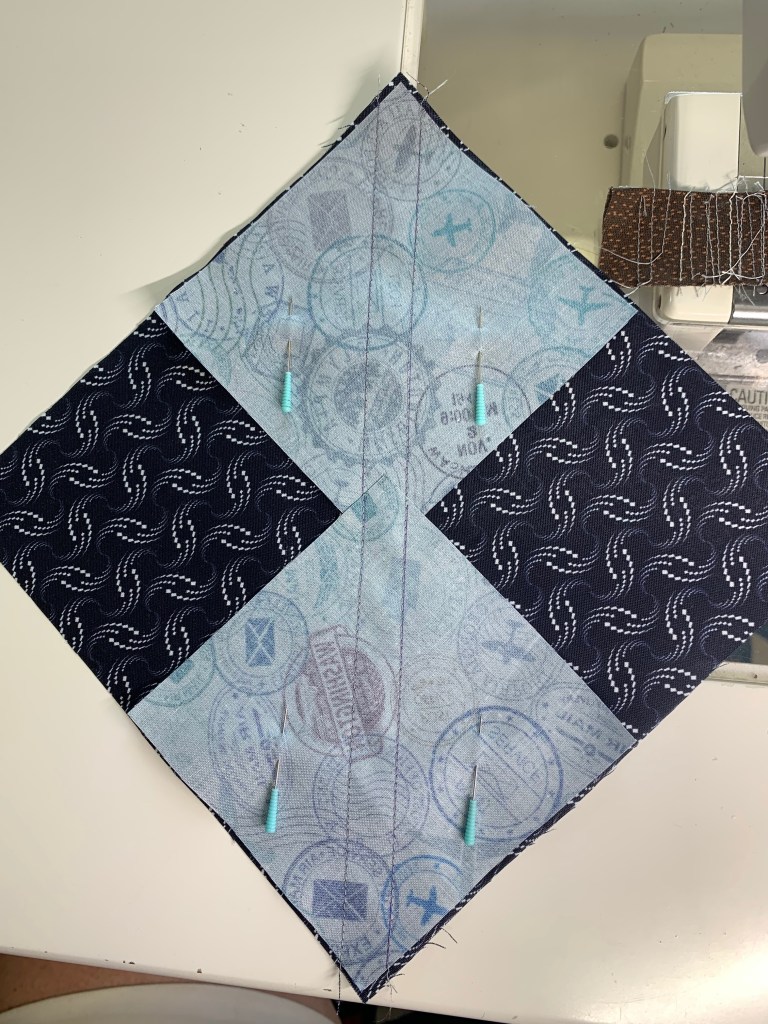
Step 3 – First Cuts. Layer Strip Set A and Strip Set B right sides together as illustrated. Trim the ends of the strips at a 45° angle, then continue making 45° angle cuts every 3¼” across the length of the strips. You will get 8 cuts from a paired strip set. Cut the remaining strip sets in this manner until you have 20 pairs.

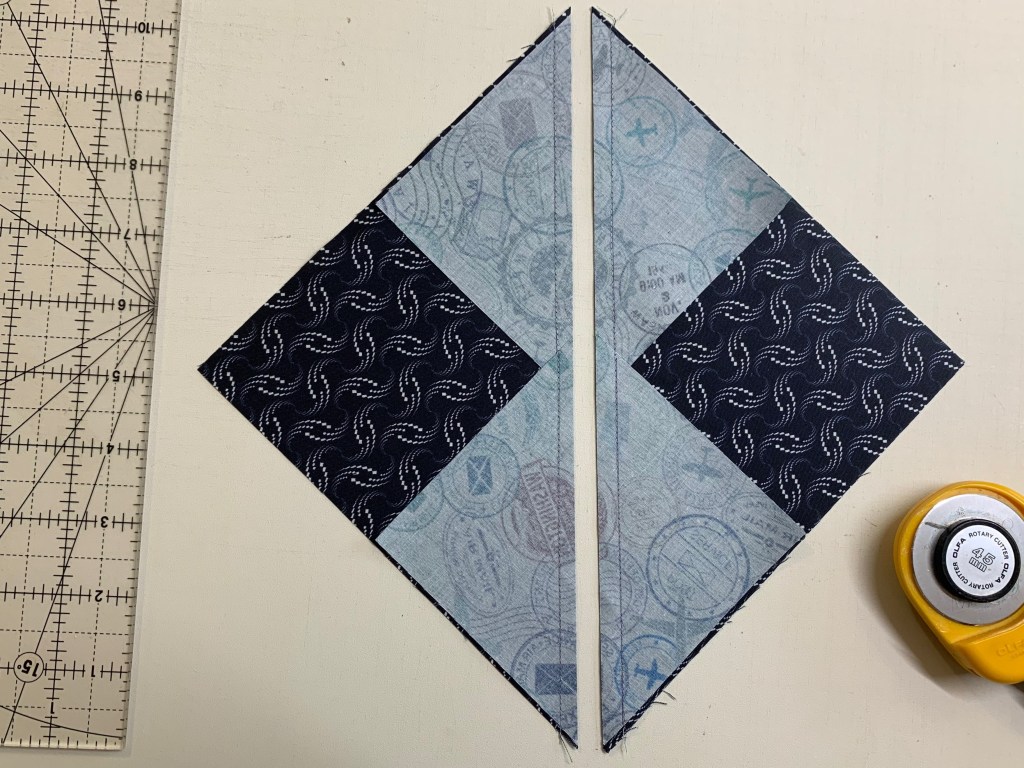
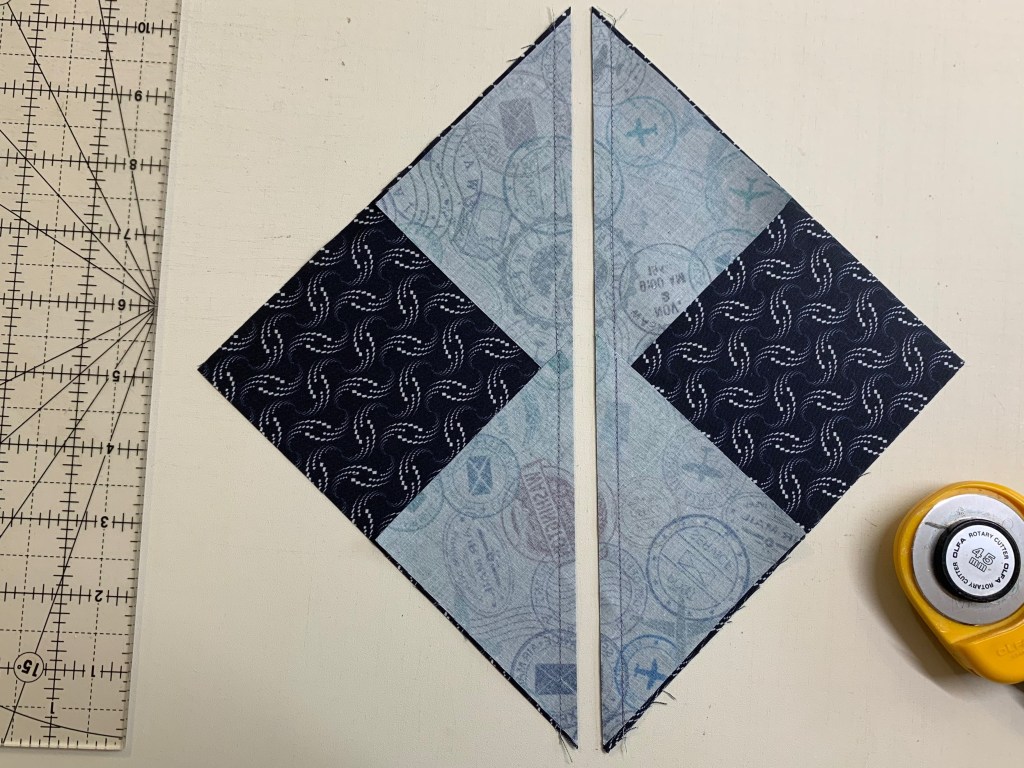
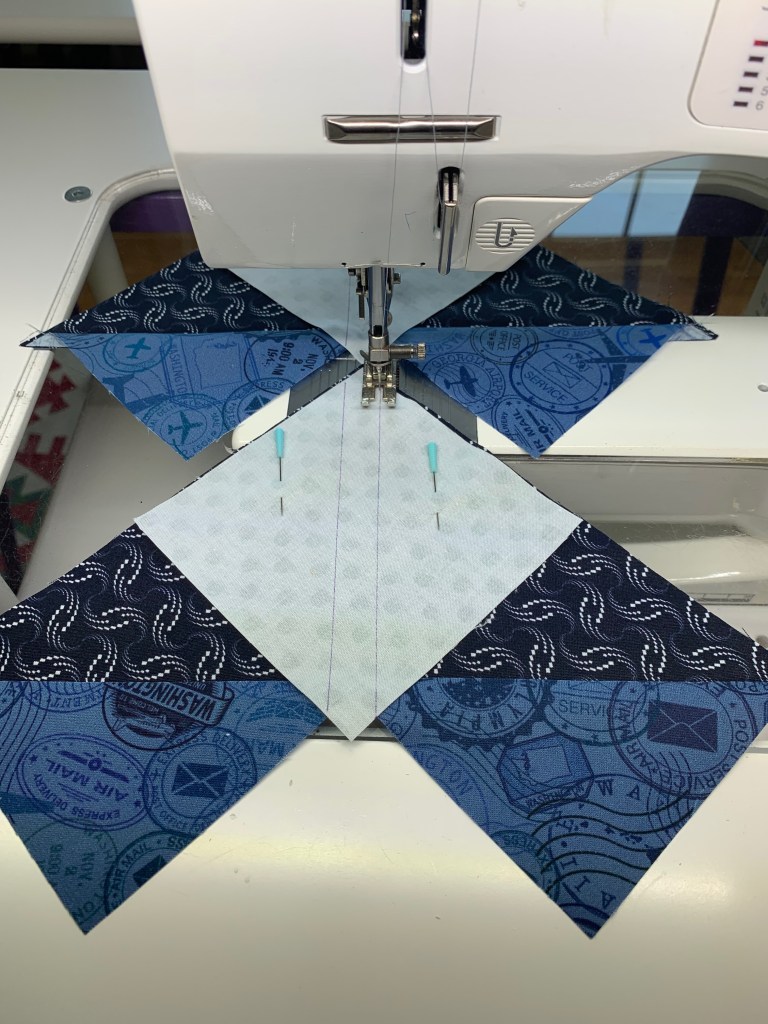
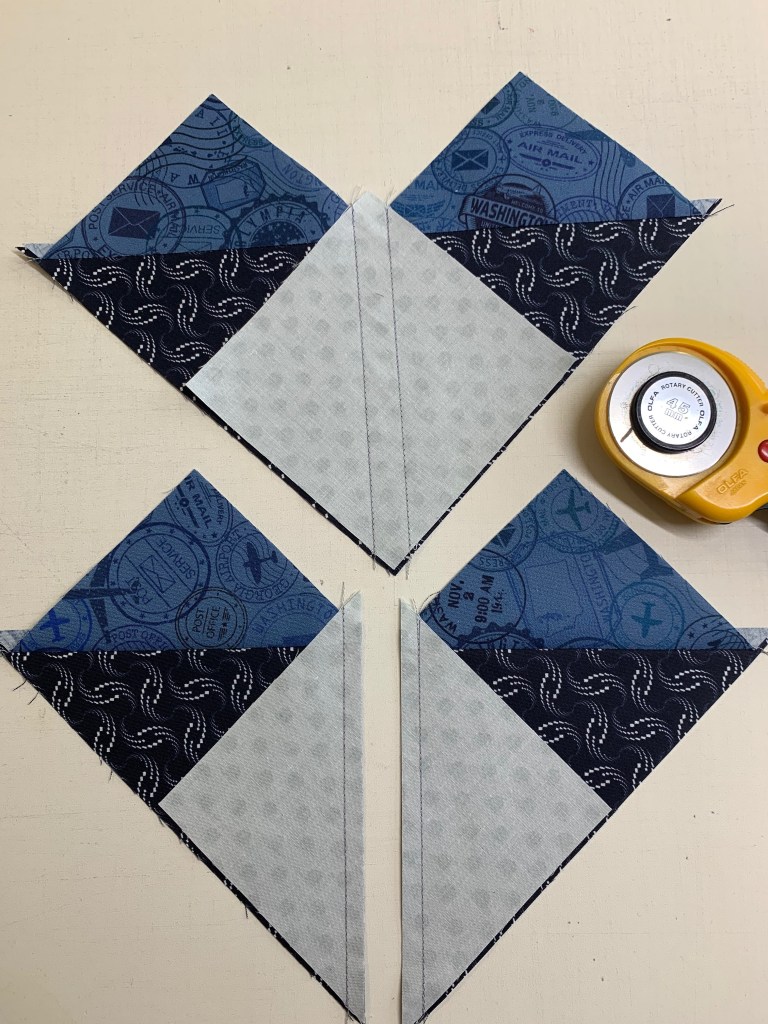
Step 4 – Make Second Cuts going vertically south to north, as shown. Position the ruler edge at the tip of the star strip and trim straight up. These triangles will be added to the pieced unit.

Jackie’s Tip for staying organized is to label two paper plates A & B. For Right handers, Strip “A” is on top & Strip “B” is on the bottom. Cut one unit at a time, place the “A” unit on plate marked “A” & the “B” unit on plate marked “B”. You will always know which units are A & B for pressing.

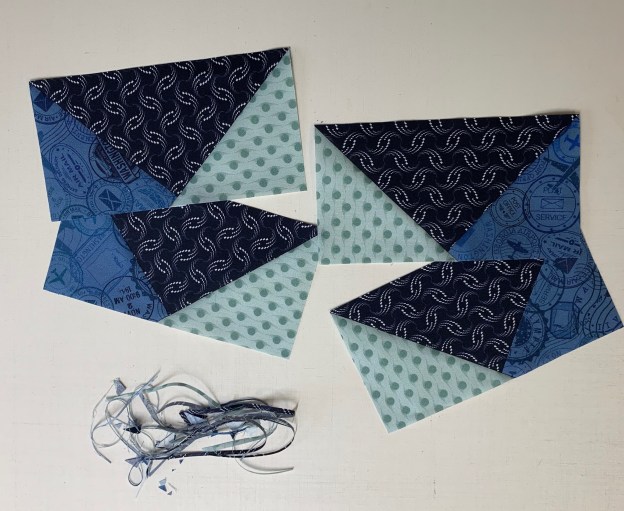
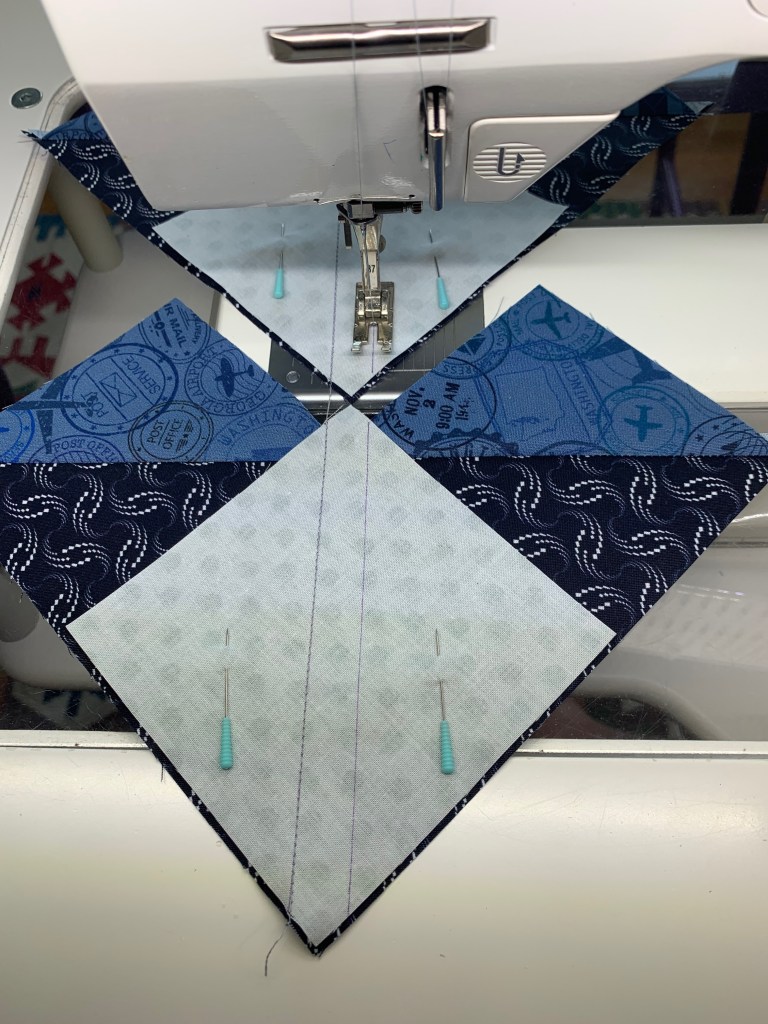
Step 5 – Arrange, position and stitch the cut pieces together into pieced triangle units. Press as shown in the diagram to yield future nesting seams.

You can chain stitch your “A” and “B” units for easier pressing
Press “A” units toward the Star Point
Press “B” units toward the side triangle

Tip: Remember “whatever you are pressing toward – goes on top”!

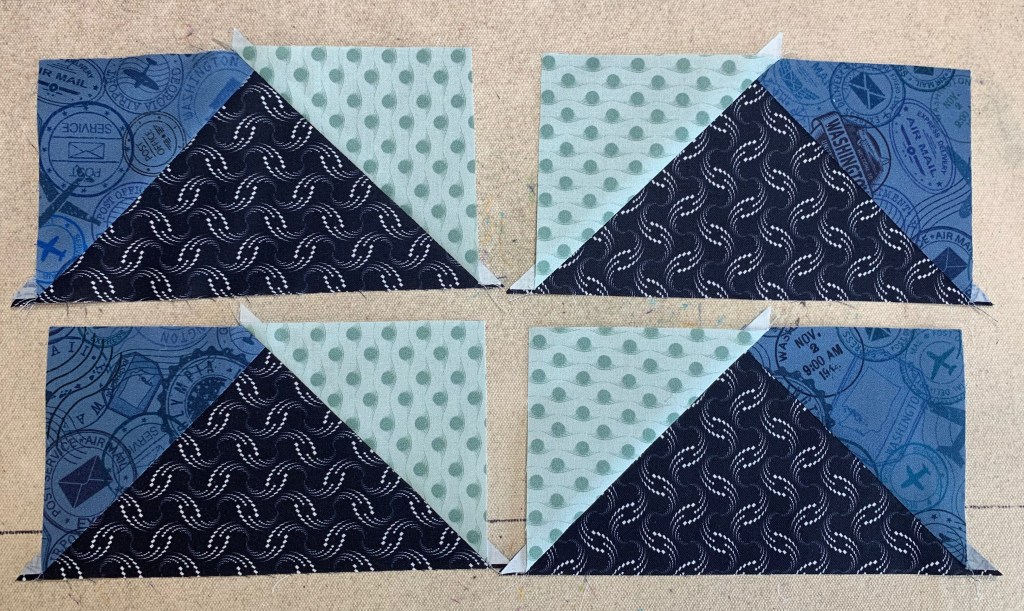
Step 6 – Trim down all pieced triangle units using the 12” line on the Rapid Fire® Lemoyne Star tool as shown in the diagram.

Step 7 – Assemble quarters. Arrange the sewn and trimmed A and B sections into quarter blocks. Stitch the sections together and press the seams open to best distribute bulk. You should have 20 quarter blocks total.

You can choose to press your seams open or…
You can choose to press the seams so they are all going in the same direction.

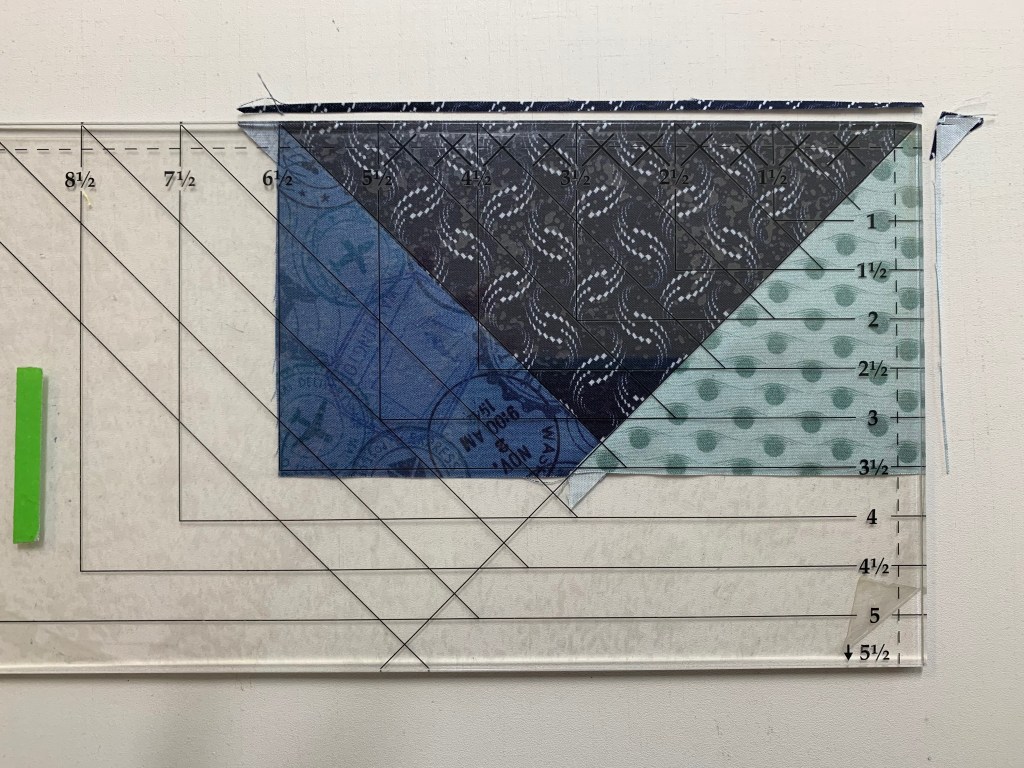
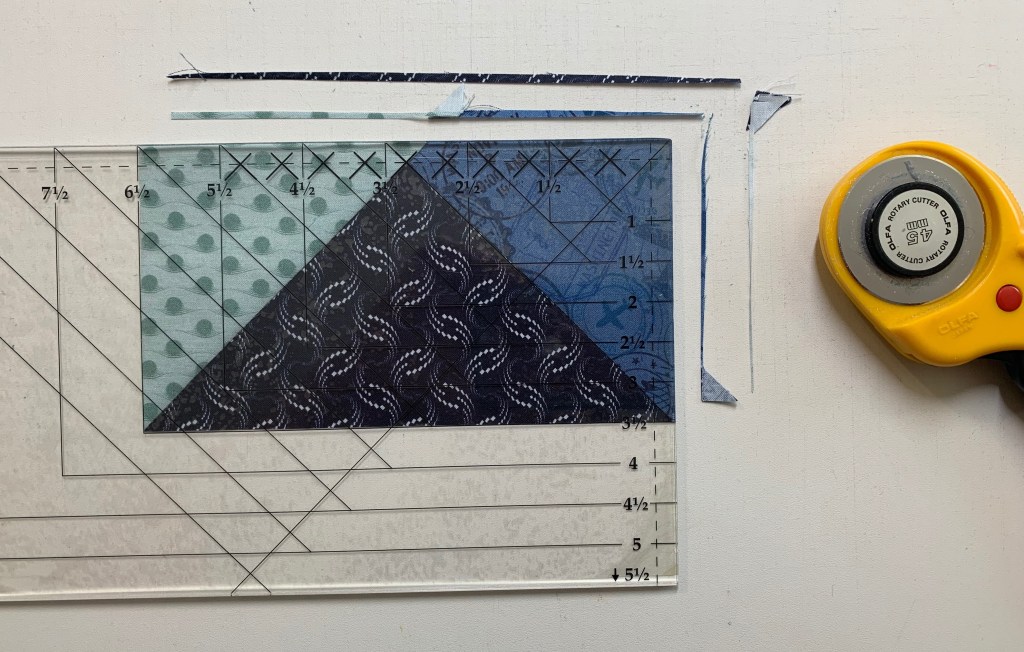
Step 8 – Trim the quarters to 6½” x 6½” with your Tucker Trimmer® I tool. Clean up the dog ears and true up the first corner as shown (this should just be a few threads at most), then rotate the unit 180o to trim the opposite corner. Align the Common Diagonal with the seam and the 6½” clean up lines with the trimmed edges to trim the remaining two sides. Repeat for all 20 quarters. Label the finished quarters Unit H.

First Trim
Second Trim

Recap: Make 20 Unit H – Homeward Bound Units.

Homeward Bound, Unit H

Congratulations, you have learned to use your Rapid Fire Lemoyne Star tool!
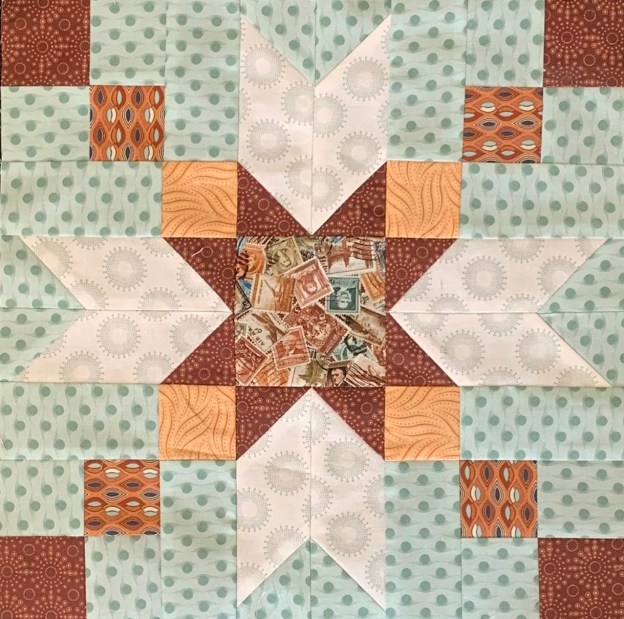
Journeys Month 4 – Winged Nine Patch

Welcome to Stitchin Heaven’s Journeys BOM Month 4 – Winged Nine Patch. My helper for Month 4 is Diane Marvin, Certified Instructor for Studio 180 Design. This month you are going to learn to make Four Patches with Frames using prints 5, 6, 7 & 9, Center Square with print 8 and Chevrons using prints 5, 6 & 11. Required tools are the Four Patch Square Up and Corner Pop.

Prints 5, 6, 7, 8, 9 and 11

Carefully follow your cutting instructions for each print using your best cutting and measuring skills.

Jackie’s Note: To keep organized when cutting the same print for multiple units I labeled 3 plates for Print 5: one for “Four Patches Strip sets A & B. One for Four Patch Frames Strip Set C. One for Replacement Triangles.

Piecing Instructions

Step 1 – Use the diagram on page 9 to make your strip sets. Position two strips right sides together and align the long edges. Stitch with your best ¼” seam. Press the seam toward Print 5 in all strip sets.

Strip Set A – Prints 5 & 6
Strip Set B – Prints 5 & 7

Step 2 – Layer Strip Set A on top of Strip Set B, right sides together, making sure that the Print 5 fabrics are positioned as shown in the diagram. Nest the seams well. Sub-cut along the strip at 2¼” increments until you have 16 sub-cut pieces.

Step 2 – Layer and Sub-Cut at 2 1/4″ increments

Step 3 – Sub-cut Strip Set C. Do not layer it with anything, just make cuts every 2” until you have 16 pieces.

Step 4 – Stitch down the long side of the layered A/B pairs. Consistently feed Print 5 under the machine first. This will make for a nicer alignment in the center.

Remove 2 or 3 striches

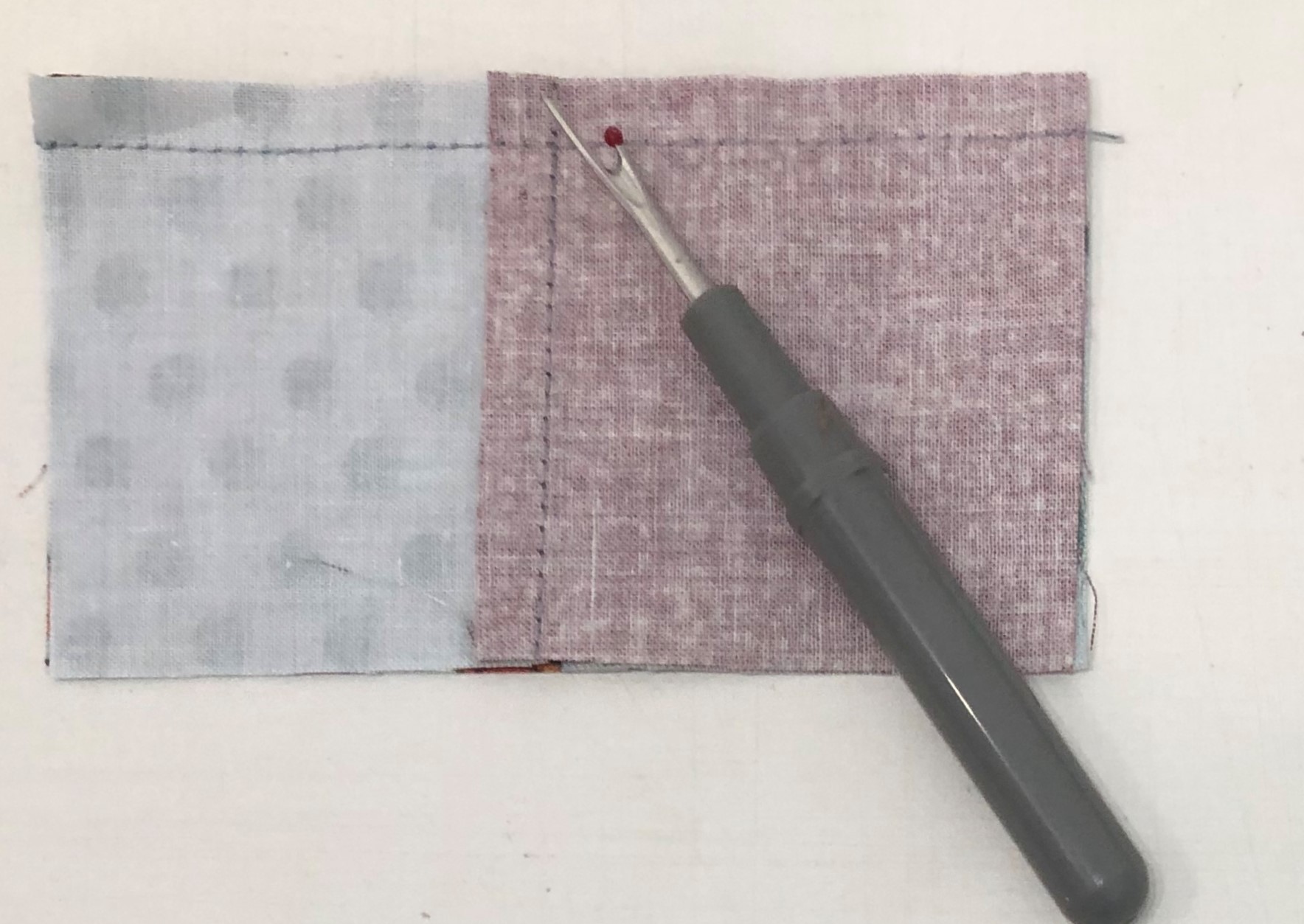
Step 5 – Press the unit so that the seams spin. To spin the seam, lay the sewn seam east to west on the mat, remove the stitches in the seams on both sides that run north to south. Press so that all seams go in the same direction.

Swirl and press.

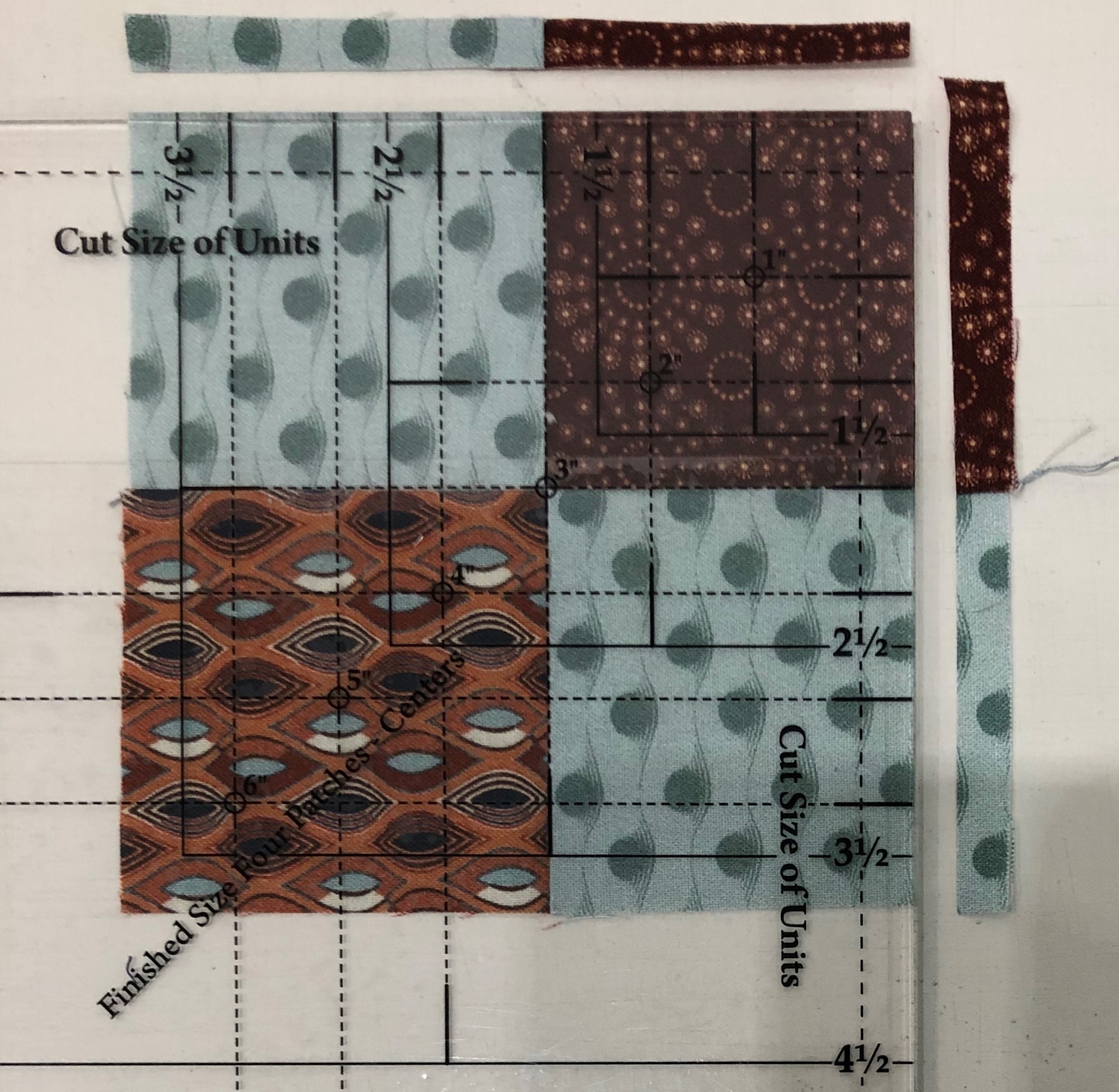
Step 6 – Trim. Locate the circle for the 3” finished size on your Four Patch Square Up® tool and position the circle over the sewn seam intersection in the center of your four patch unit, and the dashed lines with your seams. Trim the first two sides.

Right Handed Trimming

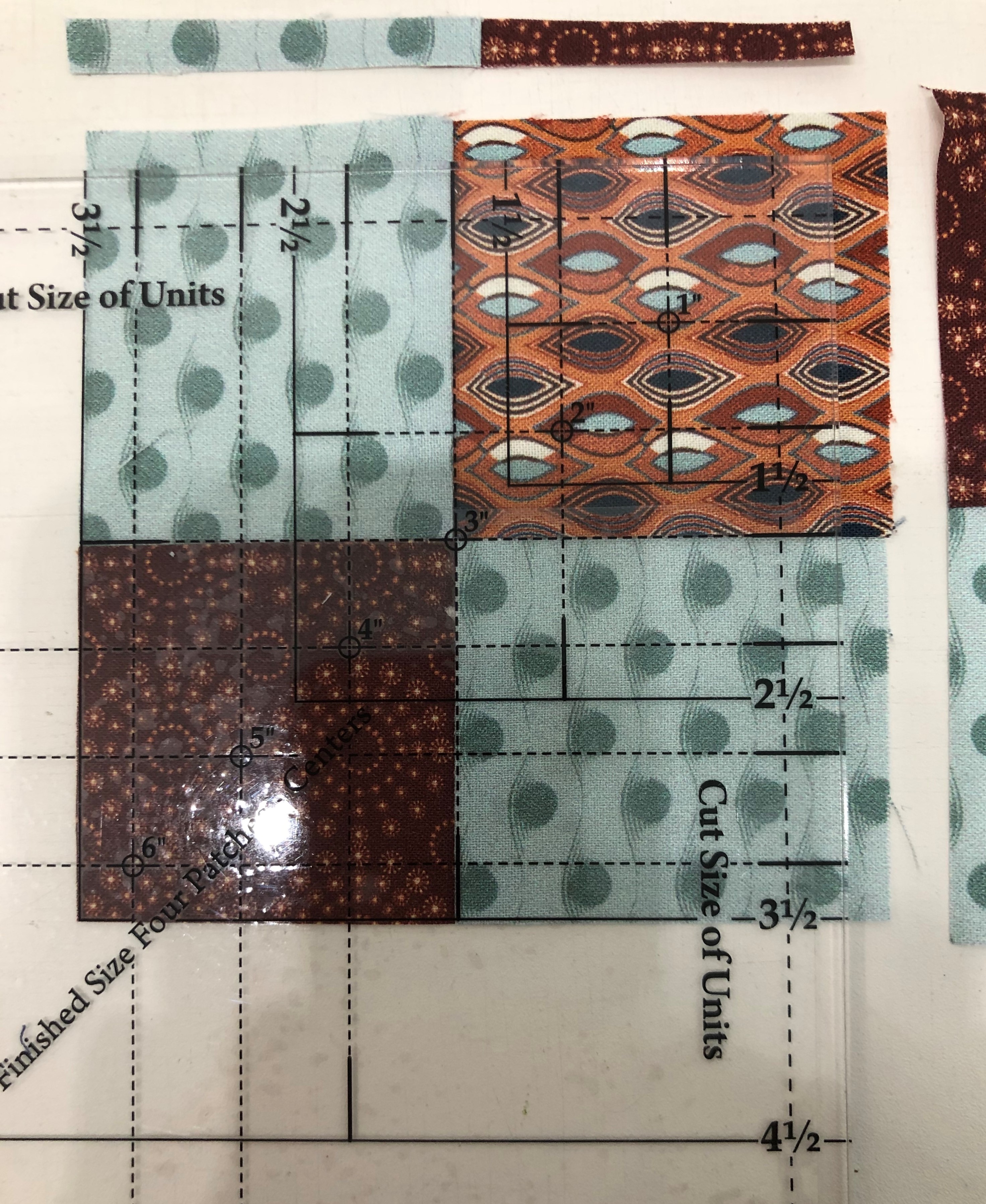
Step 7 – Rotate the unit 180 degrees . Realign the 3” Finished Size circle with the center and the dashed lines with your seams. Also make sure that the outside trimmed edge of the unit is aligned with the 3½” cleanup lines. Trim the final two sides. Repeat steps 6 and 7 for the remaining units.

Second Trim

Step 8 – Stitch a 2”x 3½” Print 5 rectangle to the side of each four patch as shown. Press toward the Print 5 rectangle.

Step 8

Step 9 – Stitch a Strip Set C piece onto the pieced unit as shown. Press toward the C piece.

Step 9

Chevrons

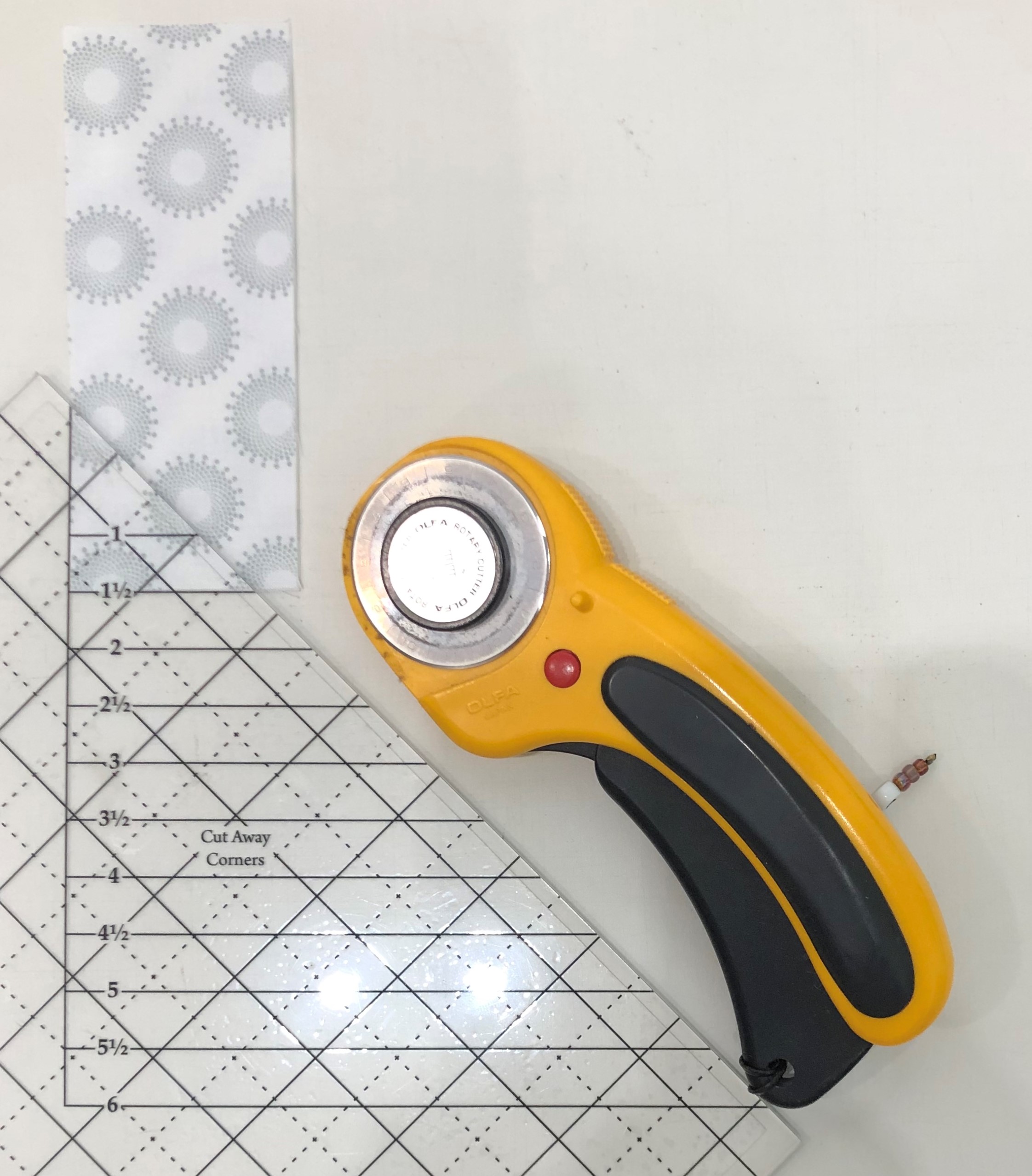
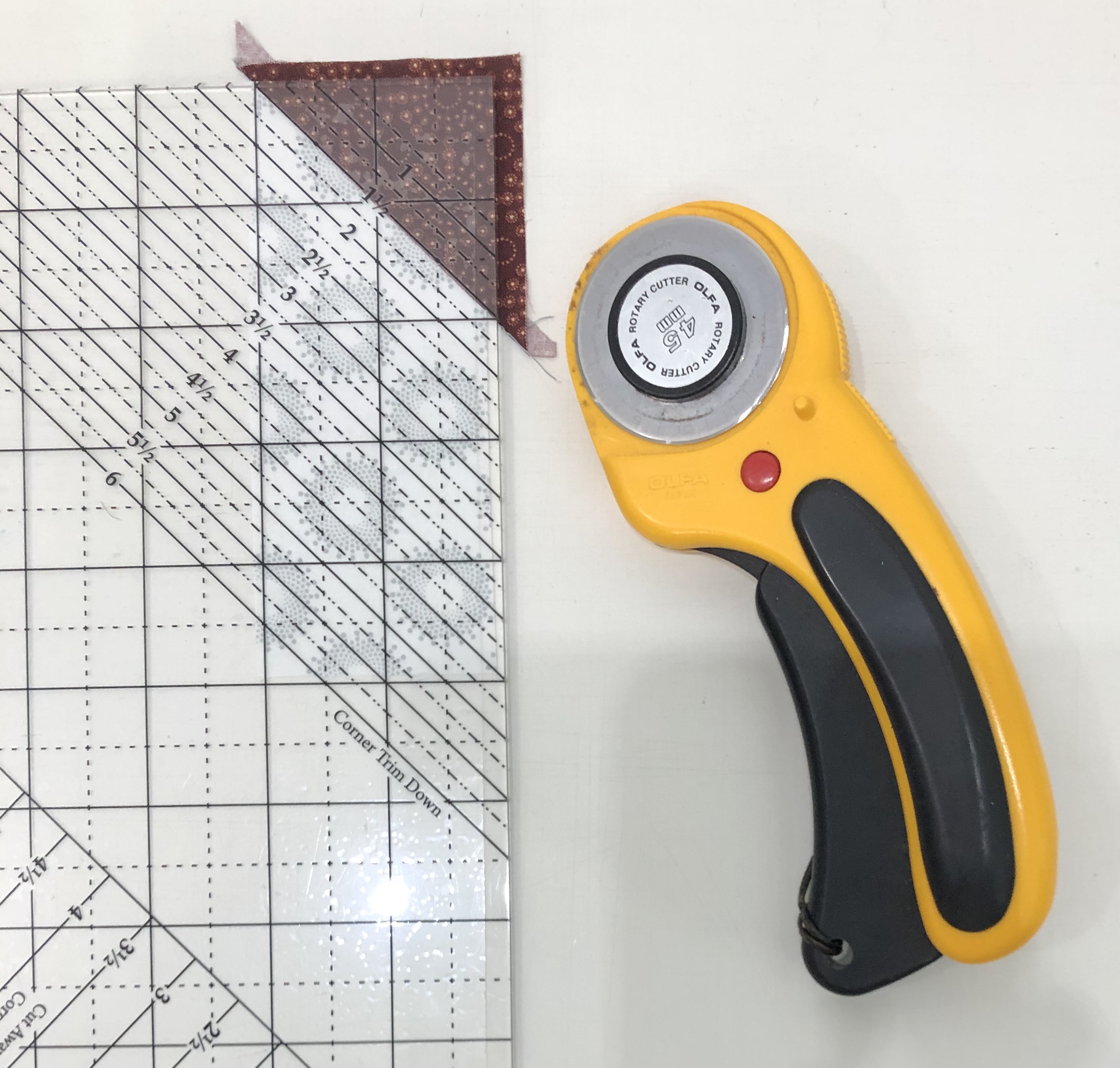
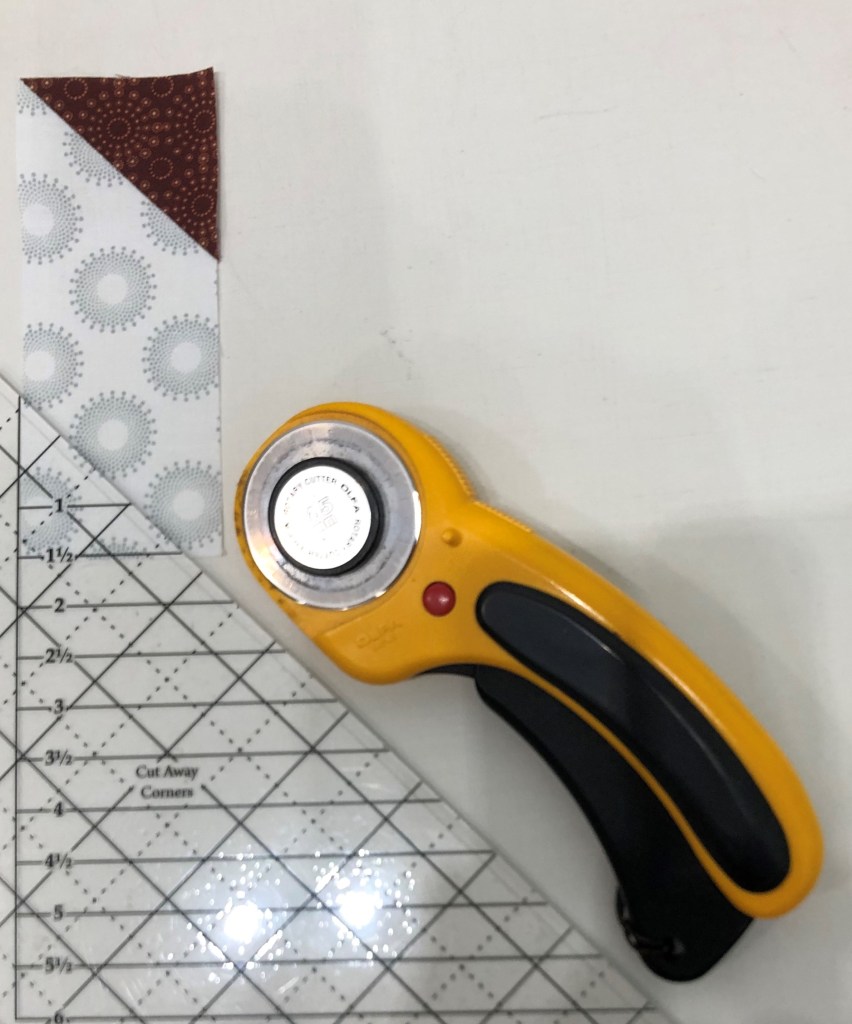
Step 10 – Layer two 2”x 5” Print 11 rectangles wrong sides together. Carefully align the edges. On your Corner Pop® tool, find the 1½” Cut Away Corners line. Position the 1½” Cut Away lines of the tool over the corner of the rectangles as shown. Trim. Repeat for the remaining rectangles.

Step 10

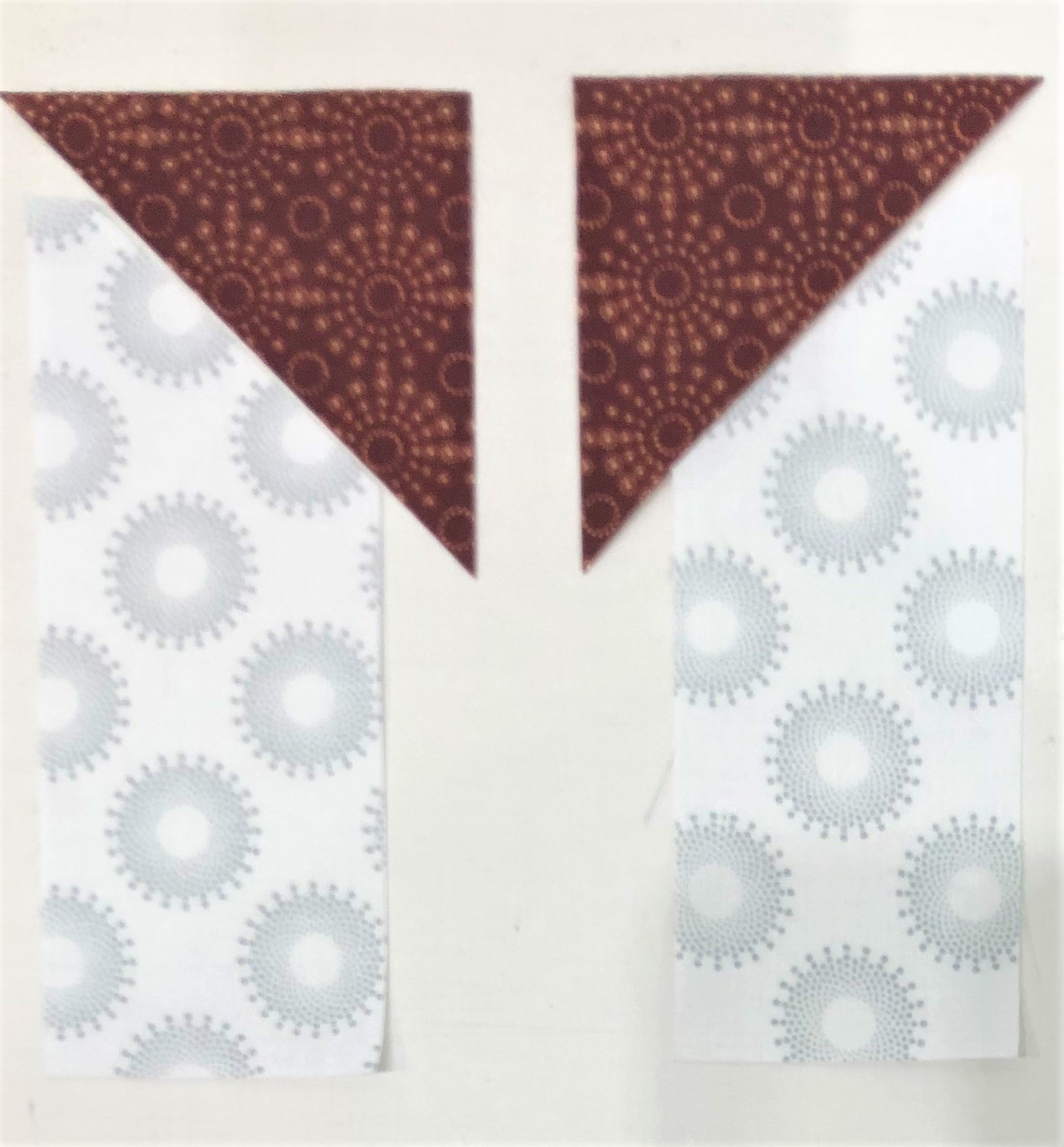
Step 11 – Center the long edge of one 2¾” Print 6 replacement triangle on the trimmed corner of each rectangle.

Step 11, part 1

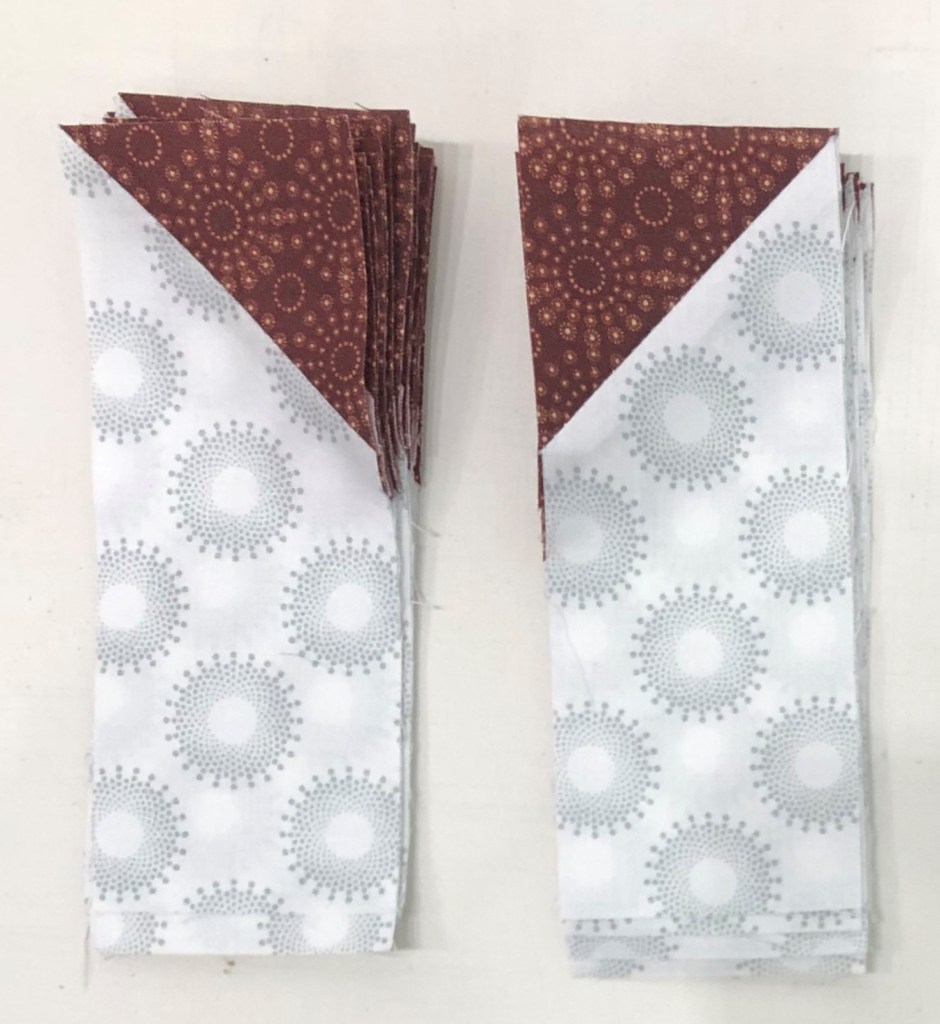
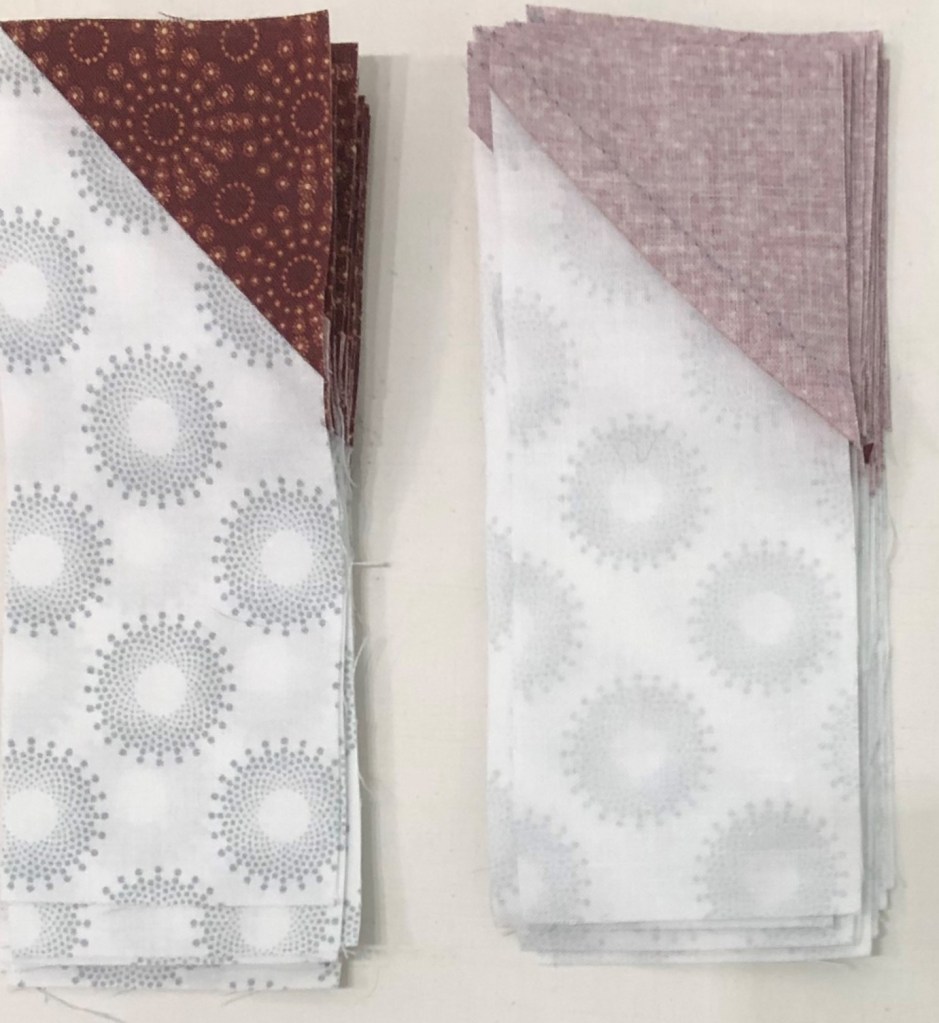
Step 11 Cont.: Stitch with the rectangle on top using an accurate ¼” seam. Separate the rectangles into two piles as shown in the diagram. Press the seams of the pile on the left toward the triangle and the seams of the right pile toward the rectangle.

Step 12 – Position the 1½” Corner Trim Down line of the tool over the sewn seam. Align the diagonal guideline with the seam and the edges of the unit with the edge and lines on the tool. Trim the corner. Repeat for all the rectangles.

Step 12

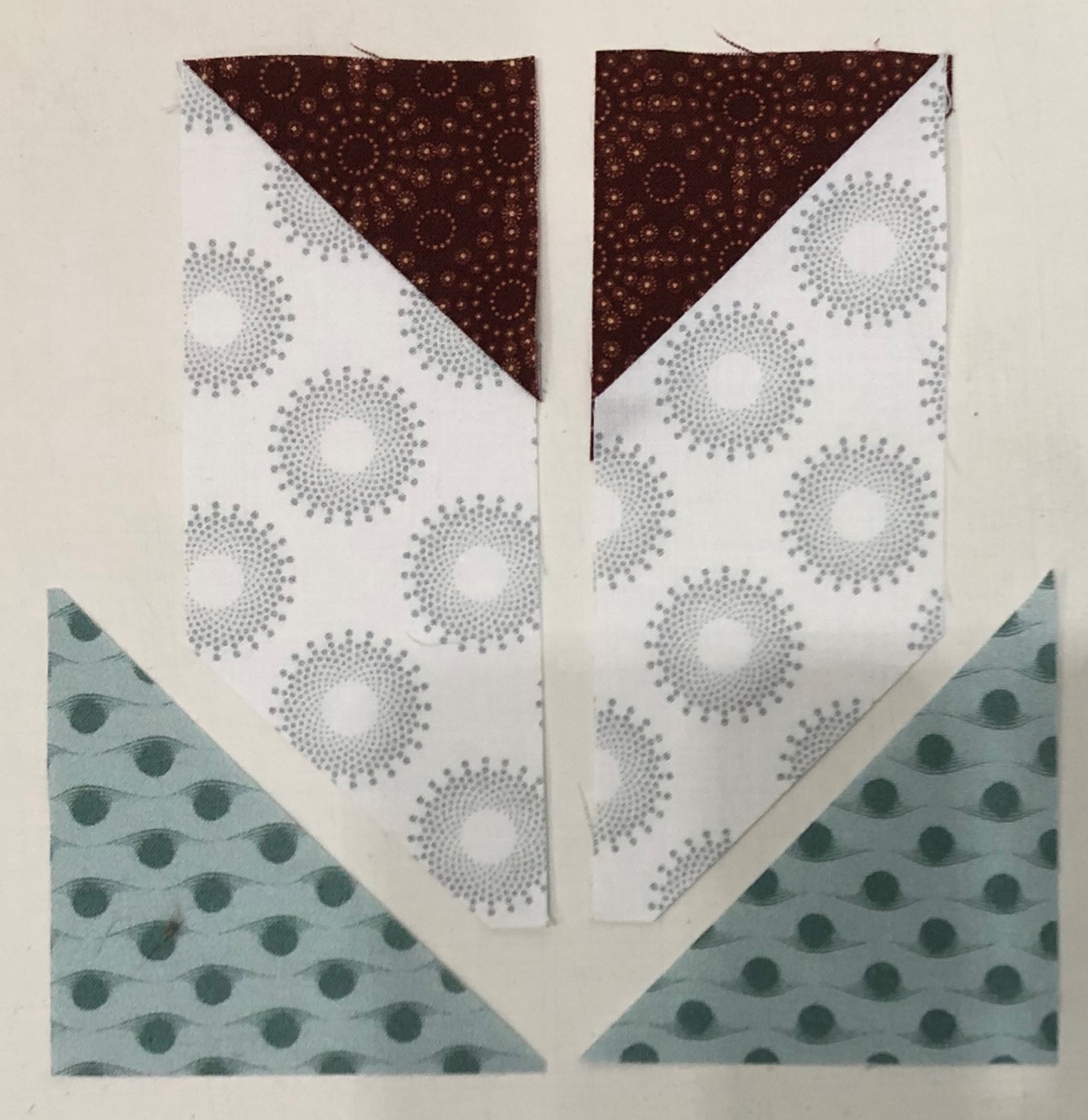
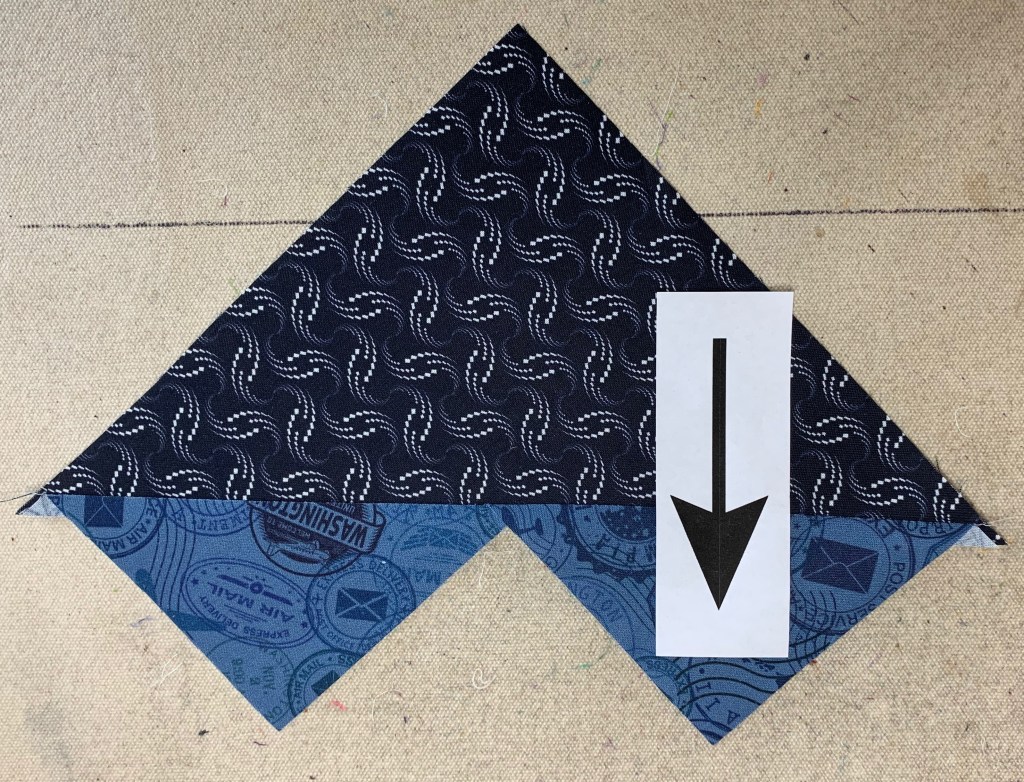
Step 13 – Separate the rectangles into two piles as shown. Turn the right pile (with the replacement triangle slanting from upper right to lower left) wrong side up.

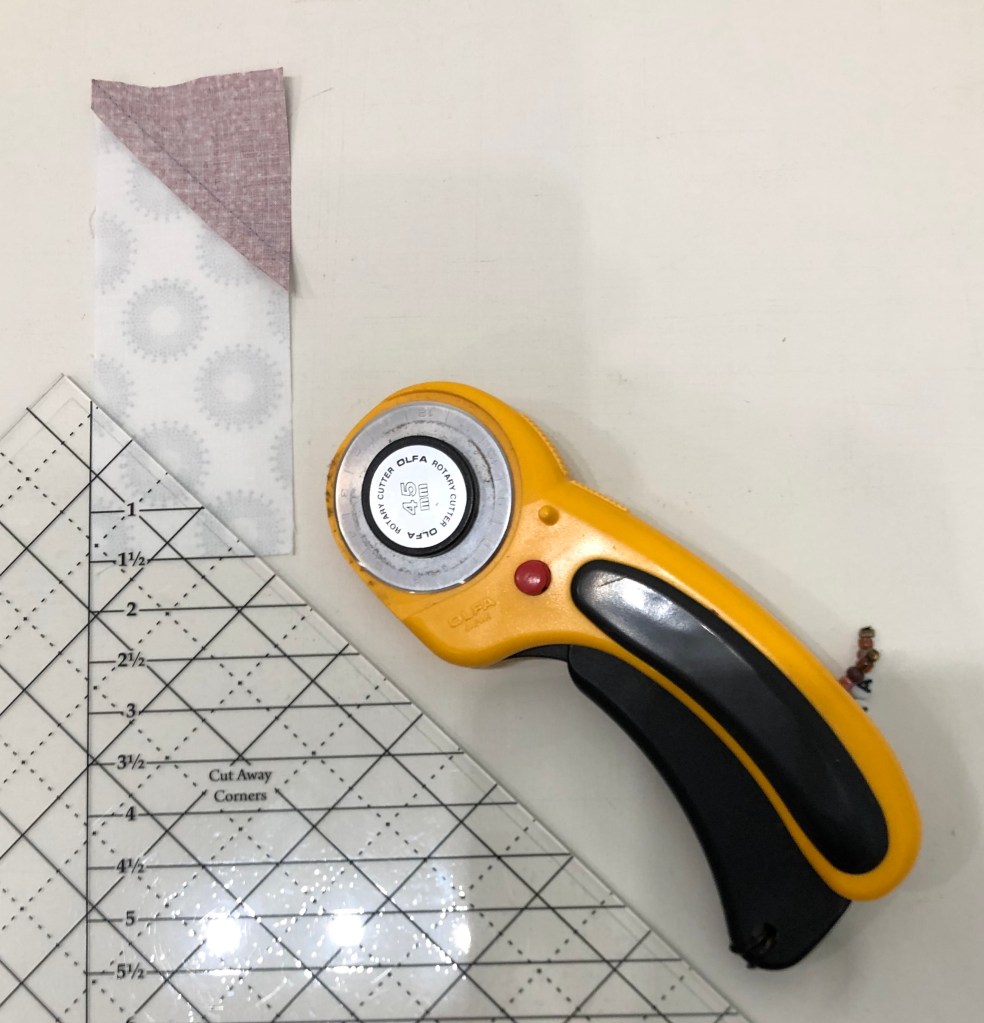
Step 14 – Cut. Use the Corner Pop® tool and the 1½” Cut Away Corners line and cut away the corner opposite Print 6. Make sure that you have the piece positioned how it is in the diagram so that you are cutting off the correct corner to make the chevron. You will cut with 16 units right side up and 16 units right side down. Cut the corner off once you have confirmed that you are cutting in the correct spot.

Step 15 – Repeat steps 11 &12 for the cut away corner using the Print 5 replacement triangles.

Step 15

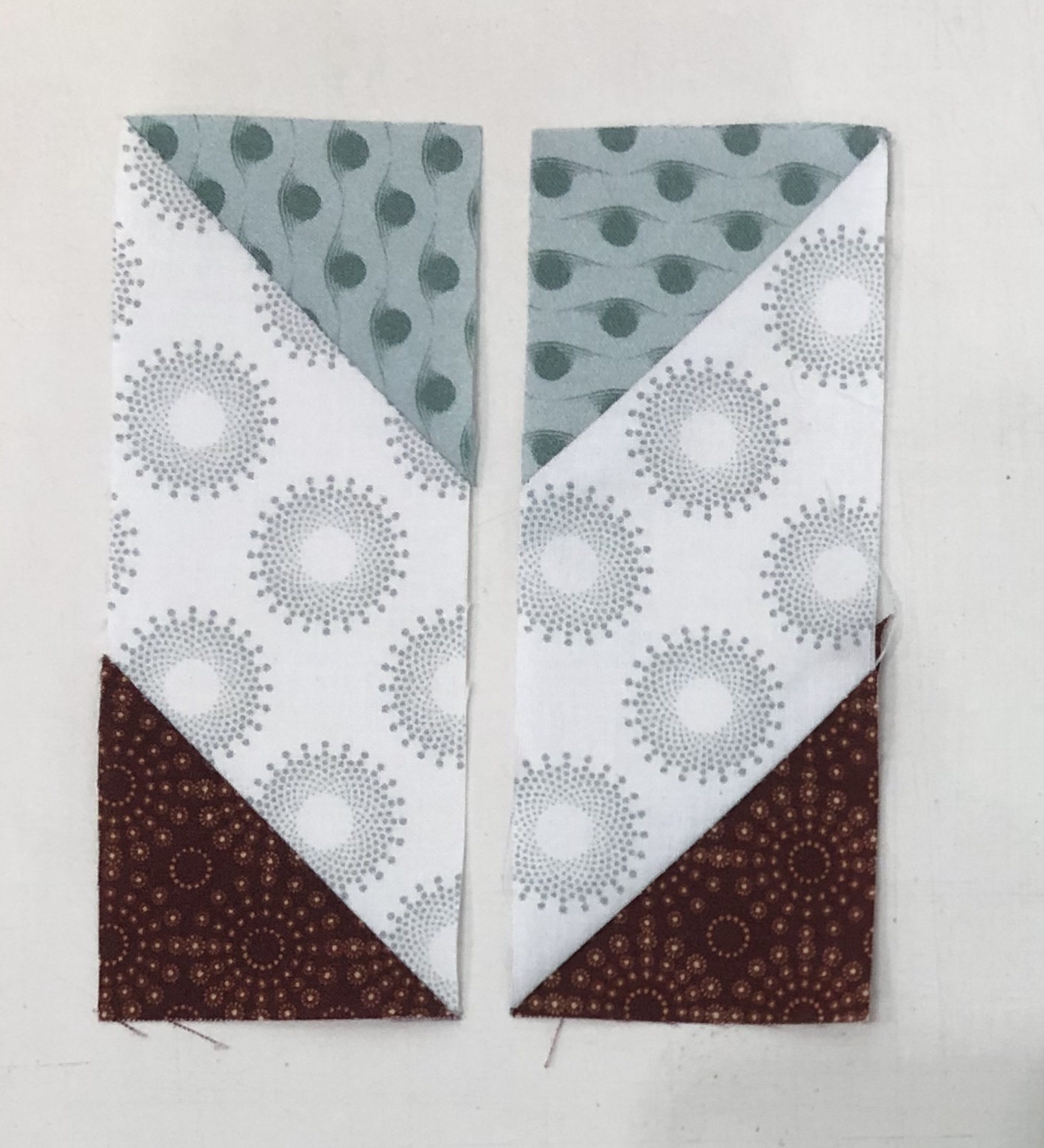
Step 16 – Lay out the pieced rectangles as shown. Position two of them right sides together leaving them in the same orientation and stitch down the long side. Press the seam open.

Step 16

Block Construction

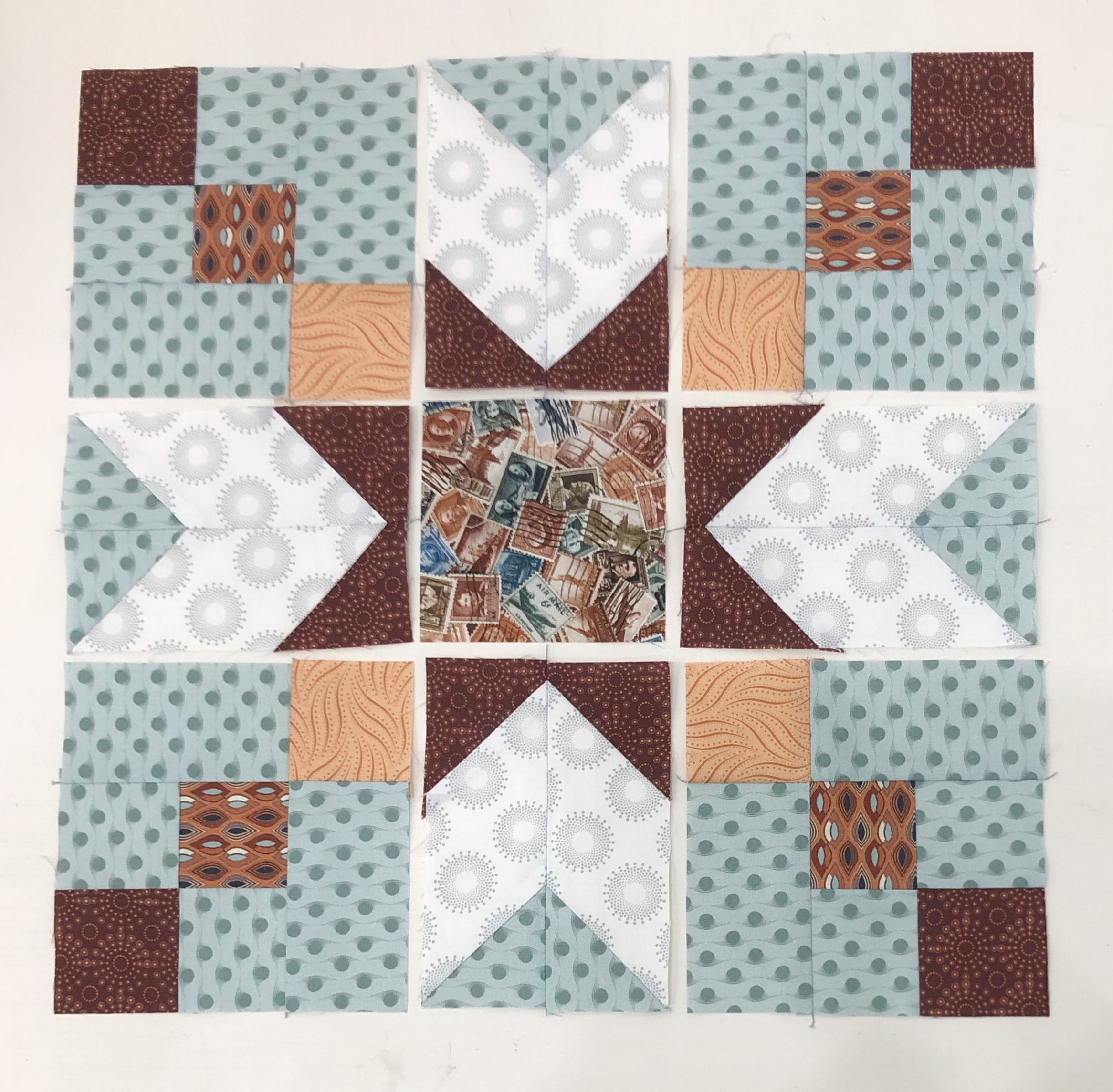
Step 17 – Lay out the framed four patches, chevrons, and center square so that it looks like the diagram.

Step 17

Step 18 – Stitch the units together into rows and then stitch the rows together to create the block. Press as shown in the diagram. You will have 4 blocks when you are done. Label them Block G.

Block G Winged Nine Patch

Congratulations, not only did you expand your knowledge of the Four Patch Square Up tool by making Four Patches with Frames, you also learned to use the Corner Pop tool by making Chevron units!

Journeys Month 3 – Flying Geese

Welcome to Stitchin Heaven’s Journeys BOM Month 3. This month you will be learning to make flying geese the Deb Tucker way, using your Wing Clipper I. My helper this month is Deb Tucker herself! As always use your best cutting, stitching and pressing skills. We will be using prints 1, 2 & 5. Carefully cut your starter squares and let’s go!

Prints 1, 2 & 5

Piecing Instructions Flying Geese Construction

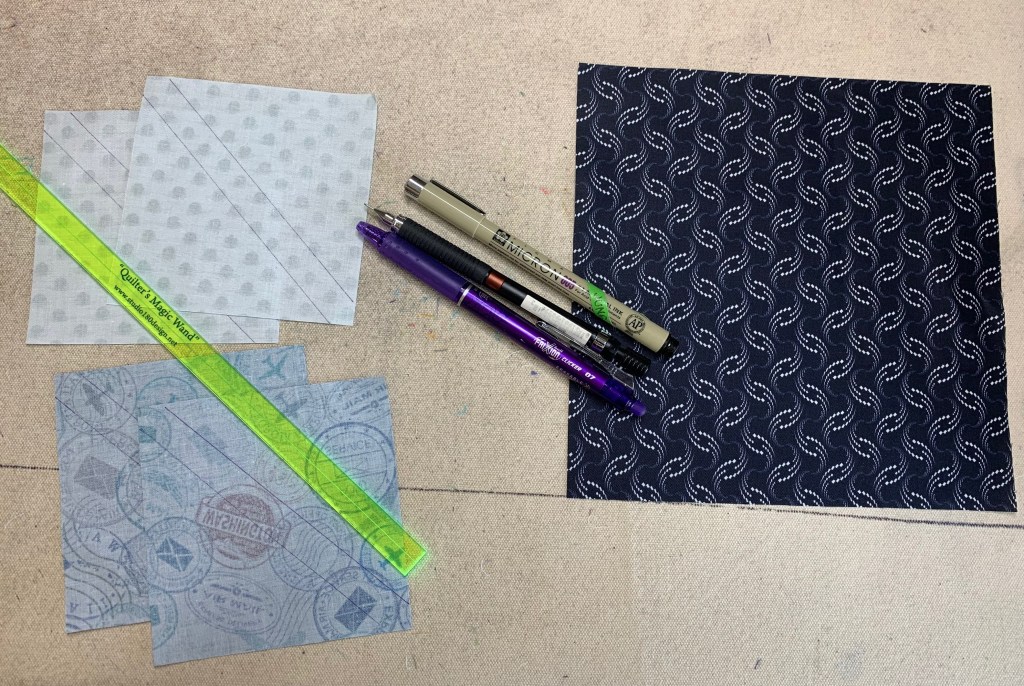
Step 1 – Mark Squares. Begin with one large Print 1 square and two Print 2 and two Print 5 small squares. On the wrong side of each small square, mark two stitching lines ¼” on either side of the center diagonal. I like to use my Quilter’s Magic Wand™ for this task.

Step 1

Step 2 – Position the two Print 2 small squares in opposite diagonal corners of the large square, right sides together. Nudge the small squares in toward the center a few threads from the edge of the large square and align the drawn lines.

Nudge the small squares toward the center of the large square.
Step 2

Step 3 – Stitch on the two marked lines, then cut between the stitching lines along the center diagonal of the squares. Press your seams toward the small triangles.

Tip: Stitch just inside of the drawn lines. This will give you more to trim later.
Step 3
Step 3 Cont.

Step 4 – Position two Print 5 small squares, one in each corner of your heart shaped units. Nudge these squares a few threads in from the edge of the large triangle.

Step 4

Step 5 – Stitch along the two marked lines.

Step 5

Step 6 – Cut between the stitched lines along the center diagonal of the small squares and press toward the small triangle.

Step 6
Step 6

Step 7 – Position your Wing Clipper® I tool over your unit, aligning the correct diagonal guidelines of the ruler with the seams of your unit and trim two sides. Rotate the unit 180° and align the 3½”x 6½” horizontal and vertical guide lines with the edges of the unit. Align the “X” on the Wing Clipper® I with the seam intersection of your unit and trim again. Repeat for the remaining units. You will end up with 24 geese that have print 2 on the left, label these as Unit E, and 24 geese that have print 2 on the right, label these as Unit F.

First Trim
Second Trim
4 Flying Geese

Congratulations! You have now learned to make flying geese using the Wing Clipper I.

Journeys Month 2 – Triangle Units

Welcome to Stitchin Heaven’s Journeys Month 2. My helper for Month 2 is Amy Lemke, a talented graphic artist for Studio 180 Design. This month you are going to learn to make Half Square Triangles (HSTs) and Combination Units with your Tucker Trimmer I with Prints 1, 2, 5, 10, & 11. Label your fabrics and use your best cutting skills when cutting your starter squares.

Prints 1, 2, 5, 10 & 11.

Tip: I use plain paper plates and write on them what it is I have cut out. For instance, if you are new to using a Tucker Trimmer, I would label 6 paper plates: one for each print. Using a pen or pencil label the first plate “Print 1, Combination Units (unit D)”, and so on.

Half Square Triangle Construction

Note: For more information and left handed cutting and trimming directions, refer to the instruction that came with your Tucker Trimmer.

Prints 5, 10, & 11.

Step 1 – Mark two stitching lines ¼” on either side of the center diagonal. Draw the lines on the wrong side of all the 7” squares from Print 11. I like to use my Quilter’s Magic Wand™ for this task.

Mark using a Magic Wand.

Step 2 – Layer the 7” Print 11 squares right sides together with the 7” squares from Prints 5 and 10. Stitch on the lines, then cut down the middle. Press away from Print 11 or open.

Layer.

Stitch and cut apart.

Press.

Step 3 – Trim the units to 6½” using the Tucker Trimmer® I. Align the 6½” Sizing Diagonal with the seam and trim the first two sides.

First Trim

Step 4 – Rotate the unit 180 degrees and align the 6½” Sizing Diagonal with the seam as well as the 6½” cleanup lines with the outside edge. Trim the remaining two sides to create your precise Half Square Triangle units. Label the units made with Print 5 Unit C, and label the units with Print 10 Unit B.

Second Trim

Make 8 each from prints 10 & 11 and prints 5 & 11.

Combination Unit Construction

Prints 1, 2 & 11

Step 5 – Repeat steps 1 and 2 using the 7½” squares from Print 1 and Print 2 to make 4 Half Square Triangles. Press away from Print 2 or open. Do not trim!

Starter Squares

Step 6 – Mark two stitching lines ¼” on either side of the center diagonal line of the pieced Half Square Triangles.

Mark back of HSTs

Step 7 – Position the pieced squares right sides together with the 7½” Print 11 squares. Note that the edges are not intended to match. Stitch on the lines, then cut down the middle. Press toward the large triangle.

Stitch, cut apart & press.

Step 8 – Trim the units to 6½” using the Tucker Timmer® I. Align the 6½” Sizing Diagonal with the long seam and the Common Diagonal with the short seam. Trim the first two sides.

First Trim

Step 9 – Rotate the unit 180o and align the Sizing and Common Diagonals with the seam as well as the 6½” cleanup lines with the trimmed edge. Trim the remaining two sides to create your precise Combination units. Label them Unit D.

Second Trim

Congratulations, you have learned to make half square triangles and combination units using your Tucker Trimmer I.