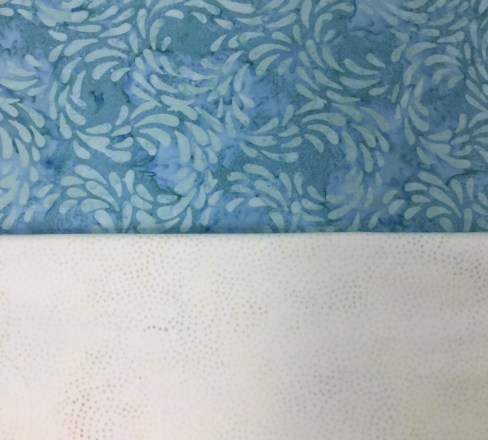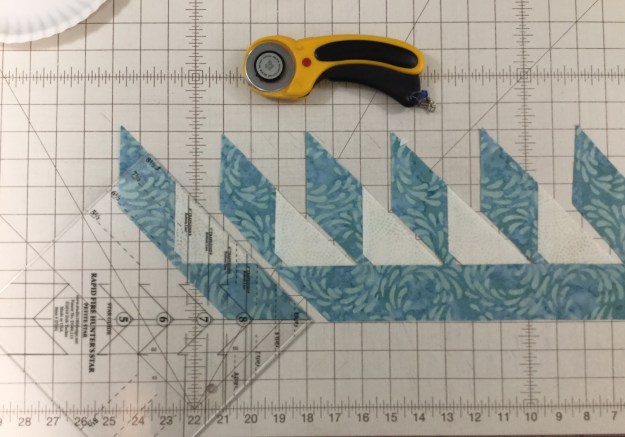

Scrapodopolis – BlockBuster’s #1 – #9

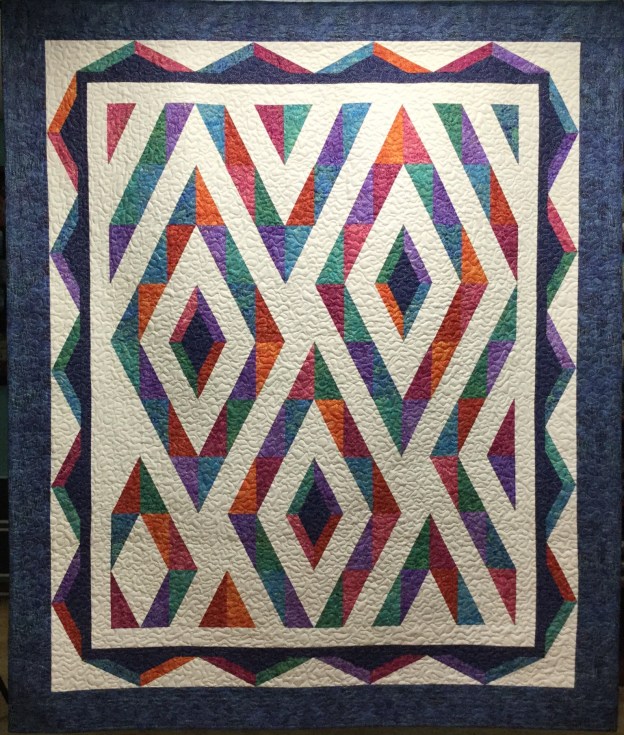
I just finished my quilt containing Deb Tucker’s BlockBuster patterns #1 through #9!  Scrapodopolis seems like a pretty good name.

img_6002

I used the Tucker trimmer 1, Wing Clipper 1, Square/Squared, V Block & Four Patch Square up tools from Studio 180 Design.  I was encouraged by fellow Certified Instructor Sarah Furrer to try a block layout a little outside the box, and I totally did!

01 Layout

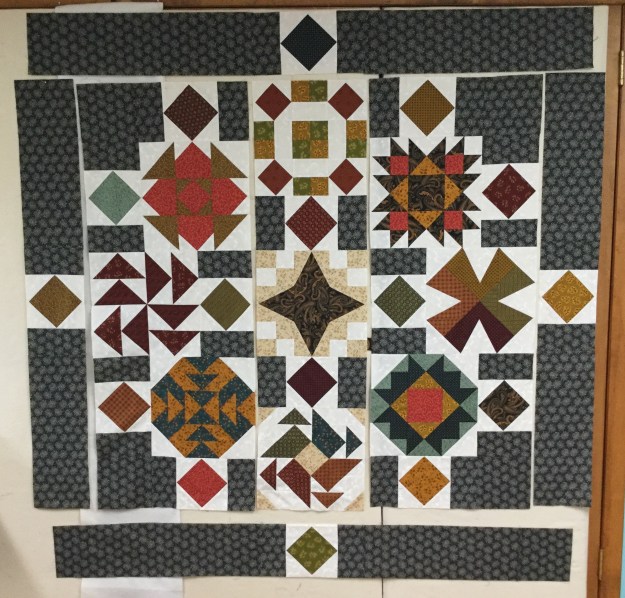
This is the layout I chose.  I did change it up a little.

02 Square Squared

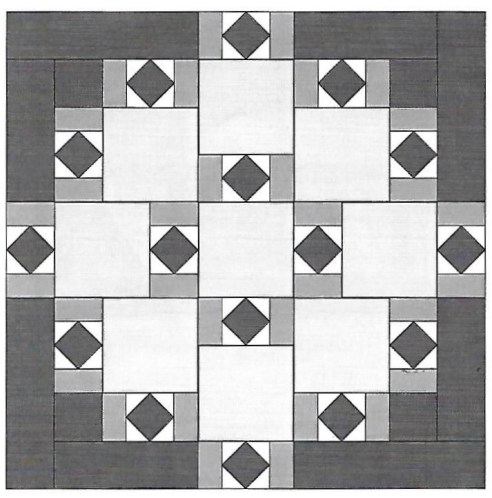
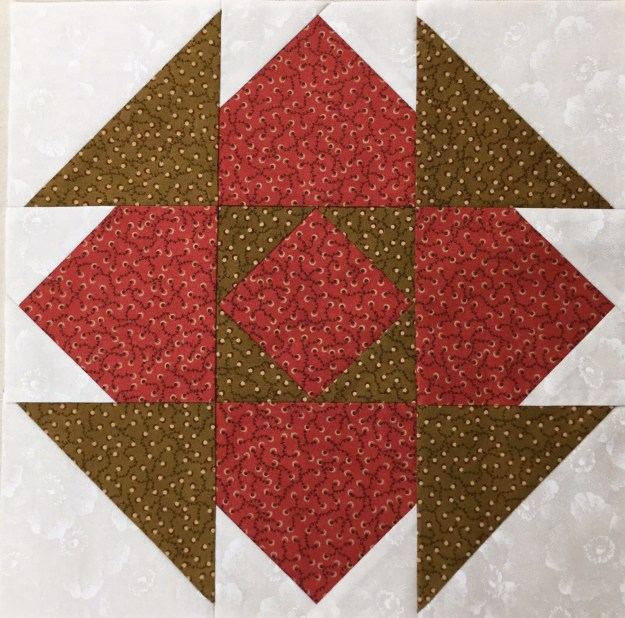
My blocks are 12″ when finished.  that indicated that my Square/Squared units would finish at 6″.  I Needed 16 square/squared units and decided the center squares would be cut from 16 different fabric pulled from the blocks & the side triangles would be the same background fabric used in the blocks.  The 3″ rectangles on either side of the square/squared units would match the border fabric.  The outer borders would finish at 6″ also.  I added a 3″ border outer border to enhance the four square/squared units in the border.

03 dont do this

Don’t do what I did.  I started in the center and stitched the outer square/squared units to the center blocks, (they had to be un-sewed and sewn to the borders pieces). In each of the corners, I stitched a 12″ block to a square/squared unit & stitched a square/squared unit to a 6.5″ square and then stitched it to the block.  The two blocks on either side of the center were stitched to a square/squared unit

04

This is much better. Now there are 3 rows of blocks in the center ready to be stitched together & the border square/squared units are pieced to the border strips.

Once all the pieces were stitched together I decided I needed to add a 3″ outer border so all the units appear to be floating.

09 quilted

I am so pleased with how it came out!  My finished quilt measures 67″ x 67″.

10 a different view

I can’t wait to start the next quilt with BlockBuster  #10!

BlockBuster #9 – Three In One

This block requires your Tucker Trimmer I and V Block tools.  BlockBuster 09 Three in One provides 3 different possible block layouts.  The block is made up of V Block, Combination & Quarter Square Triangle units.  I’m making Block 1 as a 12″ block, with 4″ finished units.

BlockBuster 9 blocks

All of the units in these three blocks are the same (and placed in the same location), yet just by rotating the units and changing your fabric placement, you’ll get three very different blocks.

img_5956

These are my fabric choices.  I will be making Block 1.  I decided where I wanted my fabrics in the block by looking at the colors in block 1 and assigned my fabric choice for the units.

img_5993

I need four V Block units with the center triangle cut from the background fabric and the side triangles cut from each of my four fabric colors.  For a 4″ finished unit I cut a 5″ WOF strip of the background and each of the four fabric color groups.  (check the Size Cutting Chart in the tool instructions and on the tool itself.)

img_5966.jpg

The center unit is a Quarter Square Triangle made from each of the four fabrics.  I cut a 5 1/2″ square from each of my four fabrics. ( Check the Size Cutting Chart in the tool instructions.)

img_5964

The corner units are Combination Units.  Each combo unit is made from fabrics that match the side triangles on either side of the V Block units and the background fabric. Cut 2 each 5 1/2″ squares from each of the four fabrics and four 5 1/2″ squares from the background fabric.

V Bock Units

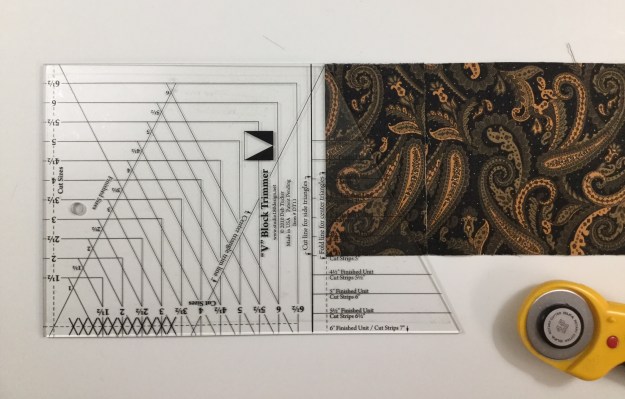
Everything you need to know for making V Block units is in the tool instructions.  I’m starting with the V Block center triangles.  To cut the center triangles, layer no more than two layers deep.  Fold the ends deep enough to accommodate the slanted cut for a 4″ finished unit and finger press it.

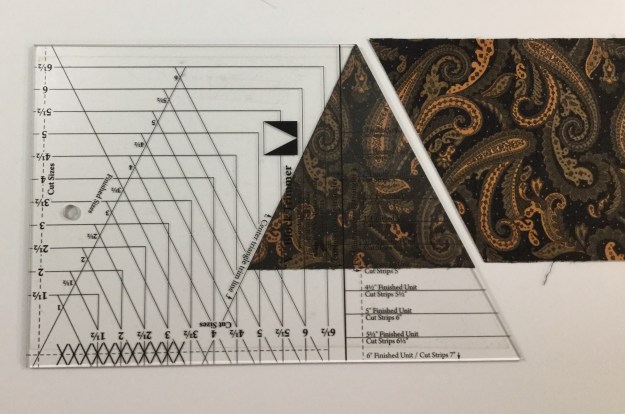
Position the tool on the strip so that the dashed line labeled “Fold Line for Center Triangle” is aligned with the fold and the correct size line of the tool is against the bottom edge of the strip. Trim along the slanted edge of the tool and unfold to reveal the center triangle pieces.

Move the cut triangles to the side and flip the strip over from top to bottom.  Align the center triangle trim line with the previously trimmed edge and cut your next pair of center triangles.  For this block you need four center triangles.

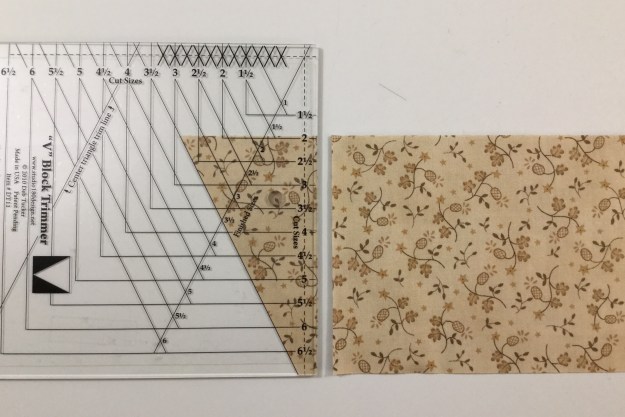
For the Side triangles. place the strips facing each other, either right sides or wrong sides together on the cutting mat.  Locate the bold solid line on the tool that reads “Cut Line for Side Triangles”.  Position that line against the trimmed end of the strip and the proper size line against the bottom of the strip.  Trim along the slanted edge of the tool. 

img_5963

Cut one set from each of the four fabrics. 

Lay out the V Block units, making sure you are lining up the long edge of the side triangles with the edges of the center triangle.  Position pieces right sides together lining up the slanted cut edges “tip to tip” and stitch one side triangle to the unit. Press toward the side triangle.  Position second triangle, stitch & press as shown.  Repeat with the other V Blocks.

Lay the V Block unit on the cutting mat with “V” pointing toward you.  Lay the tool on the unit aligning the “Finished Size” measurement with the seam lines. Trim up the right side and across the top.  (For left hand cutting directions see tool instructions.)

Lift the tool and rotate the unit. Reposition the tool on top aligning the correct “Cut Size” measurements with the previously trimmed corner and “X” with the sewn seam intersection.  Trim up the right side across the top.

Quarter Square Triangle – Center Unit

Check the Size Cutting Chart to determine size of the starter squares.  For 4″ finished units cut one 5 1/2″ square from each of the four colors.  Make half square triangles (HST) by marking two diagonal lines on the back of 2 of the fabric squares with your Magic Wand, stitch on the lines and cut apart.  Press seams toward the darker fabric.  Do Not Trim. Check your fabric placement choices to determine which fabrics to make HST’s out of.

Note:  When making half square triangles, combination units and quarter square triangles, you will be making two units at a time.  You can make two blocks or save the units for something later.

On the back of one of the HST’s, use your Magic Wand  and mark two diagonal lines. Position the HST units right sides together, carefully nesting the sewn seams.   Stitch on the lines, cut apart and press swirling the center.

Position your Tucker Trimmer over the pieced unit. Carefully align both the common diagonal and the size diagonal lines over the sewn seam lines.  Trim up the right side and across the top.  Lift the Tucker Trimmer tool and rotate the unit.  This time be sure to position both the common diagonal, the size diagonal lines and the outline of the square to the exact measurement desired. Right hander’s trim up the right side and across the top, while left hander’s will trim up the left side and across the top.

Combination Units

Check you fabric placement choice to group your fabrics for making the combo units.  There are three 5 1/2″ squares (one background & 2 darker fabrics) for each combo unit.  Start by making half square triangles (HST) by marking two diagonal lines on the back of one of the darker fabric squares and placing it right sides together with the other dark fabric square.  Stitch on the lines and cut apart and press.  Do Not Trim.  Do this for each color group.

img_5972

Mark two diagonal lines on the back of one HST. Place one HST on one background square centering it and stitch on the lines.

Cut apart and press toward the large triangle.  When you make combination units with this process, you are making mirror image  combo units.  You will only need one set of combo units for one block.  Deb Tucker has a Non Mirror Combo Technique Sheet that shows you how to make only the combo units you need.

Position the Tucker trimmer over the unit, carefully aligning both the common diagonal and the size diagonal with the stitched seams.  Right hander’s trim up the right side and across the top, while left hander’s will trim up the left side and across the top.  Lift the tool and rotate the unit.  This time line up both diagonal lines and the outline to the exact measurement desired and trim as before.

Lay out your units and stitch into rows, pressing as shown.

Stitch your rows to make your block.  I now have BlockBuster’s #1 – #9 completed!  Time to make a quilt!

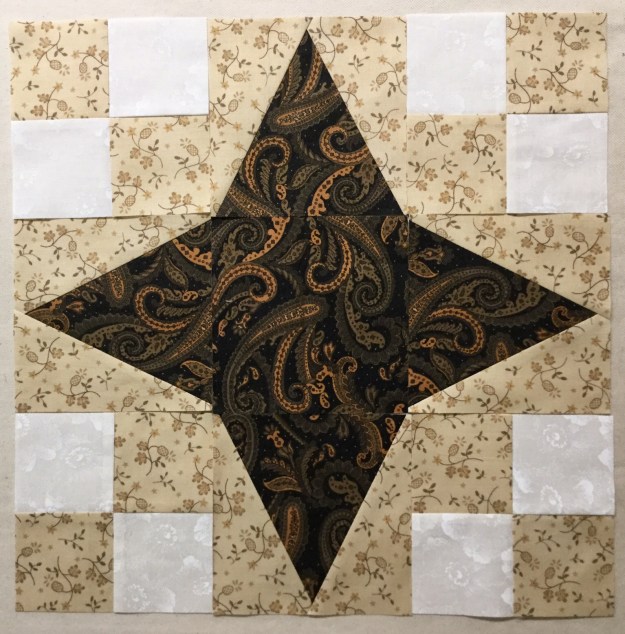
BlockBuster #8 54-40 or Fight

BlockBuster # 08 54 – 40 or Fight is a fun & easy block.  It requires Deb Tucker’s  V Block tool.  This block also has four patch units, which you can make by cutting individual squares.  I made my four patch units by using Deb’s Tucker’s new Four Patch Square Up tool.  The cutting chart gives you options for making a 6″, 9″ or 12″ block.  I made a 12″ block.

img_5916

I chose the 3 fabric colors shown above.

V Block Units

img_5917

Everything you need to know for making V Block’s is in the tool instructions.  I’m starting with the V Block center triangles, I chose a dark fabric for my star.  For a 12″ block the cut size of my units will be 4 1/2″.  The  Size chart and/or the tool itself tells me that for a 4″ finished unit, I need to cut a 5″ strip.  To cut the center triangles, layer no more than two layers deep.  Fold the ends deep enough to accommodate the slanted cut for a 4″ finished unit and finger press it.

Position the tool on the strip so that the dashed line labeled “Fold Line for Center Triangle” is aligned with the fold and the correct size line of the tool is against the bottom edge of the strip.

img_5918

Trim along the slanted edge of the tool and unfold to reveal the center triangle pieces.

img_5920

Move the cut triangles to the side and flip the strip over from top to bottom.  Align the center triangle trim line with the previously trimmed edge and cut your next pair of center triangles.  For this block you need four center triangles.

img_5921

Place the strips facing each other, either right sides or wrong side together on the cutting mat.  Locate the bold solid line on the tool that reads “Cut Line for Side Triangles”.  Position that line against the trimmed end of the strip and the proper size line against the bottom of the strip.  Trim along the slanted edge of the tool.

img_5922

To make the next cut, keep the fabric in the same position on the mat and rotate the tool as shown above and cut.  Rotate the tool back to the first position and cut again.  You will need four mirror image sets of side triangles for this block.

Lay out the V Block units, making sure you are lining up the long edge of the side triangles with the edges of the center triangle.  To sew position pieces right sides together lining up the slanted cut edges “tip to tip” and chain stitch one side triangle to each unit.

Press all seams toward the side triangles.

Position the second side triangles and stitch onto each unit as before.

Have you ever tried to sew with a Chihuahua on your lap?  I don’t recommend it.


img_5937

Press toward the side triangle.  Lay the V Block unit on the cutting mat with “V” pointing toward you.  Lay the tool on the unit aligning the “Finished Size” measurement with the seam lines. Trim up the right side and across the top.  (For left hand cutting directions see tool instructions.)

img_5938

Lift the tool and rotate the unit. Reposition the tool on top aligning the correct “Cut Size” measurements with the previously trimmed corner and “X” with the sewn seam intersection.  Trim up the right side across the top.

img_5939

Trim all four V Block units.  Remember for more help, there are free video’s for each of Deb’s tools at Studio 180 Design.

Four Patch Units

I love Deb Tucker’s new Four Patch Square Up tool, because four patch units are easy to make, so I save them for last.  By then I’m tired and my brains have fallen on the floor somewhere.  I know for this block I need four 4″ finished four patch units.  I simply go to the size cutting chart that came with the tool.  I cut one WOF 2 3/4″ strip from each of my two color choices.  Position the strips right sides together and stitch them together along the long edge.  Cut the sewn strips in half crosswise and press toward the darker fabric.  Reverse one half of the strip over the other so each color is opposite the other color.  Nest the seams well.

Sub-cut into units the same size as the width that you cut  the strips.  In this case my strips were 2 3/4″ wide.  Chain stitch down the long side of the layered pair.

Swirl the centers and press.

img_5948

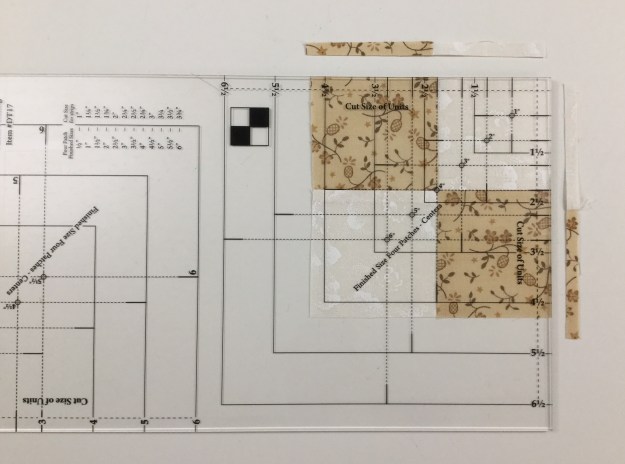
Locate the desired Finished Size circle on your Four Patch Square Up tool and position this circle over the seam intersection of your four patch unit.  Line up the dashed lines radiating from the center with your seams.  Trim up the right side and across the top.

img_5949

Lift the tool and rotate the unit.  Realign the finished size circle with the center and the dashed lines with the seams.  Also make sure the outside trimmed edges of the unit are aligned with the solid cut size clean up lines.  Trim up the right side and across the top, and presto you have a beautiful perfectly square Four Patch unit!

img_5950

Cut a 4 1/2″ center square that matches your star points.  Lay out your V Block and four patch units.

Sew the units into rows and press as shown.  Join the rows, stitch and press away from the center.

img_5953

Check out the other color options on the supply list.  One more BlockBuster block and I will put together my sampler quilt.

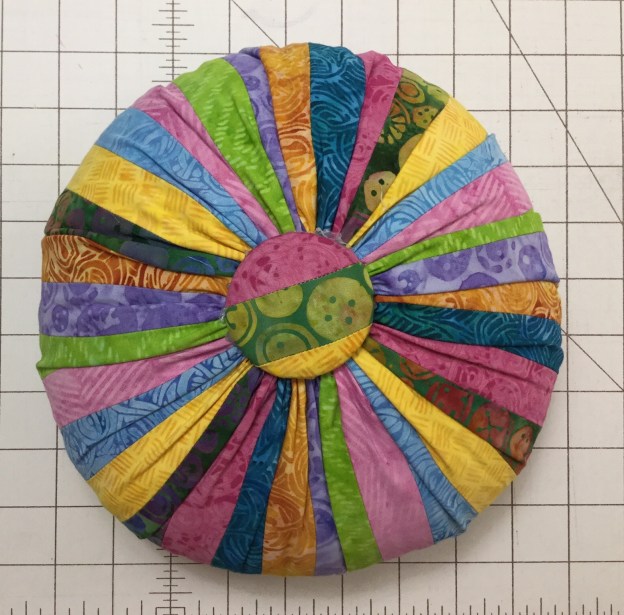
What a Big Pin Cushion You Have My Dear!

The March Island Batik Challenge is to try a technique that is new to me.  As a person totally addicted to all things quilting I was having a hard time coming up with an idea.

Try a Technique

Early in February I was at a quilt retreat with gal pals at Needle in a Haystack Retreat Center in Findley Lake, NY (fabulous retreat center).  In their fabric store I spotted something high on a shelf.

img_5816

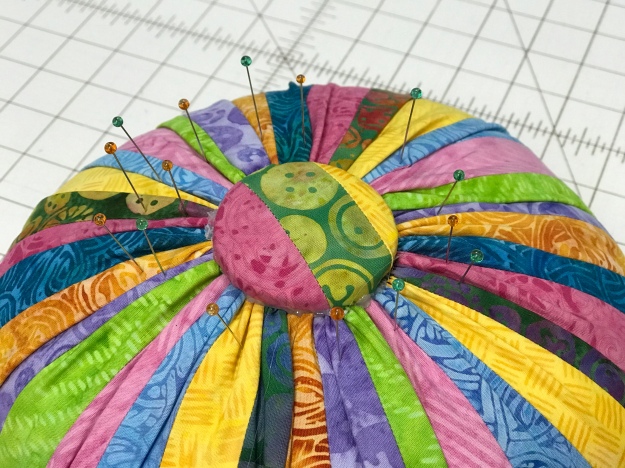
I asked “is that a mini tuffet kit”?  the answer was “yes”.  “What would you do with a 8″ tuffet” I asked?  She said “it could be for an American Girl Doll”.  Then it struck me….it could be a pin cushion on steroids!  I have never tried to make a tuffet before, so that was my choice for “try a technique new to me!!!

img_5815

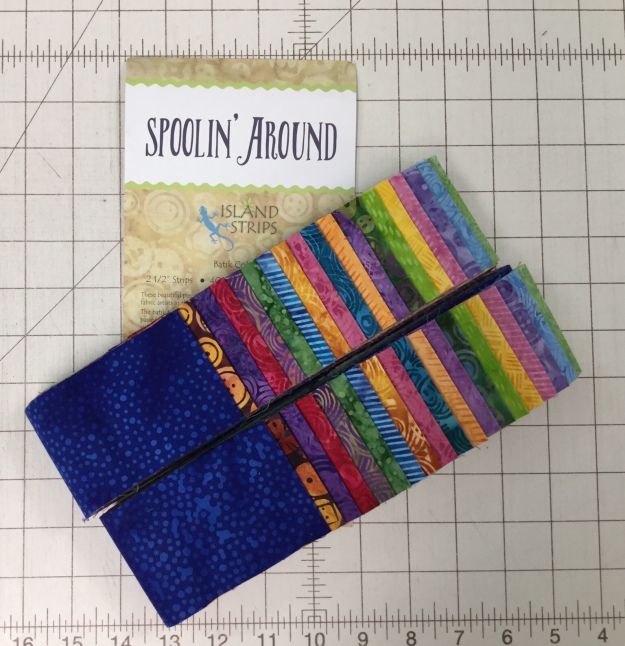
I had these beautiful 2.5″ inch strips from Island Batik’s “Spoolin Around” collection.  I love how accurate and clean the edges are on Island Batik pre-cuts!

img_5817

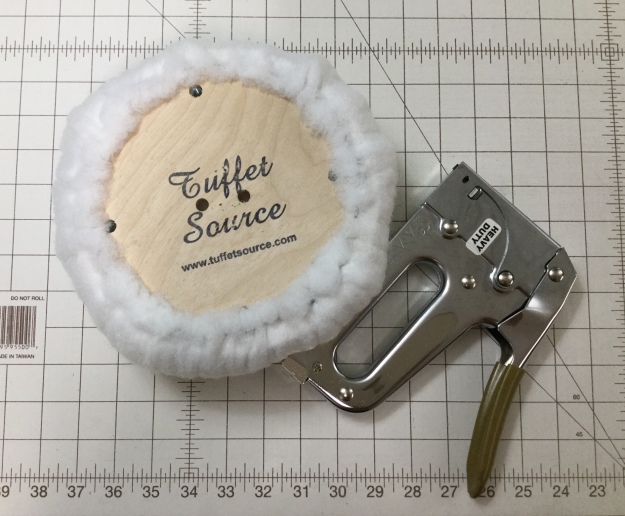
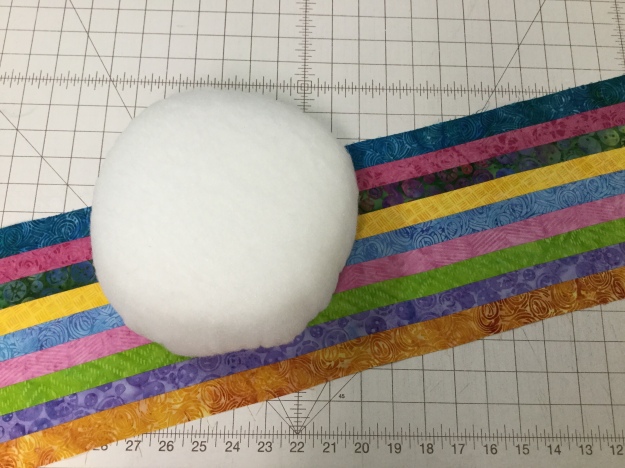
First task was to staple the batting around the foam, to round the edges and attach it to the wooden base.  I’m already in trouble because apparently I tugged too hard on the batting, more about that later.

img_5818

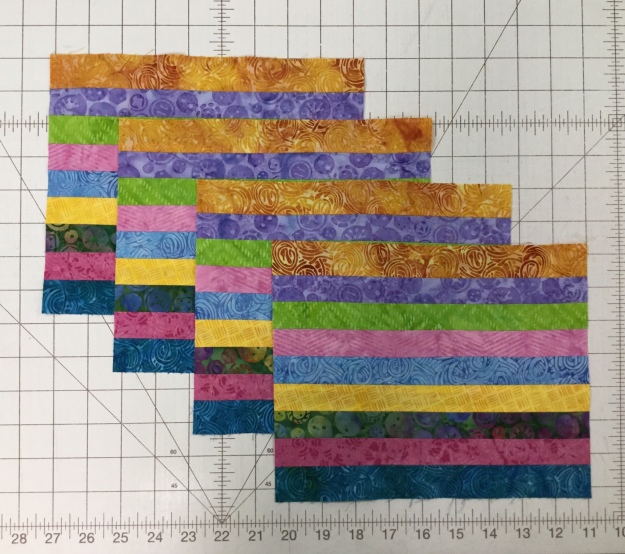
I had to pick 9 strips, trim them to 1.25″ wide, and sew them together pressing the seams open.  So far so good.

img_5819

Cut them into four units 9.5″ wide.

img_5820

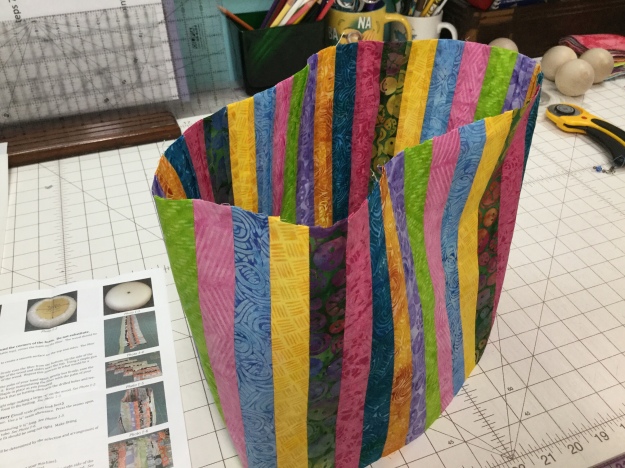
Sew the four units together forming a tube.  Here is where things start to go astray.  I placed the form into the tube to check on the fit.  It seemed a little loose to me.  I guess I tugged too hard on the batting when stapling it to the wooden base.

img_5821

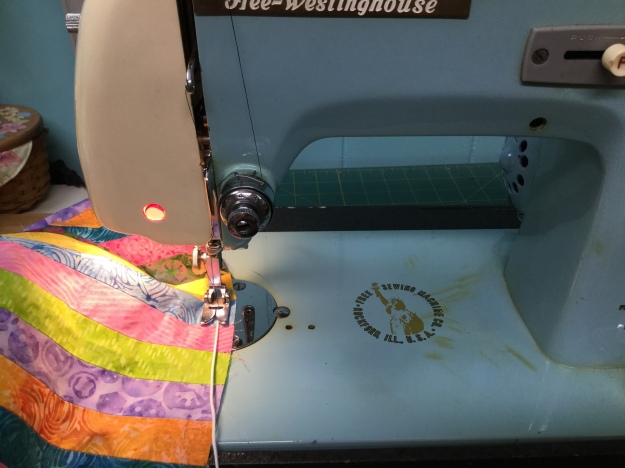
Next I had to zig-zag a gathering cord on both ends of the tube.  My computerized sewing machine couldn’t handle the job so I had to break out “Libby” my Free-Westinghouse, 60’s era sewing machine to get the job done!  This was the hardest part to accomplish, many expletives were flying around Tuckerville!

img_5823

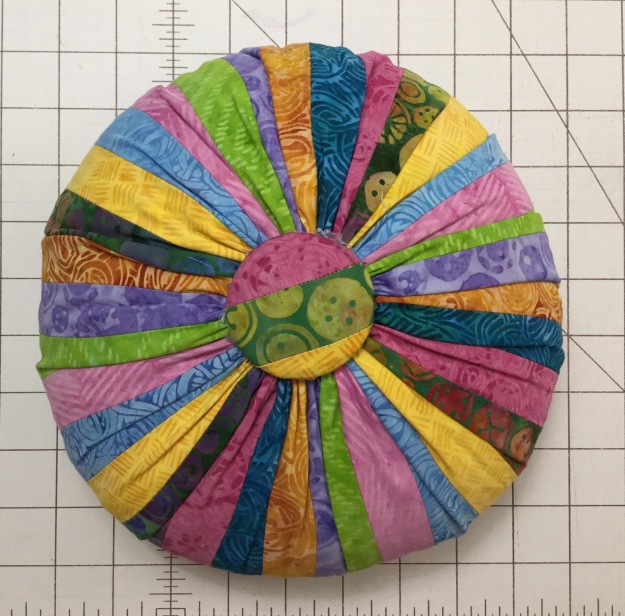
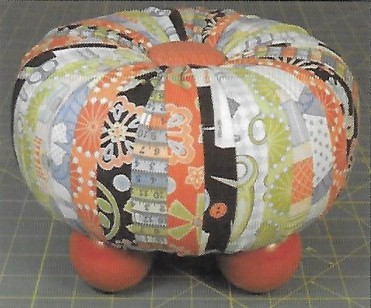
First attempt showed that the tube was way too big.  I had to remove 2 strips to make it smaller, (again, I tugged too hard on the batting while stapling it to the wooden base)!  I don’t think mine looks anything like the pictures in the instructions.

Tuffet Source

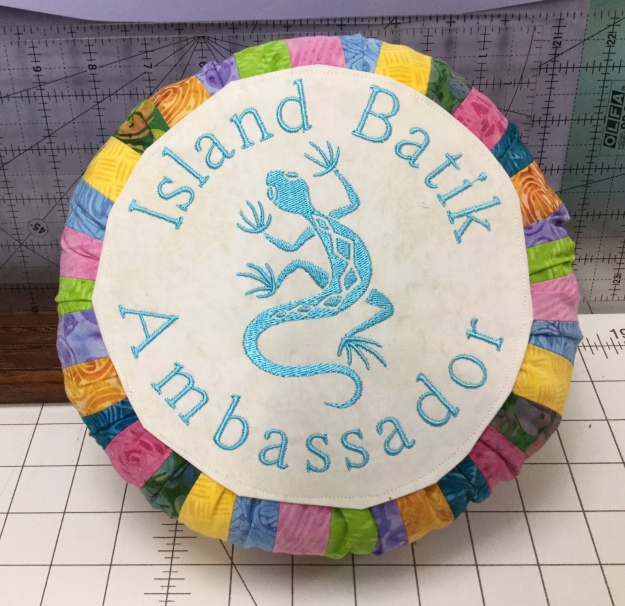
I don’t know how they got theirs so smooth!  I used a glue gun to attached the button and cover the bottom.  I got glue every where, not to mention burns from dripping it on my fingers.

Tucker is not sure what to think of it.

img_5829

I think I would rather make a King Size quilt than make another tuffet!  But I will smile every time I look at it, and aren’t the colors lovely?

img_1057

Mini Love

As an Island Batik Ambassador the products featured in this post were given to me by Island Batik.

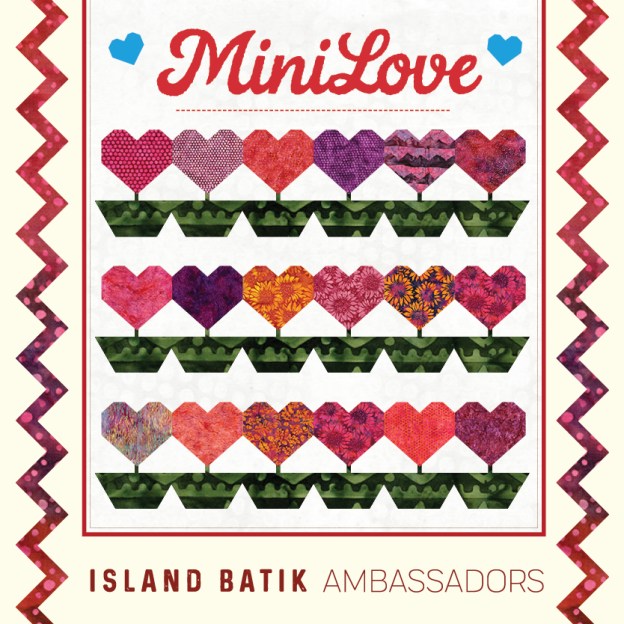
Do you like mini quilts?  Part two of Island Batik’s Ambassador February assignment was to make a mini quilt 24″ square or smaller.  I chose a simple block.

I used Island Batik Neutral Buttermilk & Mini Flower Carnation Pink, plus 2 fat quarters from  the Galentine Day Bundle, one red for the star points and another red for the border.

24 Block front

I decided to make 4 blocks.  Each block has a center square, 4 two color quarter square triangles for the star points and 4 half square triangles.  My block units are 2 1/2″ finished, and the block measures 7 1/2″ finished.  I decided to start with the half square triangles (HST).  For four blocks I would need 16 HST.  With my Tucker Trimmer I,  I can make two at a time.  Deb Tucker has a new Technique Sheet called “Eight at Once”.  This technique sheet has a chart that gives you the fabric requirements for oversized HST in 11 sizes.  For 16 – 2 1/2″ finished HST I would need two 7″ squares of the Mini Flower Carnation Pink and two 7″ squares of Neutral Buttermilk.

03 layer


Using my Magic Wand, draw diagonal lines on the wrong side of the lightest fabric.  I also marked the vertical halfway mark & the horizontal halfway mark.

02 Mark

Stitch on all four diagonal lines only.

First trim  the vertical halfway mark & then the horizontal halfway mark.  Then trim in between the stitched diagonal lines. And, all at once you’ve got 8 HST.

06 Press

Press toward the pink.  Do you know that “what ever you are pressing toward…goes on top”?  That means lay your units with pink fabric on top.  Set your seams, then push over the pink fabric and press.

Lay your unit on the cutting mat.  We always trim our units to the cut size.  My units are 2 1/2″ finished, that means the cut size is 3″.  Find the whole circle on your Tucker Trimmer, align the 3″ diagonal line on the HST’s diagonal line and center it.  Trim up the right side and across the top.  Rotate the unit, align the just trimmed edge with the 3″ clean up line, again align the 3″ diagonal, trim up the right side and across the top.  If you are left-handed, position your unit to the left and the whole circle on your Tucker Trimmer would be positioned to the left also. You woud trim up the left side and across the top.

Now we will make our Quarter Square Triangles (QST).  I check the chart in my Tucker Trimmer instructions.  For 2 1/2″ finished units, my starter squares should be 4″.  For all four blocks I need Eight Red 4″ squares & Eight Pink 4″ squares.  Using my Magic wand I draw 2 diagonal lines on each pink square.  Layer one pink square with one red square aligning the raw edges.  Stitch on both diagonal lines and cut apart.

We are going to press toward the red , so lay your units red side up and press as before.  Divide your HST’s into two even piles.  Using your Magic Wand draw two diagonal lines as shown above on half of your HST’s.

Position one HST marked with the stitch lines with a HST without the stitching lines, right side together, and opposite colors facing each other.  Align and nest the center seams.

Stitch on the lines and cut apart.  Swirl the center as shown above and press.

Position the Tucker Trimmer over the pieced square.  Carefully align both the common diagonal and the 3″ size diagonal lines over the sewn seam lines.  Trim up the right side and across the top.  Rotate the unit, line up the Tucker trimmer again.  This time be sure to position both the diagonal lines and the outline of the square to the exact measurement of 3″, trim up the right side and across the top.

Cut four 3″ red squares for the block centers.  Lay out the block as shown above.

Stitch the units into rows, press the seam as shown.

Stitch the rows together and press as shown.

Make all four blocks.  I added sashing.  I cut two 1 1/2″ x 8″ strips and joined the two blocks on top row, and then the two blocks on the bottom row.  I cut three strips 1 1/2″ x 16 1/2″.  I joined the top row to the bottom row and added a strip on either side of the square.  Cut two strips 1 1/2″ x 18 1/2″ for the top and bottom of the square.  Note:  Always measure your blocks for accurate sashing measurements.  

From another Galentine Day fat quarter  I cut 3″ outer borders.  I finished it with my Hobbs Cotton Batting.  I stitched in the ditch and bound it with some Island Batik Neutral Buttermilk.  It was pieced & quilted with Aurifil Mako 50 thread.

28 Top (2)

This is a sweet simple quilt.  Reminds me of Forest Gump, “Life is like a box of chocolates, you never know what you’re going to get”, these blocks look like nicely wrapped chocolates.  Happy February!


The Island Batik Box Has Arrived!

As an Island Batik Ambassador the products featured in this post were given to me by Island Batik.

My box from Island Batik has finally arrived.  I’m so excited to see and share the contents with you.

01 Tucker

My box is so special, I got a chihuahua !  No, that is my girl Tucker, she helps me with everything I’m doing whether I want help or not!

02 Surprise

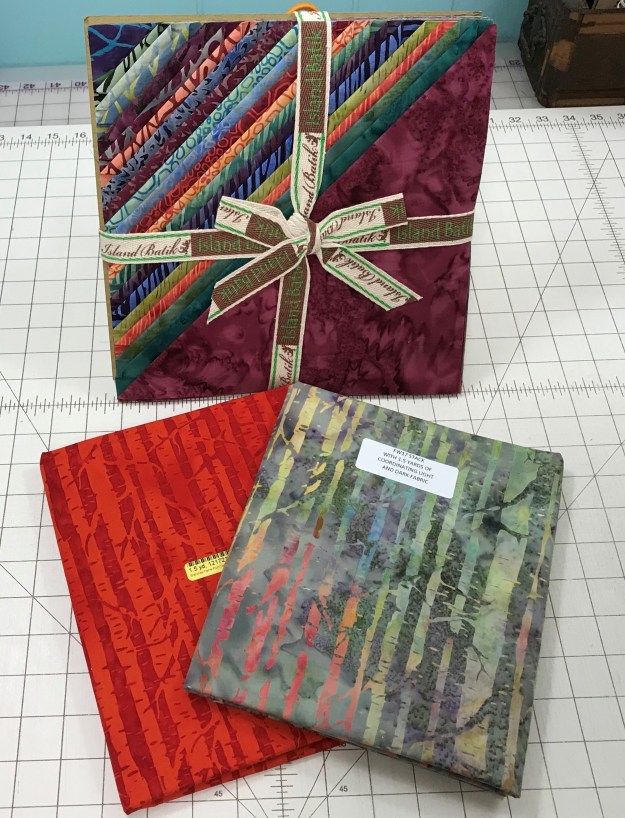
First up is the wrapped bundle.  It is wrapped because it contains fabric from Island Batik’s new line to be launched at Spring Market.  I haven’t even opened it yet.

03 Batting

To help us create our projects Hobbs Batting has given us Premium Cotton Batting & Hobbs Thermore, it is a polyester batting that eliminates fiber migration.

04 Aurifil

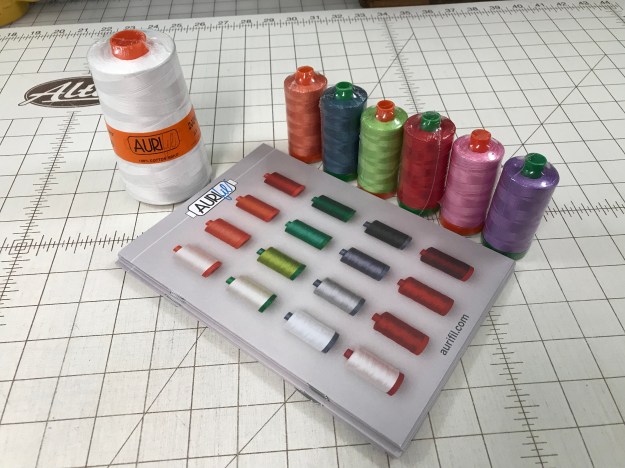
Aurifil, my absolute favorite thread.  They are so pretty lined up like little soldiers waiting for their orders.   If you haven’t tried Aurifil thread you should.  This thread is thinner, stronger & produces less lint in the bobbin case.

05 Rayon

Island Batik’s product line also includes batik rayon for apparel use.  I was given 2 yards of Pomegranate Seeds Red and a rayon scarf in a beautiful blend of greens and purple!  Should look good with my white hair!

06 Neutral

3 yards of Switzerland, I mean Neutral.  You can never have too much neutral!

07 Batik Foundations Bundle

Batik Foundations 1/2 yard Bundle!  Wowza, those colors are yummy!

08 Alpine Jungle

Alpine Jungle Fat Eighth Bundle with 1.5 yards of coordinating fabric.  I love this bundle.  I can’t wait to make something out it.

09 5 inch strips

These little bundles of 5 inch strips will come in handy, I’m sure of it!


This fat quarter bundle was for Galentine’s day, which is today.  But I didn’t want to be late so I made mine from Island Batik’s Drizzle Collection.

11 City Culture 2

And last but not least, this is a layer cake from the City Culture 2 line & 1.5 yards of coordinating light and dark fabric.

So join Tuck & me on this year long adventure of discovering new fabrics and fun projects!

As I finish this post, Tucker is trying to put her scent all over my Island Batik’s!

#islandbatik #islandbatikambassador

Celebrating GALentine’s Day

300px - I'm-an-Island-Batik-Ambassador - Blue-Ribbon

First things first… I am an Island Batik Ambassador!!!  I am so excited to have been accepted as apart of this talented group of quilters.  Island Batik Company has been around for over 15 years providing quality products and outstanding customer service.

Island Batik Ambassador’s are from all over the world.  As an Island Batik Ambassador, I will be sharing their fabric lines and projects to help inspire you.  Every month there will be something new to share.

I am one of those people who can’t stand to be late.  Even when I try to not to be the first person at the party, I’m always on time!  The 2017 Island Batik Ambassador’s just ended their year with the Four Season Blog Hop January 31st.  The boxes filled with Island Batik goodies for the 2018 Ambassador’s have been mailed.  Unfortunately mine will be delivered while I’m away at a quilting retreat.  I can’t stand to be late so I pulled out some Island Batik fabric from my stash to share my GALentine’s Day project with you.

If you were a Parks & Recreation’s fan you’ll remember when Leslie Knope created “Galentine”s Day” as a celebration of our best gal pal’s and lady friends!  So this February 13th (that’s right, the day before Valentines Day) let’s celebrate our fellow females who encourage and inspire us.

I heart you.

img_5696

I am also a Studio 180 Design Certified Instructor, so the way I roll is with Deb Tucker Tools!  This Mug Rug was made with Deb’s Split Rects & Corner Pop Tools.

img_5657

I started by choosing my Island Batik fabrics from the Drizzle Collection and my favorite thread from Aurifil.  I made this Mug Rug by making two  3″ x 6″ finished mirror image Split Rects units.  First thing was to check the size chart in my Split Rects instructions.  I had fat quarters of dark purple & light purple, and yardage of my background  fabric.  The tool instructions will tell you that for 3″x 6″ finished units you will need 7″ wide strips of each color.  I cut a 7″ strip from each of my purple fat quarters, and a 7″ WOF strip from my background fabric.

For Mirror Image units I placed my purple 7″ strips right sides together and trimmed off the selvages.

Right handers place strips horizontally on the cutting mat and position the tool on the strip with the broad black line against the trimmed end of the strips and the desired finished size guide line along the raw edge of the strips. Trim along the slanted edge of the tool.  You will now have mirror image elongated triangles. (See tool instructions for left handed cutting.)

Repeat the process and cut two mirror image elongated triangles from your background fabric.  Place the background triangles with purple triangles as shown above.

img_5665

Stitch the elongated triangles by placing them right sides together with the long, bias edge of the pieces aligned.  Because they are oversized there is no need to fuss, just center the two pieces with just a bit of overlap at the ends and stitch.  I press the seams open, but you can press to the dark if you are morally opposed to pressing the seams open.

First trim, for right handers, position the unit horizontally on the cutting mat (see tool instructions for left handed trimming).  Align either the “Common Diagonal” or the correct “Size Diagonal” with the seam you have sewn (this will vary depending on the slant of your unit).  The photo above has the common diagonal lined up with the sewn seam.  Check to make sure that the unit is completely contained within the trim down lines for 3″x6″ unit.  Trim up the right side and across the top.  Lift the tool and rotate the unit.  Reposition the tool over the unit.  Align the cut size measurement with the trimmed corner and the same Common Diagonal line used the first time.  Trim the two remaining edges.

For the second Split Rects unit you will use the “Size Diagonal” line (this will vary depending on the slant of your unit) positioned over the sewn seam making sure the unit is completely contained within the 3″x6″ trim down lines.  Trim up the right side and across the top.  Lift the tool, rotate the unit.  Align the cut size measurement with the trimmed corner and the same Size Diagonal line used the first time.  Trim the two remaining edges.

img_5670

You now have two perfectly trimmed mirror image Split Rects Units.  For the top of our heart I used Deb Tucker’s Corner Pop tool.

Cut two 3 1/2″ squares, one from the dark purple & one from the light purple fabric.  Cut two 2″ squares from the background fabric, and then cut them once diagonally ( the size of the replacement triangle squares varies per cut away size & is found in the chart in the tool instructions).

img_5673

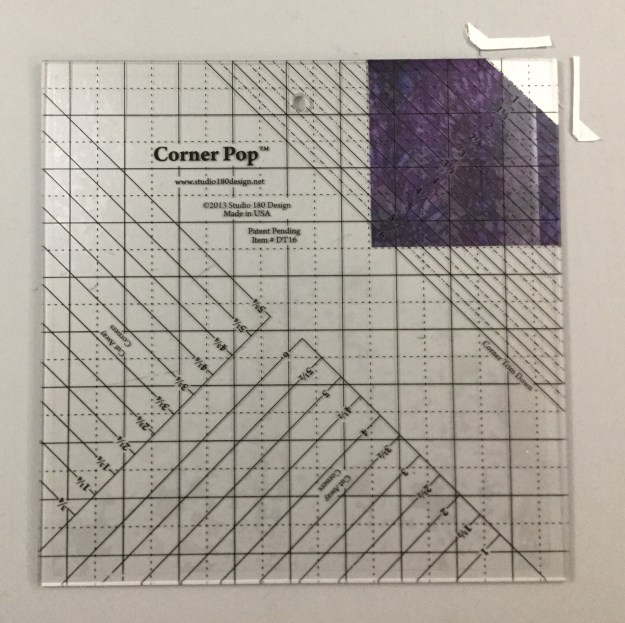
With the  Corner Poop tool you can choose from 22 size options and remove a 90 degree corner from your base unit while leaving the 1/4″ seam allowance.  For this project I popped off a 3/4″ corner from the dark purple  3 1/2″ square.  Place the 3/4″ ruler lines over the corner you wish to remove as shown above and trim.

Center the replacement triangles right sides together with the base shape and stitch.  Press toward the small triangle.

img_5679

Locate the Trim Down Section on your Corner Pop tool and find the diagonal line that corresponds to the Cut Away Size, which is 3/4″.  Trim away the excess replacement triangle fabric, returning your base square to its original size.

Repeat the process and pop off one more corner as shown above.  Center & stitch the replacement triangle, press toward the replacement triangle.

As before, locate the Trim Down Section on your Corner Pop tool and find the diagonal line that corresponds to the Cut Away Size, which is 3/4″.  Trim away the excess replacement triangle fabric.  Your unit should look like the one above.  Repeat this whole process and pop off the corners of the light purple 3 1/2″ square.

img_5685

You should end up with the four units above.

Stitch the light purple heart top to the dark purple split rects unit and Stitch the dark purple heart top to the light purple split rects unit.  Press one seam towards the split rects unit and press the other towards the heart top.  Re-Press one seam of the heart top unit that was pressed toward the split rects so the seams will nest when the unit halves are sewn together.

I pressed the center seam open to avoid bulk.

Measure your heart.  Mine measures 6 1/2″x 9 1/2″.  I cut two strips 1 1/2″x 9 1/2″ and sewed them on either side.  Measure your heart gain.  I needed 2 strips 1 1/2″ x 8 1/2″ and stitched them on the top and bottom of my heart.

img_1013

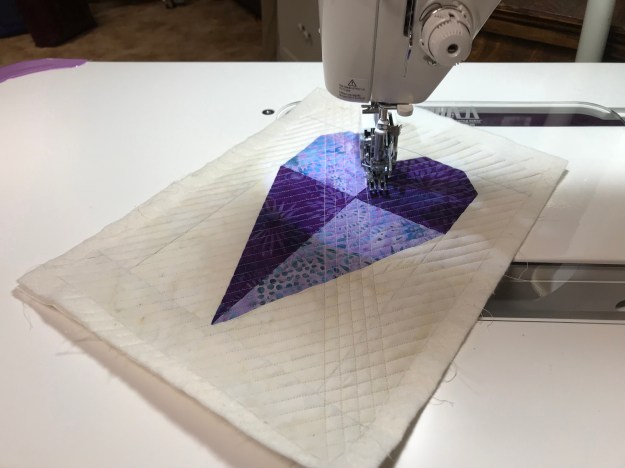
My mug rug top measures 8 1/2″ by 11 1/2″  so I cut a piece of scrap batting & backing one inch larger, 9 1/2″ by 12 1/2″.  Using my walking foot I quilted the 3 layers using a simple cross hatch design with Ivory Aurifil thread.

img_5696

I finished it with 2 1/4″ binding cut from my left over fat quarter.

Tucker tried her best to keep me from finishing my GALentine’s Day Mug Rug, but I am pleased with the finished product.

#islandbatikambassador #islandbatik #iheartislandbatik #happygalentinesday #happyvalentiesday #galentinesday #valentinesday  #thebestfrombali

BlockBuster #7 – Whimsy Turndash

I love this block So sweet & easy.   All the instructions you will need for BlockBuster # 07 Whimsy Turndash  came with your Square/Squared & Tucker Trimmer I tools which are required to make this block.  You will also need to reference your Little Houses Technique Sheet.

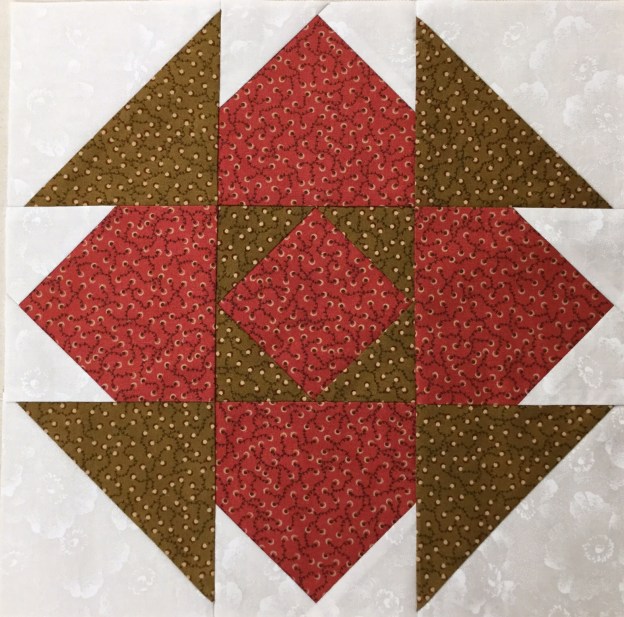
Whimsy Turndash is made up of 3 different units.  Unit A is Square/Squared, one for the block center.  Unit B is Little Houses, 4 are needed.  Unit C is Half Square Triangles (HST), 4 are needed for the block corners.  I made a 12″ finished block containing 4″ finished units.

img_5592-1

The Whimsy Turndash supply list (link in the first paragraph above) offers you 3 different layouts and a black line master to play with.  I chose 2 colors and a background fabric shown above.

img_5595

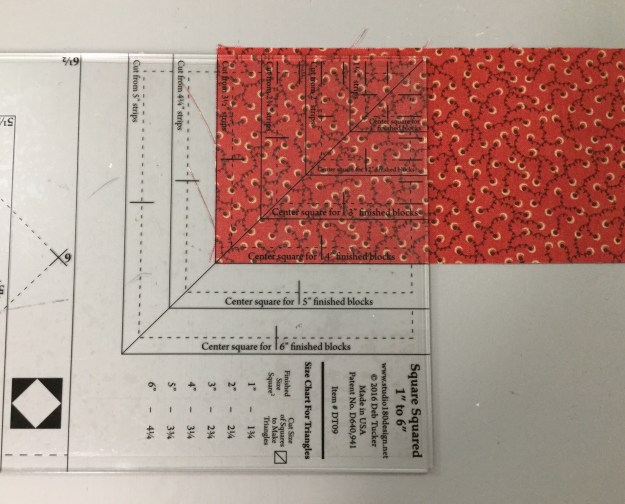
Unit A – Square/Squared:  Determine the desired finished size of your unit.  Go to the Center Square Section on your Square/Squared Tool.  Mine finished size is 4″, The Center Square Sections tells me to cut a strip 3 1/2″ wide.

img_5596

I already trimmed off the selvage of my 3 1/2″ strip.  Place the line for 4″ finished units on the bottom of the strip up against the trimmed end.  Trim up the left side and across the top.  You now have a perfect precision cut center square for your unit.

img_5597

On your Square/Squared tool find the Size Chart for Triangles.  For 4″ finished units I cut two 3 1/4″ squares and cut them once diagonally.

Center a side triangle over the center square and stitch. Center another side triangle to the opposite side of the center square and stitch.  Press toward the side triangle.

Center another side triangle as before and stitch, repeat on the opposite side so all sides of the center square have a side triangle stitched to it, press toward the side triangle.

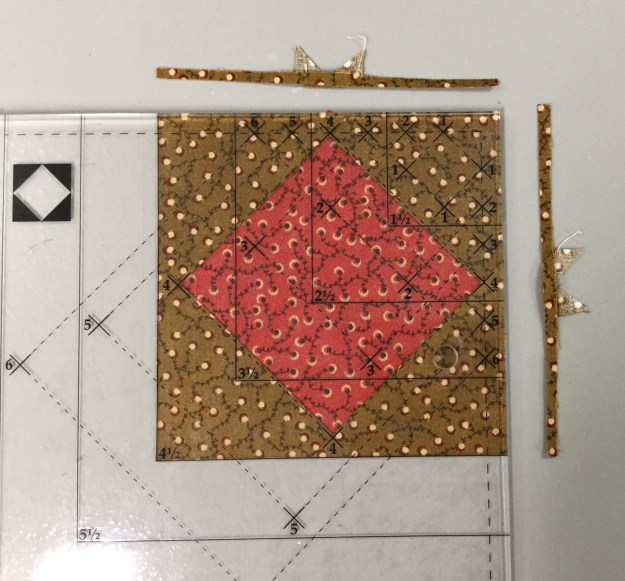
Position the Trim Down Section of your Square/Squared tool over the pieced unit.  Focus on aligning the “X’s” for your particular finished size unit.  Mine is 4″ finished, so there is a 4 at each corner of the center square.  Trim up the right side and across the top.  Check your tool instructions for Left handed cutting tool position.

img_5604

For the second cut Lift your tool & rotate your unit.  Position the tool lining up the “X’s” again and lining up the cleanup lines on the tool with edges previously trimmed.  Trim up the right side and across the top.

img_5605

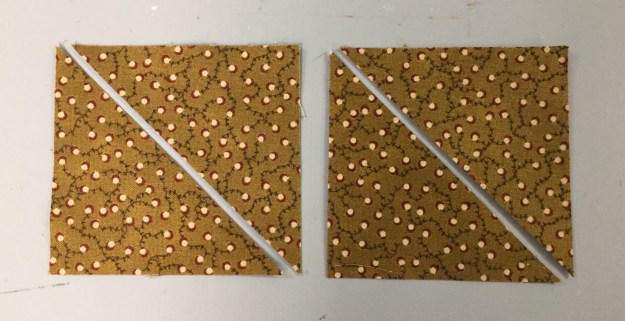
Unit B – Little House:  You will need to make 4 Little Houses.  Each little house is made up of 3 squares, one large and two small.  For a 4″ finished unit cut four 4 3/4″ squares and eight 2 3/4″ squares.

img_5606

Begin by marking a diagonal line on the back of your small squares, this will be a stitching line.

Note:  you may want to mark an additional line 1/2″ from the center diagonal line to use as a secondary stitching line for creating half square triangles out of the left over fabric.

Position one small square in one of the corners of a large square, right sides together, with the marked diagonal line going across the corner of the large square as shown above.  Stitch on both lines and trim apart.

Press toward the triangle.  Position a second small square in the corner next to corner you just stitched.  Stitch on both lines, cut apart press toward the triangle.  Press your half square triangles to the dark.  The small half square triangles are not used in this unit.  If you don’t want to make them for another project just draw the one diagonal line and once it is stitched discard the corner fabric.

img_5611

Using the Trim Down Section of your Square/Squared tool line up the peak of the House with the “X” corresponding with your finished unit size.  Align the seams with the dotted lines extending down from the “X”.  Trim up the right side and across the top.

img_5612

Rotate your Little House around, and line up the two trimmed edges with the cleanup line corresponding to your unit cut size.  This time aligning the peak with the “X” at the bottom.  Trim up the right side and across the top.

img_5614

Repeat with the other 3 large squares.

Unit C – Half Square Triangles:  We need four Half Square Triangles.  Go to the “Starting Square Size Chart” in your Tucker Trimmer instructions.  I am making 4″ finished units, so I need to cut two 5″ background squares and two 5″ squares your color of choice.

Use your Magic Wand and draw to diagonal lines on the back of your background squares as shown above.

Place background squares right sides together with your color of choice squares, stitch on the lines, cut apart and press toward the dark fabric.

We always trim our units to the cut size.  My HST are 4″ finished and 4 1/2″ cut size.  therefore I look for the half circle in the corner of my tool and position the Tucker Trimmer over the unit with the half circle in the upper right hand corner, carefully aligning the solid diagonal line with the stitched seam as shown above.  Trim up the right side and across the top.  If you are left handed, you would position your tool with half circles in the lower left hand corner of the unit.  

Rotate your unit and line up the trimmed edges with the corresponding cut size of your unit, and carefully aligning the solid diagonal line with the stitched seam as shown above.  Trim up the right side and across the top.

Lay out your completed units.  Sew into rows.

This is the back of the block showing how I pressed  the seams.

img_5626

I love the completed Whimsy Turndash and I hope you will too.  This is a great block to practice these easy techniques with.


BlockBuster #6 Rolling Stone

The Rolling Stone block is fun and easy.  You will need the 06 Rolling Stone Supply List and your Studio 180 Design Square/Squared tool.  All the instructions you need to make Square/Squared Units required for this block came with your Square/Squared tool.

img_5521

The Rolling Stone supply list gives you 3 different color layouts, a black line master & 3 block size choices, I decided to make a 12″ block.  Above are the 3 colors and a background fabric I chose.

Square┬▓ Ruler

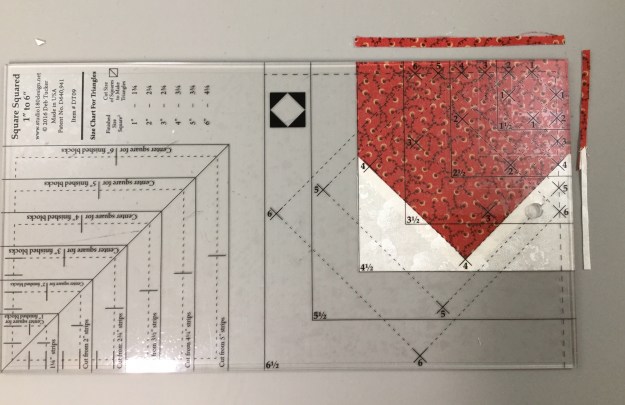
Your Square/Squared tool has three different sections:  1. Size Chart for Triangles, 2.  Center Square Trim Down Section & 3. Unit Trim Down Section.

img_5524

Unit A:  I am making 4″ finished units, so I checked my tool (The newer Square/Squared tools has Center Square strip width requirements based on the finished size of your chosen unit). I cut one strip 3 1/2″ wide ( this is slightly wider than needed).  I’m right handed so I laid my strip horizontally on the cutting mat with the selvages to the left.  Find the correct size square in the Center Square Section.  Lay the tool on the fabric so the bottom line for a 4″ finished unit is even with the bottom edge of the strip.

img_5525

Make two cuts, once up the right side, them across the top.

img_5526

Rotate your square so it is aligned with the 4″ finished clean up lines on the tool and make one more cut up the right side as shown above. Cut four precision center squares.

img_5523

Find the Size Chart for Triangles on your tool.  For a 4″ finished unit I cut a strip 3 1/4″ wide. Cut 2 – 3 1/3″ squares for each Square/Squared unit, then cut them each once diagonally as shown above.


Position two triangles on opposite sides of the center square.  No need to fuss with matching the middles as the triangles are larger than they need to be.  Just lay the triangle down right side up and then center the center square over it eyeballing it to see if it is even on both sides.

img_5535

Stitch & press toward the triangles.

Position the two remaining triangles on the two remaining sides of the center square as shown above.  Press triangles away from the center square.

Position the Trim Down Section of your tool over the pieced unit.  Focus on aligning the “X’s” for your particular size unit over the sewn seams.  Trim two sides, then lift the tool and rotate the unit on the cutting mat.  For the second cut, position the tool on top of the unit lining up the “X’s” and also lining up the cleanup lines on the tool with the edges previously trimmed.  Repeat the steps to make 3 more Square Squared units.

Unit B:  These are basically 2 1/2″ squares sewn together.  I cut two 2 1/2″ strips of fabric and sewed them together along the length of the strips.  For this block we need four 2 patch units and one 4 patch unit. Trim the selvage off and cut 2 1/2″ wide units.  We need 6 units.

Take two units, and with right sides together, nest the seams and stitch. Swirls the center seams and press to make your 4 patch unit.

img_5522

Unit C:  For a 12″ clock cut a 2 1/2″ strip of fabric.  Then sub-cut into four 2 1/2″ x 4 1/2″ rectangles.

img_5544

Lay out your block units.

img_5545

Sew the Unit B – 2 Patches together with the Unit C – rectangles, press toward the rectangle.  Now all your units are 4 1/2″.

img_5546

Sew your Square/Squared units to your 2 Patch/Rectangle units and your 2 Patch/Rectangle units to your center 4 patch unit as shown above.

img_5549

The back of the block shows I pressed the square/squared units toward the 2 patch units, and when I joined the rows i pressed the center out towards the sides of the block.

img_5548

BlockBuster #6 – Rolling Stone.  Nice block!

Follow my blog with Bloglovin

Royal Treasures is here at last!

After three long years of labor, Deb Tucker’s newest book, Hunter’s Star Royal Treasures, has finally arrived!

img_5514

Royal Treasures is a follow up to Deb Tucker’s Hunter’s Star Hidden Treasures book.  After publishing Hidden Treasures, which focused exclusively on throw sized Hunter Star quilts, Deb began getting requests and questions about bigger, bed-sized projects.  Hunter’s Star Royal Treasures has over 40 brand new quilt designs, all made exclusively with Studio 180 Design’s Large Hunter’s Star Tool.

img_5515

The quilts in Royal Treasures were created by Deb Tucker and dozens of Certified Instructors, including ME!  With that many different creators there is something for everybody in this book.

Waves of Joy

I am over the moon proud to have my quilt “Waves of Joy” included in Royal Treasures!  Waves of Joy is a King Size quilt made with fabric from V and Co., Simply Colorful II by Moda.  I chose 4 basic colors with varying prints in each color.  But you could choose to use a simple two color format of lights and darks.

Using Deb Tucker’s Rapid Fire Hunter Star process, you will increase your productivity and decrease your stress.  Each Hunter Star block consists of 2 triangles. 2 trapezoids, plus 4 star points.  It’s all about the color play.

I offer Hunter Star workshops where you will make a “Basic Recipe Wall Quilt” using the Hunter Star tool. When you are done you will understand and have the skills to make any Hunter Star quilt.  Contact me for workshop information or find a Studio 180 Design Certified Instructor near you.