Category Archives: Studio 180 Design Tools

Refraction

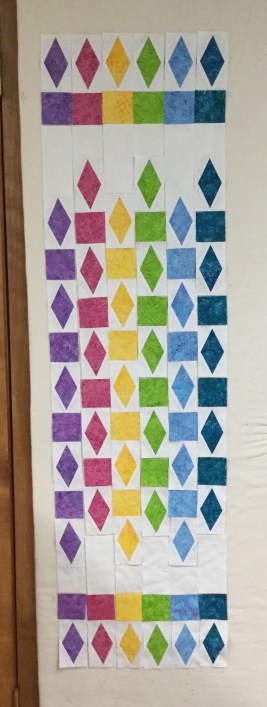
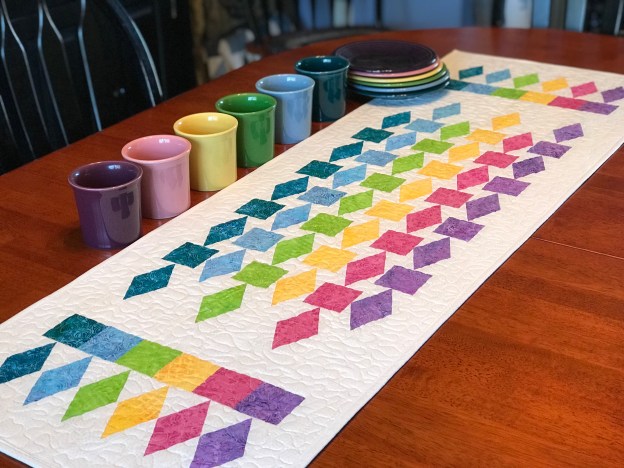
As I was preparing for an upcoming Tucker University Diamond Rects Class I though I would make Deb Tucker’s Refraction.  It is a companion pattern for the Diamond Rects tool.

This is a great pattern to make to expand your skill at using your Diamond Rects Tool.  Using six 2 1/2″ strips & background fabric this table runner is fun and quick to make.
img_6106

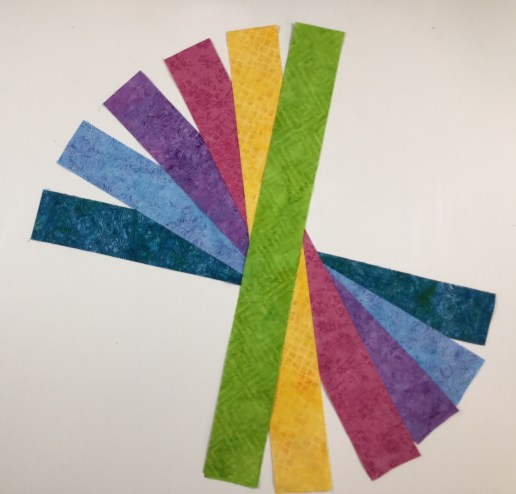
I chose six 2 1/2″ strips from Island Batik’s “Spoolin Around” Island Strips pack & Cotton Egg-White for the background.

Cutting the Diamond

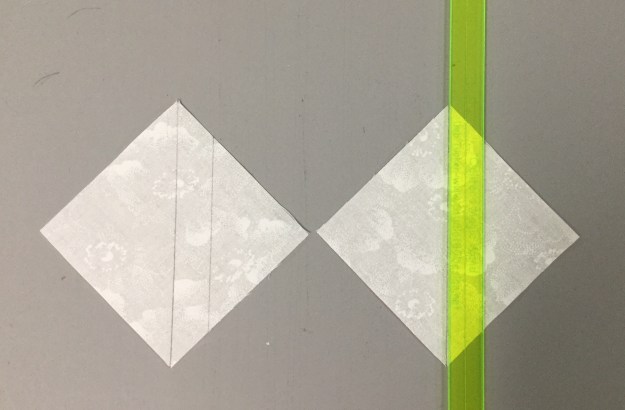
I opened my strips and positioned 3 strips right sides up ( you can stack more if you are comfortable), aligning the raw edges.  I am right handed, so the selvedges are to the left.  Align the guidelines of the ruler with the raw edge of the strip.  Cut along the angled edge and across the top.

img_6108

Rotate the first piece around to make the second diagonal cut near the selvedge edge.

img_6109

Continue to make cuts until you have 7 diamonds from each strip.
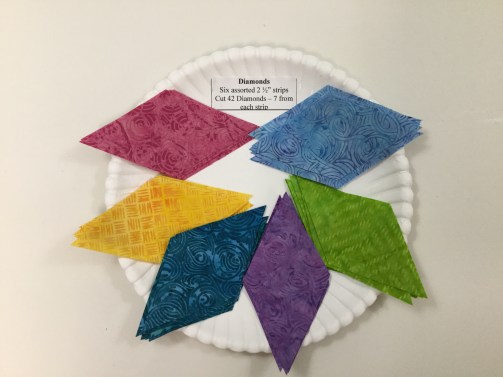
img_6111

Layer 3 more strip and continue to cut as before.

Cut 6 squares 2 1/2″ x 2 1/2″ from the remainder of each of the 2 1/2″ strips.

Cutting the Side Triangles

img_6115

Cut your rectangles from the background fabric per pattern instructions.

Position the Side triangle Cutting Section of the ruler against the raw edges of the stacked rectangles and cut along the slanted edge of the ruler.

Stitch, Press, & Trim

Always lay out all the pieces right sides up as they are going to be stitched.  Stitch two opposite side triangles to opposite edges of the center diamond.  I align the raw edges, but instead of centering the diamond over the side triangle, I personally nudge my side triangle toward the thicker point of the center diamond.  This gives me extra when it comes to the trim down process.  Press toward the side triangle and away from the center diamond.

Align and stitch the remaining two side triangles to the raw edges of the center diamond as before.  Press away from the center diamond.

Place the stitched and pressed unit on the cutting mat.  Position the trim down side of the ruler on the unit, aligning the “X’s” and the dashed lines with the seam intersections and the sewn seams.  Trim up the side and across the top. Rotate the unit and reposition the ruler, this time align the clean up lines on the previously trimmed sides along with the “X’s” and the dashed lines.  Trim up the side and across the top.  See tool instructions for left hand cutting.
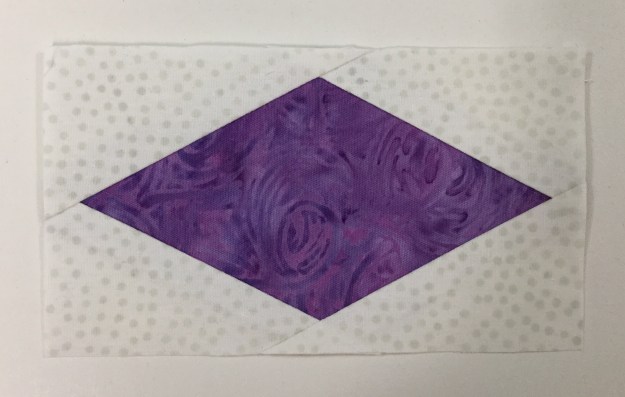
img_6125

Complete all your diamonds.

img_6127Layout the pattern pieces, stitch into rows and add borders per pattern instructions.
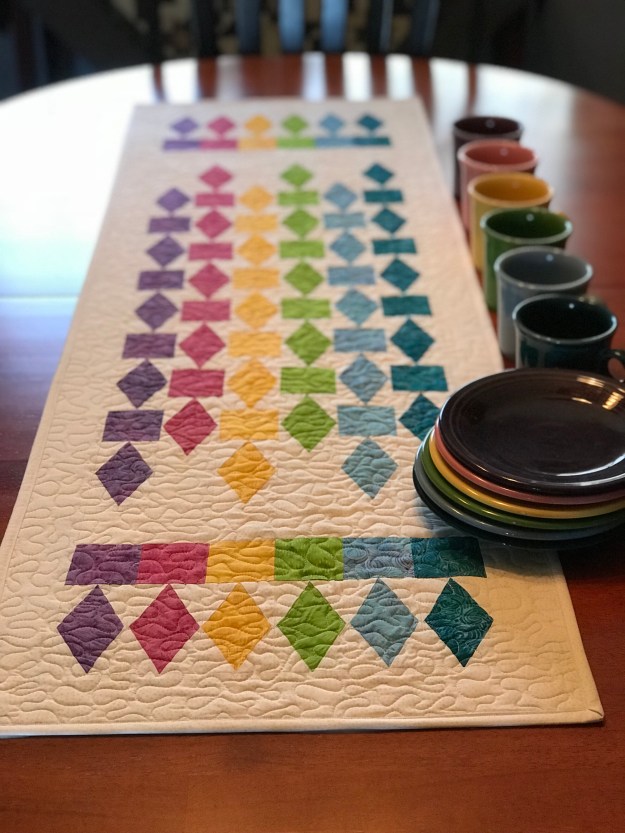
img_1153

This was quick & fun!  Finished project measures 16″ x 51″.  Proudly stitched with Aurifil thread and completed with Quilter’s Dream Blend Batting.

#studio180design #debtucker #islandbatik #aurifil #diamondrects #refraction
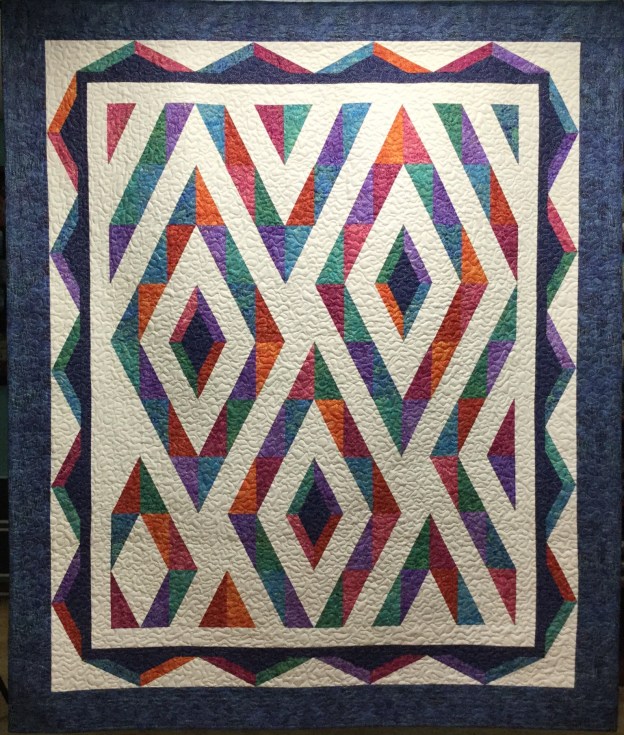
Prism

Northcott Logo The fabrics featured in this post were given to me by Northcott.

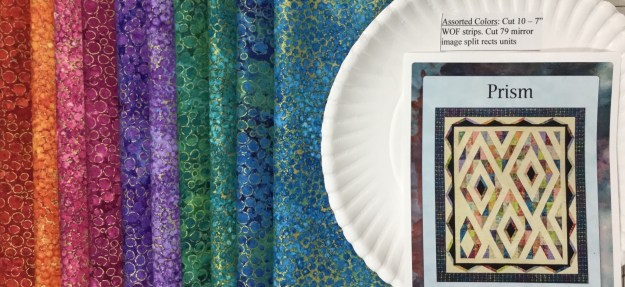
I have been chosen to participate in Northcott’s Creative Club.  If you have not used Northcott fabrics before you will be pleasantly surprised.  Just like their logo says “Cottons that feel like Silk”!

I chose to make Prism, a pattern created by Pam Goggans of Sager Creek Quilts.  Prism is a companion pattern for the Studio 180 Design Split Rects Tool.

img_6072

One of my favorite Disney movies is “Pollyanna”.  Remember this scene when they discover “rainbow makers”?  I do, and that is the inspiration for my version of Prism.

img_6025

My fabrics are from Artisan Spirit Shimmer By Deborah Edwards Northcott Studio.  Aren’t they just yummy, looks like a rainbow to me!

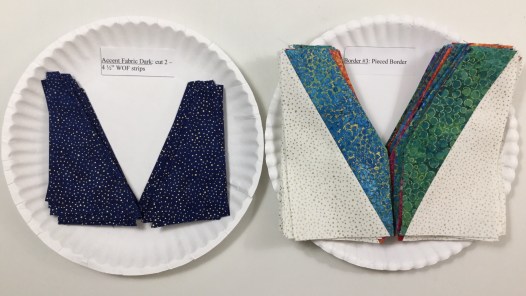
I am a purveyor of paper plates!  I use them to stay organized throughout the quilt making process.  I cut everything out but the borders (I save that till the end so I can verify my measurements) and place them on their labeled paper plate.  I can stack them up in a tub or place them in gallon size storage bags when I’m not working on them.

Split Rects Units

To make mirror image split rects units, lay the fabric strip “right sides together OR wrong sides together.  Position the ruler on the strip with the broad black line against the trimmed end of the strip and the desired finished size guide and trim along the slanted edge.  For the second cut, rotate the tool one half turn and align the small second trim “nub” line on the long edge of the strip and the “Second Trim” guide along the just-trimmed edge.  Trim along the straight edge of the tool.

img_6038

I am right handed, so my strips are placed horizontally and I cut from left to right.  Left hander’s would place their strips vertically.  See tool instructions for complete left handed cutting.

img_6040

Continue to cut all the pieces for the split rects units.

Lay out the pieces as they will be stitched together.  Stitch the elongated triangles by placing them right sides together with the long, bias edge of the pieces aligned.  Center the two pieces with just a bit of overlap at the ends.

Press the seams either toward the darker fabric or open.  As you can see I press mine open.

Align either the “Common Diagonal” or the “Size Diagonal” with the seam you have sewn.  These will vary depending on the slant of the seam in your unit.  Check to make sure that the fabric unit is completely contained within the trim down lines.  For right hander’s trim up the side and across the top.

Rotate the unit and reposition the tool on top.  Align the correct  “Cut Size” measurement with the trimmed corner and the same diagonal line used in the first trim.  Trim the remaining two edges of the unit.

img_6052

Above I have laid out my trimmed mirror image split rects units.

Double Split Rects Units

After trimming the split rects units to the correct “Cut Size” choose 24 mirror image units to make special Double Split Rects!

According to pattern instructions trim away the excess of the colored triangle.  Make sure to position the left leaning units right side up and the right leaning units right side down.

Using the Split Rects Tool, cut triangles from the accent fabric according to pattern instructions.img_6058

Lay out the trimmed units and the replacement triangles.

Stitch the dark triangles to the trimmed units.  I press my seams open.

Trim as before.  Place right leaning unit right side up and left leaning unit wrong side up.

img_6063

I laid out my units on the design wall, and then I noticed two units were missing!  Tucker my Chihuahua decided I had ignored her long enough.  This is her way getting my attention.  I found the units upstairs by a guilty grinning Tucker!

I stitched the units for the quilt center together and then added the borders.  The secret to this quilt is to use your best accurate 1/4″ seam!

img_6077

I quilted Prism with a meandering stitch.  (All that meander are not lost.)

img_6079

The Northcott Artisan Spirit Shimmer fabric line was perfect for this quilt!  I love it!

Even the quilt back is beautiful Northcott fabric!

I used Quilter’s Dream Blend Batting, and I do all my piecing with Aurifil thread!

Scrapodopolis – BlockBuster’s #1 – #9

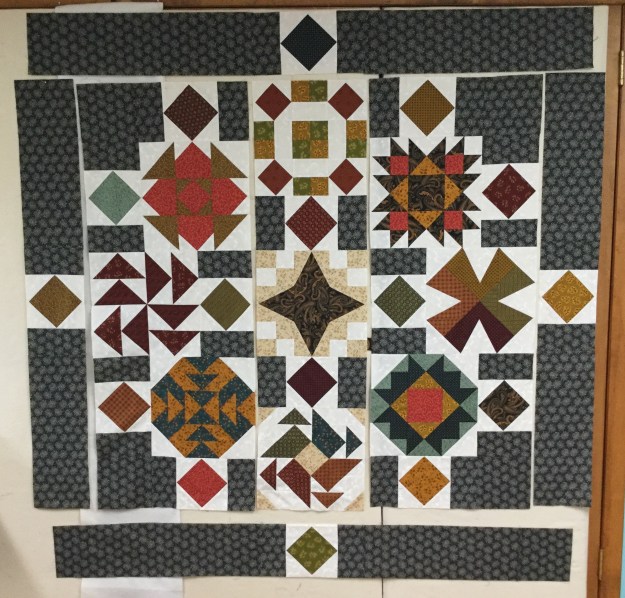
I just finished my quilt containing Deb Tucker’s BlockBuster patterns #1 through #9!  Scrapodopolis seems like a pretty good name.

img_6002

I used the Tucker trimmer 1, Wing Clipper 1, Square/Squared, V Block & Four Patch Square up tools from Studio 180 Design.  I was encouraged by fellow Certified Instructor Sarah Furrer to try a block layout a little outside the box, and I totally did!

01 Layout

This is the layout I chose.  I did change it up a little.

02 Square Squared

My blocks are 12″ when finished.  that indicated that my Square/Squared units would finish at 6″.  I Needed 16 square/squared units and decided the center squares would be cut from 16 different fabric pulled from the blocks & the side triangles would be the same background fabric used in the blocks.  The 3″ rectangles on either side of the square/squared units would match the border fabric.  The outer borders would finish at 6″ also.  I added a 3″ border outer border to enhance the four square/squared units in the border.

03 dont do this

Don’t do what I did.  I started in the center and stitched the outer square/squared units to the center blocks, (they had to be un-sewed and sewn to the borders pieces). In each of the corners, I stitched a 12″ block to a square/squared unit & stitched a square/squared unit to a 6.5″ square and then stitched it to the block.  The two blocks on either side of the center were stitched to a square/squared unit

04

This is much better. Now there are 3 rows of blocks in the center ready to be stitched together & the border square/squared units are pieced to the border strips.

Once all the pieces were stitched together I decided I needed to add a 3″ outer border so all the units appear to be floating.

09 quilted

I am so pleased with how it came out!  My finished quilt measures 67″ x 67″.

10 a different view

I can’t wait to start the next quilt with BlockBuster  #10!

BlockBuster #7 – Whimsy Turndash

I love this block So sweet & easy.   All the instructions you will need for BlockBuster # 07 Whimsy Turndash  came with your Square/Squared & Tucker Trimmer I tools which are required to make this block.  You will also need to reference your Little Houses Technique Sheet.

Whimsy Turndash is made up of 3 different units.  Unit A is Square/Squared, one for the block center.  Unit B is Little Houses, 4 are needed.  Unit C is Half Square Triangles (HST), 4 are needed for the block corners.  I made a 12″ finished block containing 4″ finished units.

img_5592-1

The Whimsy Turndash supply list (link in the first paragraph above) offers you 3 different layouts and a black line master to play with.  I chose 2 colors and a background fabric shown above.

img_5595

Unit A – Square/Squared:  Determine the desired finished size of your unit.  Go to the Center Square Section on your Square/Squared Tool.  Mine finished size is 4″, The Center Square Sections tells me to cut a strip 3 1/2″ wide.

img_5596

I already trimmed off the selvage of my 3 1/2″ strip.  Place the line for 4″ finished units on the bottom of the strip up against the trimmed end.  Trim up the left side and across the top.  You now have a perfect precision cut center square for your unit.

img_5597

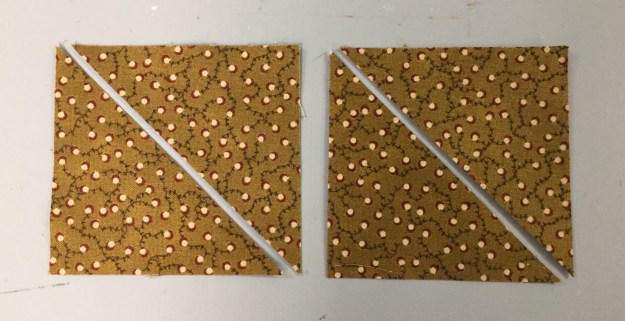
On your Square/Squared tool find the Size Chart for Triangles.  For 4″ finished units I cut two 3 1/4″ squares and cut them once diagonally.

Center a side triangle over the center square and stitch. Center another side triangle to the opposite side of the center square and stitch.  Press toward the side triangle.

Center another side triangle as before and stitch, repeat on the opposite side so all sides of the center square have a side triangle stitched to it, press toward the side triangle.

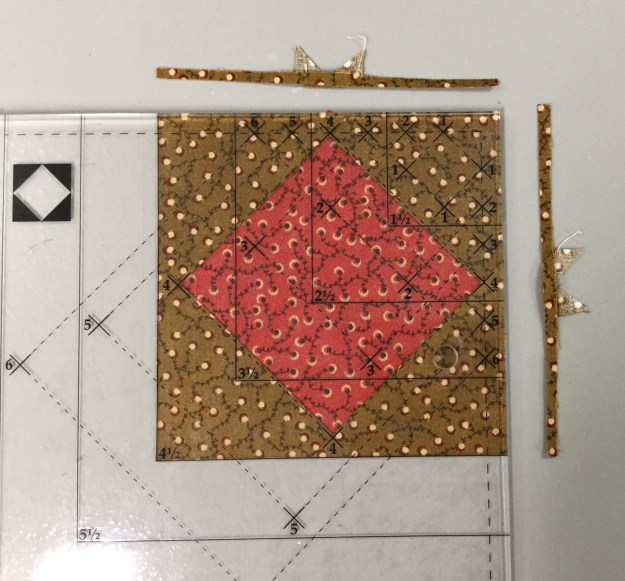
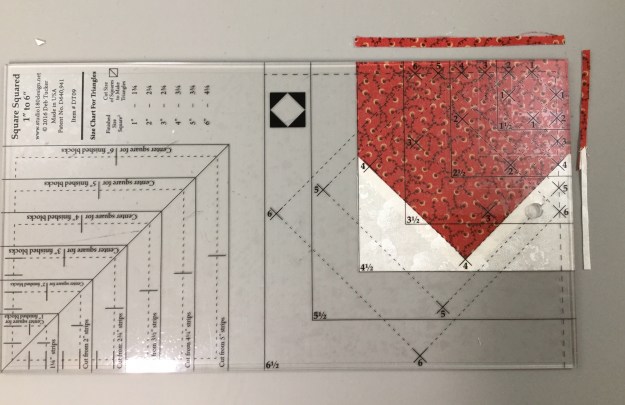
Position the Trim Down Section of your Square/Squared tool over the pieced unit.  Focus on aligning the “X’s” for your particular finished size unit.  Mine is 4″ finished, so there is a 4 at each corner of the center square.  Trim up the right side and across the top.  Check your tool instructions for Left handed cutting tool position.

img_5604

For the second cut Lift your tool & rotate your unit.  Position the tool lining up the “X’s” again and lining up the cleanup lines on the tool with edges previously trimmed.  Trim up the right side and across the top.

img_5605

Unit B – Little House:  You will need to make 4 Little Houses.  Each little house is made up of 3 squares, one large and two small.  For a 4″ finished unit cut four 4 3/4″ squares and eight 2 3/4″ squares.

img_5606

Begin by marking a diagonal line on the back of your small squares, this will be a stitching line.

Note:  you may want to mark an additional line 1/2″ from the center diagonal line to use as a secondary stitching line for creating half square triangles out of the left over fabric.

Position one small square in one of the corners of a large square, right sides together, with the marked diagonal line going across the corner of the large square as shown above.  Stitch on both lines and trim apart.

Press toward the triangle.  Position a second small square in the corner next to corner you just stitched.  Stitch on both lines, cut apart press toward the triangle.  Press your half square triangles to the dark.  The small half square triangles are not used in this unit.  If you don’t want to make them for another project just draw the one diagonal line and once it is stitched discard the corner fabric.

img_5611

Using the Trim Down Section of your Square/Squared tool line up the peak of the House with the “X” corresponding with your finished unit size.  Align the seams with the dotted lines extending down from the “X”.  Trim up the right side and across the top.

img_5612

Rotate your Little House around, and line up the two trimmed edges with the cleanup line corresponding to your unit cut size.  This time aligning the peak with the “X” at the bottom.  Trim up the right side and across the top.

img_5614

Repeat with the other 3 large squares.

Unit C – Half Square Triangles:  We need four Half Square Triangles.  Go to the “Starting Square Size Chart” in your Tucker Trimmer instructions.  I am making 4″ finished units, so I need to cut two 5″ background squares and two 5″ squares your color of choice.

Use your Magic Wand and draw to diagonal lines on the back of your background squares as shown above.

Place background squares right sides together with your color of choice squares, stitch on the lines, cut apart and press toward the dark fabric.

We always trim our units to the cut size.  My HST are 4″ finished and 4 1/2″ cut size.  therefore I look for the half circle in the corner of my tool and position the Tucker Trimmer over the unit with the half circle in the upper right hand corner, carefully aligning the solid diagonal line with the stitched seam as shown above.  Trim up the right side and across the top.  If you are left handed, you would position your tool with half circles in the lower left hand corner of the unit.  

Rotate your unit and line up the trimmed edges with the corresponding cut size of your unit, and carefully aligning the solid diagonal line with the stitched seam as shown above.  Trim up the right side and across the top.

Lay out your completed units.  Sew into rows.

This is the back of the block showing how I pressed  the seams.

img_5626

I love the completed Whimsy Turndash and I hope you will too.  This is a great block to practice these easy techniques with.


BlockBuster #6 Rolling Stone

The Rolling Stone block is fun and easy.  You will need the 06 Rolling Stone Supply List and your Studio 180 Design Square/Squared tool.  All the instructions you need to make Square/Squared Units required for this block came with your Square/Squared tool.

img_5521

The Rolling Stone supply list gives you 3 different color layouts, a black line master & 3 block size choices, I decided to make a 12″ block.  Above are the 3 colors and a background fabric I chose.

Square┬▓ Ruler

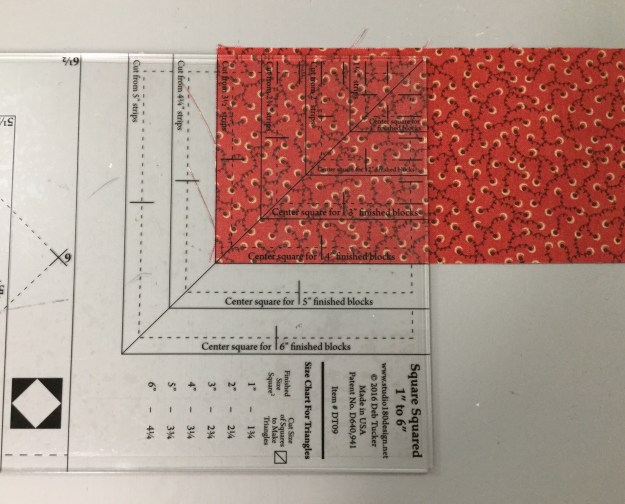
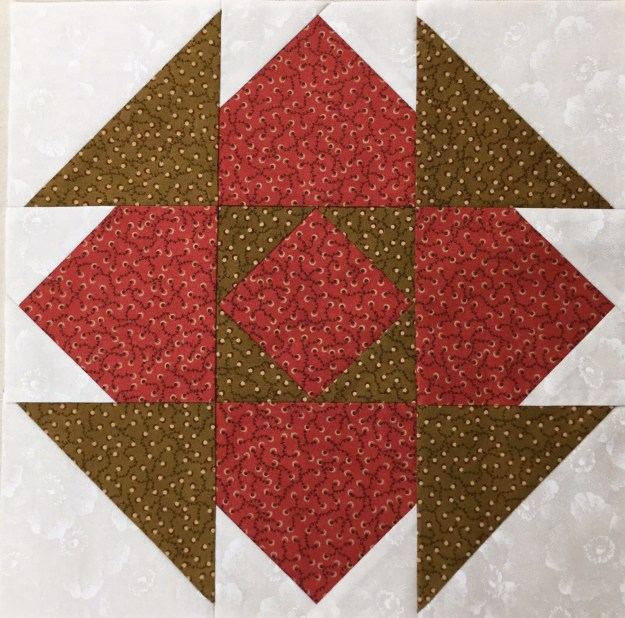
Your Square/Squared tool has three different sections:  1. Size Chart for Triangles, 2.  Center Square Trim Down Section & 3. Unit Trim Down Section.

img_5524

Unit A:  I am making 4″ finished units, so I checked my tool (The newer Square/Squared tools has Center Square strip width requirements based on the finished size of your chosen unit). I cut one strip 3 1/2″ wide ( this is slightly wider than needed).  I’m right handed so I laid my strip horizontally on the cutting mat with the selvages to the left.  Find the correct size square in the Center Square Section.  Lay the tool on the fabric so the bottom line for a 4″ finished unit is even with the bottom edge of the strip.

img_5525

Make two cuts, once up the right side, them across the top.

img_5526

Rotate your square so it is aligned with the 4″ finished clean up lines on the tool and make one more cut up the right side as shown above. Cut four precision center squares.

img_5523

Find the Size Chart for Triangles on your tool.  For a 4″ finished unit I cut a strip 3 1/4″ wide. Cut 2 – 3 1/3″ squares for each Square/Squared unit, then cut them each once diagonally as shown above.


Position two triangles on opposite sides of the center square.  No need to fuss with matching the middles as the triangles are larger than they need to be.  Just lay the triangle down right side up and then center the center square over it eyeballing it to see if it is even on both sides.

img_5535

Stitch & press toward the triangles.

Position the two remaining triangles on the two remaining sides of the center square as shown above.  Press triangles away from the center square.

Position the Trim Down Section of your tool over the pieced unit.  Focus on aligning the “X’s” for your particular size unit over the sewn seams.  Trim two sides, then lift the tool and rotate the unit on the cutting mat.  For the second cut, position the tool on top of the unit lining up the “X’s” and also lining up the cleanup lines on the tool with the edges previously trimmed.  Repeat the steps to make 3 more Square Squared units.

Unit B:  These are basically 2 1/2″ squares sewn together.  I cut two 2 1/2″ strips of fabric and sewed them together along the length of the strips.  For this block we need four 2 patch units and one 4 patch unit. Trim the selvage off and cut 2 1/2″ wide units.  We need 6 units.

Take two units, and with right sides together, nest the seams and stitch. Swirls the center seams and press to make your 4 patch unit.

img_5522

Unit C:  For a 12″ clock cut a 2 1/2″ strip of fabric.  Then sub-cut into four 2 1/2″ x 4 1/2″ rectangles.

img_5544

Lay out your block units.

img_5545

Sew the Unit B – 2 Patches together with the Unit C – rectangles, press toward the rectangle.  Now all your units are 4 1/2″.

img_5546

Sew your Square/Squared units to your 2 Patch/Rectangle units and your 2 Patch/Rectangle units to your center 4 patch unit as shown above.

img_5549

The back of the block shows I pressed the square/squared units toward the 2 patch units, and when I joined the rows i pressed the center out towards the sides of the block.

img_5548

BlockBuster #6 – Rolling Stone.  Nice block!

Follow my blog with Bloglovin

Royal Treasures is here at last!

After three long years of labor, Deb Tucker’s newest book, Hunter’s Star Royal Treasures, has finally arrived!

img_5514

Royal Treasures is a follow up to Deb Tucker’s Hunter’s Star Hidden Treasures book.  After publishing Hidden Treasures, which focused exclusively on throw sized Hunter Star quilts, Deb began getting requests and questions about bigger, bed-sized projects.  Hunter’s Star Royal Treasures has over 40 brand new quilt designs, all made exclusively with Studio 180 Design’s Large Hunter’s Star Tool.

img_5515

The quilts in Royal Treasures were created by Deb Tucker and dozens of Certified Instructors, including ME!  With that many different creators there is something for everybody in this book.

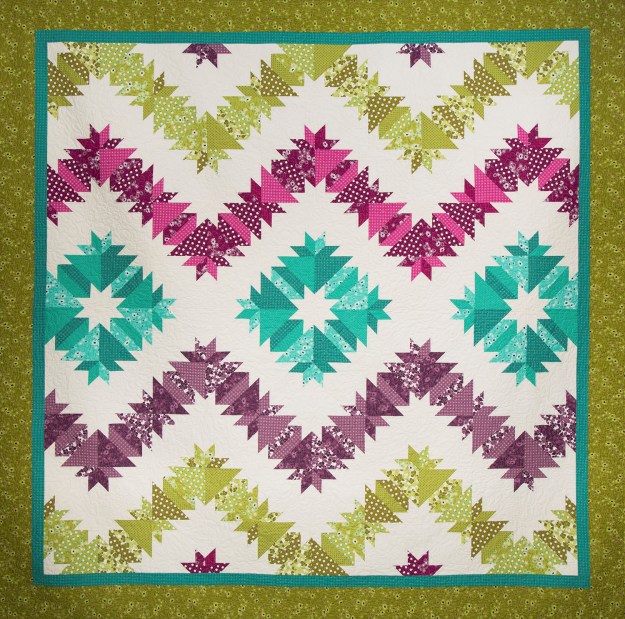
Waves of Joy

I am over the moon proud to have my quilt “Waves of Joy” included in Royal Treasures!  Waves of Joy is a King Size quilt made with fabric from V and Co., Simply Colorful II by Moda.  I chose 4 basic colors with varying prints in each color.  But you could choose to use a simple two color format of lights and darks.

Using Deb Tucker’s Rapid Fire Hunter Star process, you will increase your productivity and decrease your stress.  Each Hunter Star block consists of 2 triangles. 2 trapezoids, plus 4 star points.  It’s all about the color play.

I offer Hunter Star workshops where you will make a “Basic Recipe Wall Quilt” using the Hunter Star tool. When you are done you will understand and have the skills to make any Hunter Star quilt.  Contact me for workshop information or find a Studio 180 Design Certified Instructor near you.

Sneak Peek – Whirling Dervish

Coming soon to a quilt shop near you Deb Tucker’s newest pattern “Whirling Dervish”!

img_5511

I love this pattern. It was so much fun, and it was easy!  It is a companion pattern for the Tucker Trimmer 3. Can you believe I made this great block from strip piecing?  The pattern can be made in Lap, Twin, Queen or King sizes!  If you haven’t already, sign up for Deb Tucker’s Newsletter at  Studio 180 Design  so you will know when Whirling Dervish is released, or follow Deb Tucker on Facebook at “Deb Tucker’s Studio 180 Design”.

Let’s go quilt something!

I Love New York OBW #62

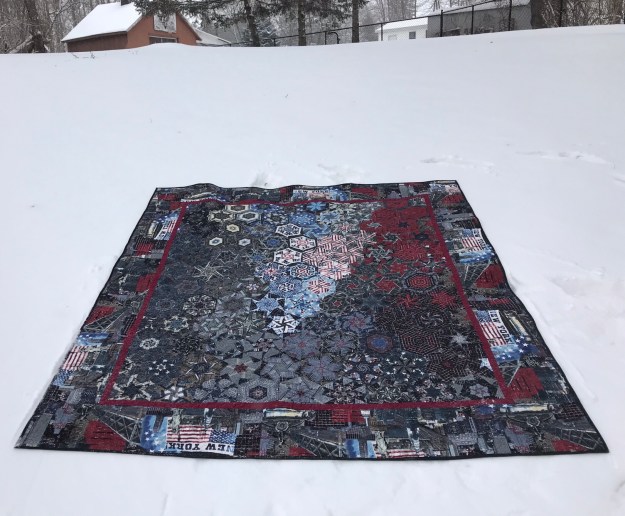
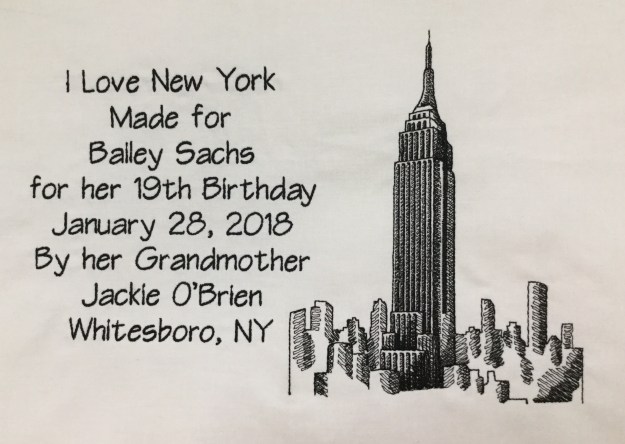
I had a really busy Fall teaching schedule this year.  I am so looking forward to 2018.  I got a jump start by making a quilt for Granddaughter Bailey’s 19th birthday.  She absolutely loves New York City.  We have visited there several times and walked from one end of the city to the other.  I had this fabric from Timeless Treasures for several years.  It just occurred to me that I must have been saving it for Bailey.

img_0983

It is about 9 degrees in Central NY today.  This is my 62nd One Block Wonder.

img_5491

The back also has a New York City themed fabric.  Happy Birthday Bailey!

I Love NY

Deb Tucker had a busy year also, Studio 180 has many new patterns out.  I’m working on one now called Whirling Dervish that is so fun.  I will be posting about it soon.  There are also new Studio 180 Design Technique Sheets to expand our skills.

Stacked Squares

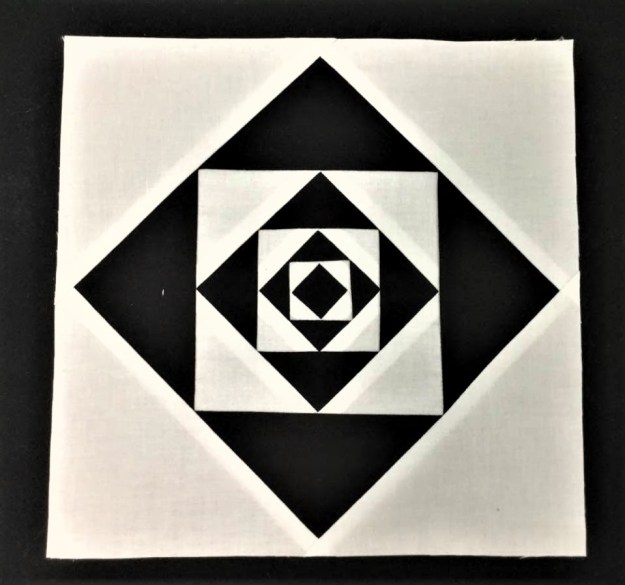
“Stacked Squares” is a technique that will allow you to make the “Economy” block perfectly every time without using paper foundation piecing. Like all Studio 180 Design processes, you’ll be constructing oversized units and then trimming them down.  Above I made a block using the “Stacked Squares” technique sheet and the required Large Square/Squared Tool to make a square in a square, in a square in a square, in a square in a square, in a square in a square, in a square in a square, in a square in a square, in a square! Whew!

img_5349

You have heard of the “Shaded Four Patch”, well here is a sample of what you can do with the “Shaded Nine Patch” units.  The Shaded Nine Patch is an amazing unit that has endless possibilities all by itself or it can be combined with other fundamental units to create even more designs. With the Shaded Nine Patch Technique Sheet you can make this unit in 7 sizes.

img_5352

I made this block using  the Bird of Paradise Technique Sheet.  This techniques requires the Large Square/Squared tool, it is so very cool.  You can make this unit in 6 sizes from 1″x 2″ to 6″ x 12″.

img_5353

I love this new “Eight at Once” technique sheet!  With the Tucker Trimmer I you can make Half Square Triangles (HST) 2 at a time.  With this technique you can make 8 HST’s at a time in 11 different sizes! Wowza!

Deb also gave us a new tool, the Four Patch Square Up.  Four Patches are basic units that seem so simple to make. Just stitch 4 squares together and you’re good to go.  But anyone who attempted these units knows they are notoriously difficult to make.  The Four Patch Square Up tool is the solution.  The tool’s perfectly engineered lines are designed to quickly locate and align with the unit center and sewn seams, allowing for easy trimming on all four sides.  You will be able to make Four Patch Units in 12 sizes!

img_5384

I played with the Four Patch Square up using Deb Tucker’s BlockBuster #24 Compounding Four block pattern. I love the design it makes when you put 4 blocks together.

I wish you all a Happy & Healthy New Year!  Let’s go quilt something!

Studio 180 Academy – 2017

Studio 180 Academy is being held at White Eagle Conference Center in beautiful Hamilton, NY this September 20th – 23rd, 2017.  This is an opportunity to spend time with Studio 180 Design Certified Instructors having fun and learning to use your Studio 180 Design tools.  There are teaching teams for each of the 15 quilt classes being offered.

I (Jackie O’Brien) and Sue Graf will be team teaching 3 quilts:

IMG_4831

Class#106 – Sea Glass.  This quilt arranges diamond shapes in a unique way that reminds us of the glass shards found on the shore. Requires the Diamond Rects tool.

NN King

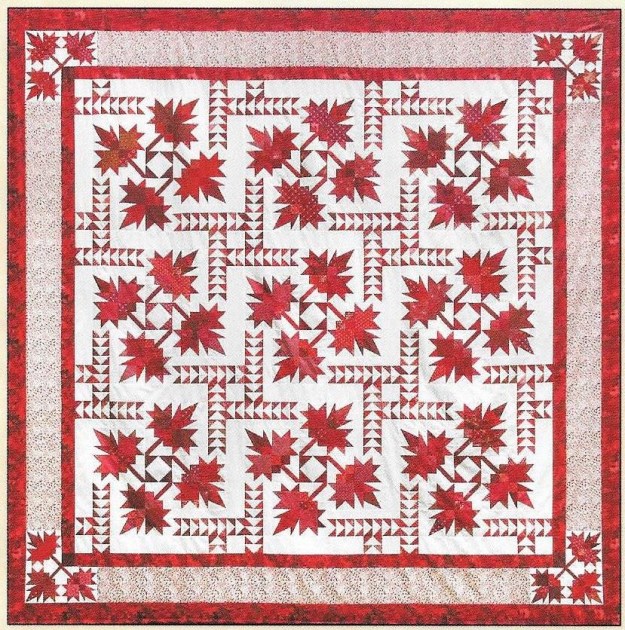
Class #205 – Northern Neighbours.  Features intricate maple leaves and Flying Geese, this celebrates our Northern Neighbours.  Requires the Corner Beam, Wing Clipper I & Split Rects tools.

Diamonds in the Sky

Class #305 – Diamonds in the Sky.  This is a Modern 180 Design by Michelle Hiatt. Requires the Corner Beam tool.

These are only 3 of the 15 classes being offered.  There is still time to sign up and join us for 4 fabulous days together.  If you are local you may also sign up as a Day Tripper.  Deb Tucker will be our keynote speaker for this event.  Check out the website for class offerings and registration www.studio180academy.com

Questions? Contact us at Studio180academy@gmail.com

It will be beautiful this fall, so spend some time with us.
IMG_4836


Tuckerization

Tuckerization, to Tuckerize. V.  The process of taking traditional quilt block instructions and applying process improvement techniques with Deb Tucker’s Studio 180 Tools!

I taught a Shaded Four Patch workshop last month and have been slightly obsessed with them ever since.  I keep looking for them everywhere.  I was at a quilt retreat with some fellow Certified Instructors and one them showed me a book by Sally Schneider called “Scrap Quilts Fit for a Queen, or a King, Twin, or Lap”.  There are some beautiful quilts in this book with layouts for King, Queen, Twin or Lap size (hence the title of the book). There are several quilts that contained the Shaded Four Patch Unit.  I decided to make “Happy Days”.  I love her layouts but there are better ways to construct the units for the blocks.
OLYMPUS DIGITAL CAMERA
Happy Days

Can you see the Shaded Four Patch Units in the quilt above?

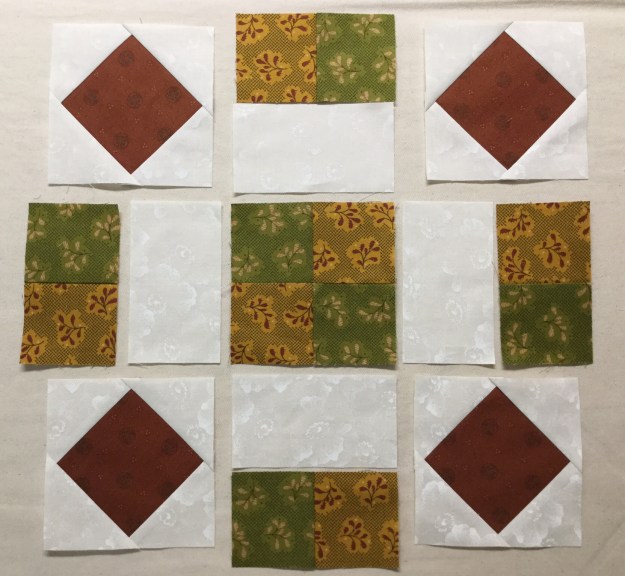
Above is a deconstructed block using four Shaded Four Patch units.  I absolutely love how using the background fabric for the narrow strip and the rectangle  give you this pennant effect.

By using Studio 180 Design’s Shaded Four Patch Technique Sheet and the Tucker Trimmer I  was able to make oversized units and square them up perfectly.

These little beauties are Combination Units made with my Tucker Trimmer I.  When you put 4 units together it makes this great looking pin wheel for the center of the block.  These are 2″ finished units. You can make these in 11 sizes with your Tucker Trimmer.

Above is the deconstructed block consisting of the combination units center and 4 Flying Geese made with my Wing Clipper I.  You can make flying geese in 10 sizes from 1″ to 10″ with the Wing Clipper

OLYMPUS DIGITAL CAMERA

The inner border was made using Quarter Square Triangles, which I made using my Tucker Trimmer.  I Tuckerized the heck out of this quilt!

OLYMPUS DIGITAL CAMERA

Below are more blocks containing the Shaded Four Unit.

OLYMPUS DIGITAL CAMERA

These two blocks are made exactly the same, with the same fabric.  The only difference is that the shaded Four Patch units in the corners are turned different ways.

These blocks all contain Shaded Four Patch Units.

OLYMPUS DIGITAL CAMERA

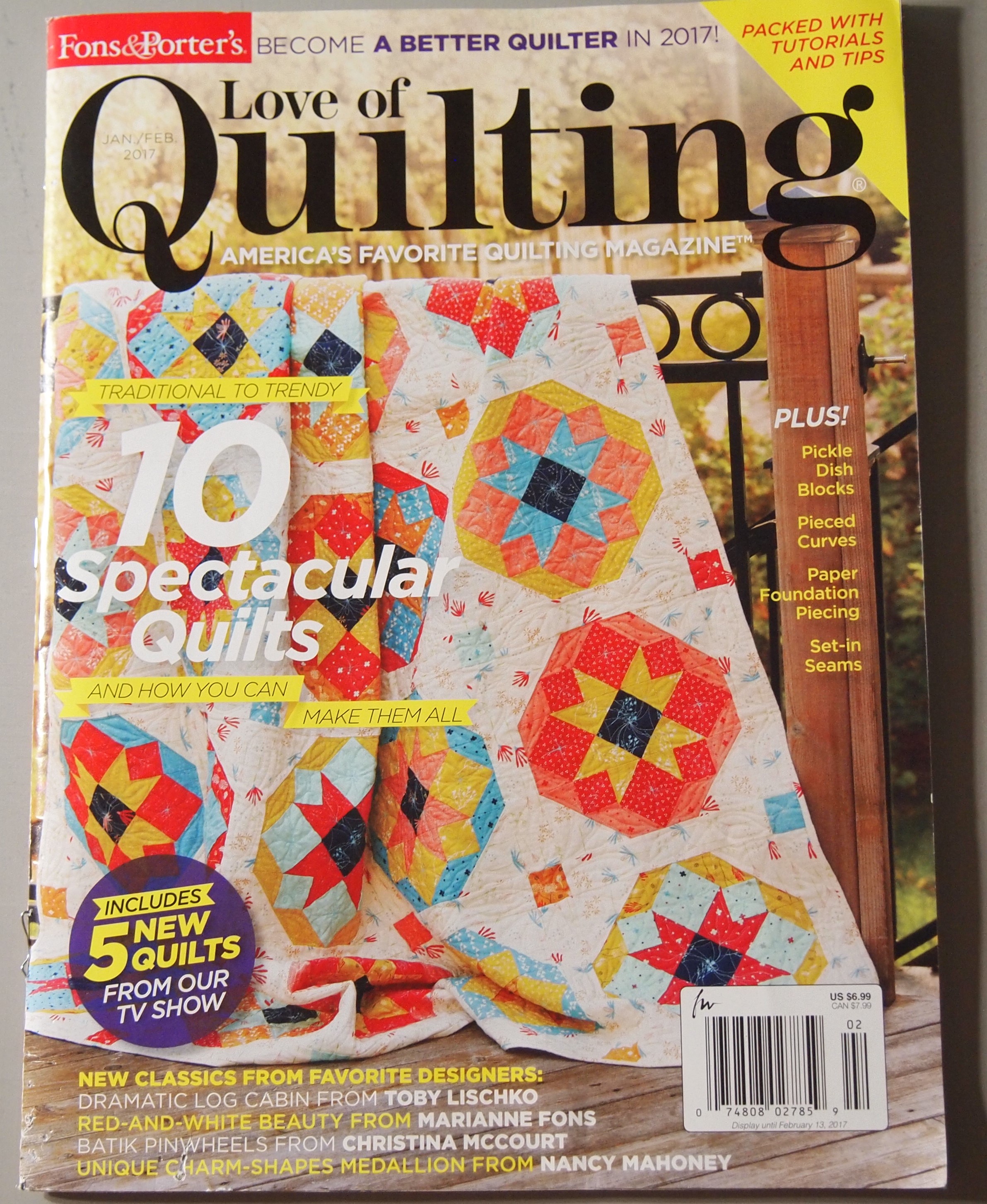
The quilt on the cover of “Love of Quilting” for Jan/Feb 2017 contains Shaded Four Patch Units and can be Tuckerized  with your Trimmer I and Square/Squared tools.  I would say Studio 180 Design Tools give you Quilting Clarity!