Tag Archives: Studio 180 Design

Great Outdoor Blog Hop Week 3

I love Island Batik fabrics, Studio 180 Design Tools & EQ8!  So I wanted to share some of my Sunday morning creativity.

I started with BlockBuster 19 Exploding Lemoynes (you can find all the BlockBuster patterns on http://www.ifthesethreadscouldtalk.com).  There are 3 different color versions of this block.  These blocks require the Rapid Fire Lemoyne Star tool.

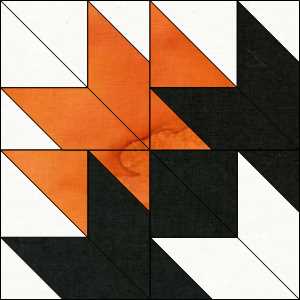
BB19 Version 1 block

This is Exploding Lemoynes version 1

BB19 version 1 quilt

This is what happens when you put 4 version 1 blocks together.

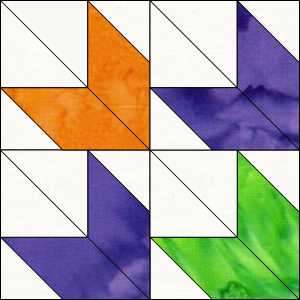
BB19 version 2 block

Exploding Lemoynes version 2 block.

BB19 Version 2 quilt

Exploding Lemoynes Version 2 with 4 blocks.

BB19 Version 3 block

Exploding Lemoynes version 3 block.

BB19 version 3 quilt

Exploding Lemoynes version 3 with 4 blocks put together.  These are so cool and easy to make with the Rapid Fire Lemoyne Star tool that makes Lemoyne stars in 10 sizes from 3″ to 12″ blocks!

I want to share links to Island Batik’s Great Outdoor Blog Hop for week 3:

Monday, August 20 – Ocean Odyssey
Toby Lischko, Karen Overton

Tuesday, August 21 – British Rose
Busy Hands Quilts, Mania for Quilts

Wednesday, August 22 – Dear William
The Inquiring Quilter, MMM Quilts, Living Water Quilter

Thursday, August 23 – Dragonfly Dreams
Inchworm Fabrics, BeaQuilter

Friday, August 24 – Fur-ocious Friends
Quilting Affection Designs, Dizzy Quilter

Be sure to visit all the links and enter to win “Give Aways”.

#iheartislandbatik #islandbatikfabrics  #studio180design #debtucker #EQ8 #electricquilt

The Great Outdoors Blog Hop

The products in this post were given to me by Island Batik.

img_6392

Back in February when I received my Island Batik Ambassador Box 1 it contained a secret bundle that could not be shared until now!  Through out the month of August “The great Outdoors Blog Hop” is featuring Island Batik Ambassador’s creations using fabrics that were introduced at the 2018 Spring Market.  Go to Island Batik for links to all the Ambassador Blog Sites.

I was given fabric from the “Spring Blossom” line:

This slideshow requires JavaScript.

I managed to use 20 different fabrics from this gorgeous line in my quilt as shown above.

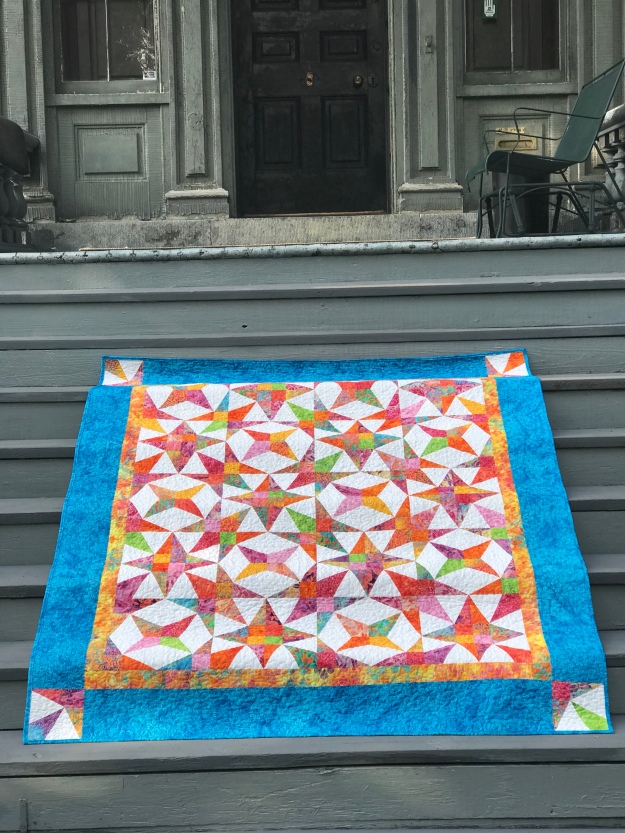
img_1343

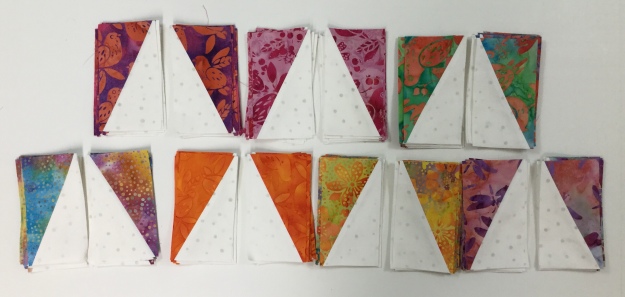
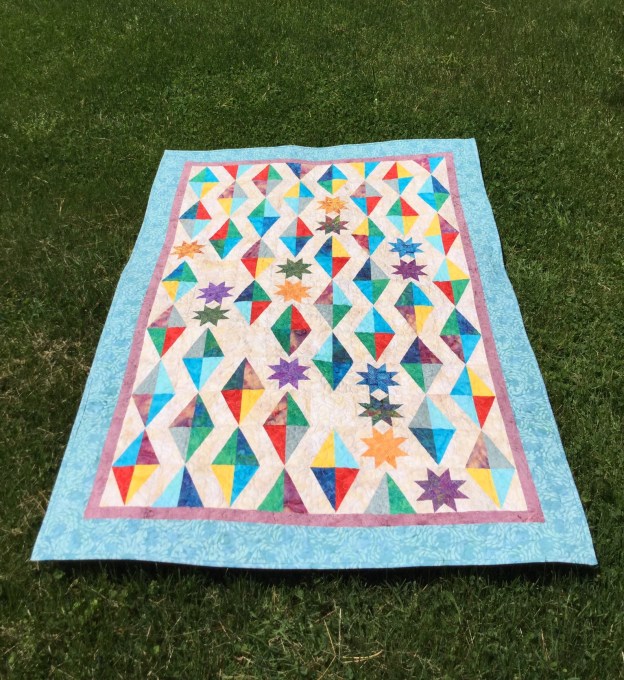
I named my quilt “Firefly”.  It is my original design, and uses Studio 180 Design Split Rects & Corner Beam tools.  It measures 66″ x 78″.  It is designed using one 6″ finished block.

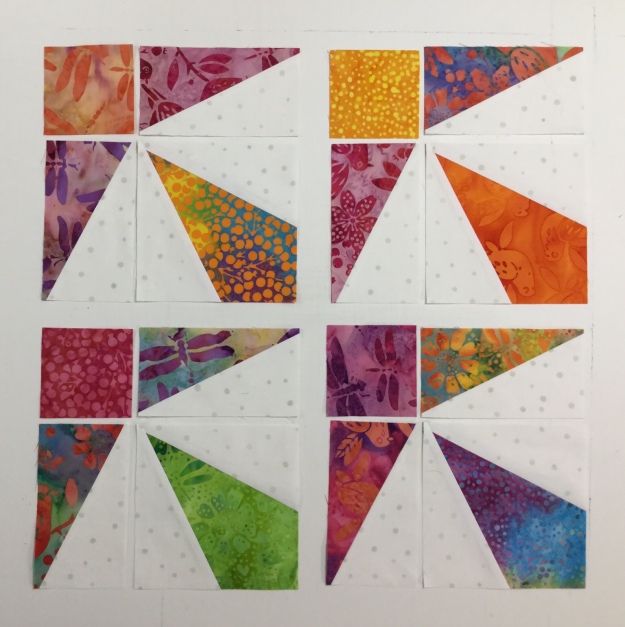
img_6373

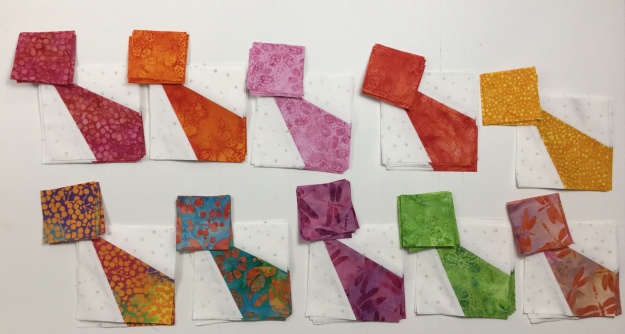
Each block contains 1 – 4″ finished Corner Beam unit, 2 mirror image 2″ x 4″ finished  Split Rects units & a 2″ finished square.

img_6367img_6368

I chose 7 different fabrics for the Split rects units and 10 more fabrics for the Corner Beam units and squares.

img_1378

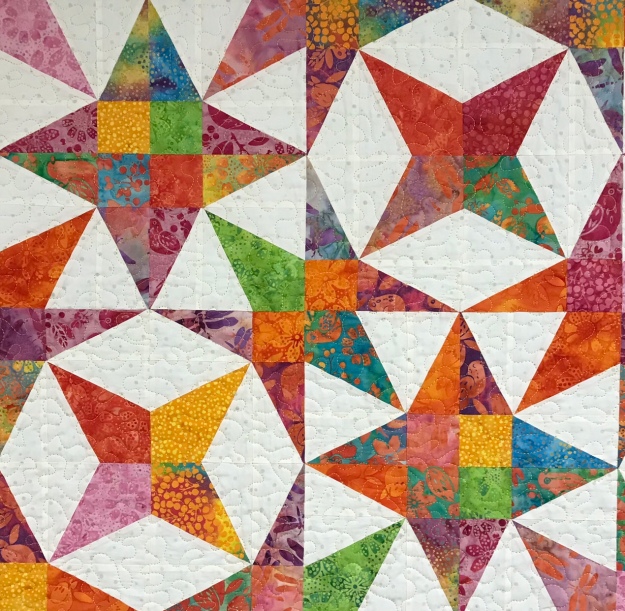
I got one star block by place the corner beam units in the center and a 2nd star block by placing the 2″ squares in the center which created the “Firefly” in the center, how cool is this?  I had so much fun making this quilt.

This slideshow requires JavaScript.

To celebrate the great out door places in Utica, NY, my sister Mary & I went all over taking pictures of my travelling quilt.  We went to the historical Utica Train Station, Forest Hills Cemetery (the tree was up the hill from John Quincy Adams granddaughter’s grave), Rutger Park 1 & 3, Franklin Square, Liberty Bell Corner, Bagg Square & Utica Bread (fabulous bakery) and then upstairs to Jay Groah Realtor Group (his office has the coolest 70″s vibe), we finished up at the Eagle with a beautiful view of Utica.

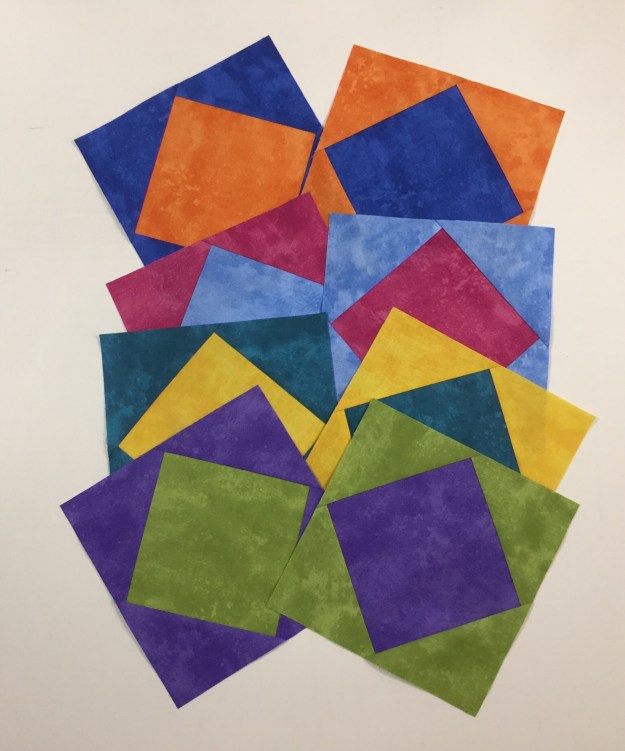
GIVEAWAY:  Please leave a comment about this post and I will choose a winner to receive this Island Batik Spoolin Around Charm Pack!  (Giveaway is US Only and ends September 5, 2018.  Please leave your email in the comment.)

#greatoutdoorsbloghop #islandbatik #islandbatikambassador

Crossfire

The fabrics in the post were generously given to me by Northcott Fabrics.

img_6250

I chose Northcott fabrics from the Sew Musical Row by Row Palette 2018.  When I choose my fabrics from Northcott, I get so excited when they are delivered.  As soon as I touch the fabric, I feel the quality.  These colors are luscious with just enough texture to give depth and interest.

Crossfire is a Studio 180 Design pattern designed by talented Certified Instructor Sarah Furrer.  It is a companion pattern for the Large Square/Squared tool.

The block featured in this quilt is called “Bird of Paradise”.  The pattern describes this quilt as “whirling stars with accents and chains of black and grey.  A new fun variation of a Flying Goose makes for a star with loads more sparkle”, and it does.

This slideshow requires JavaScript.

If you follow me, you know I love to organize my quilt making process by labeling paper plates for my block pieces as I cut them out.  I never get lost or forget what the pieces are for.  All my block pieces are cut and ready to put together.

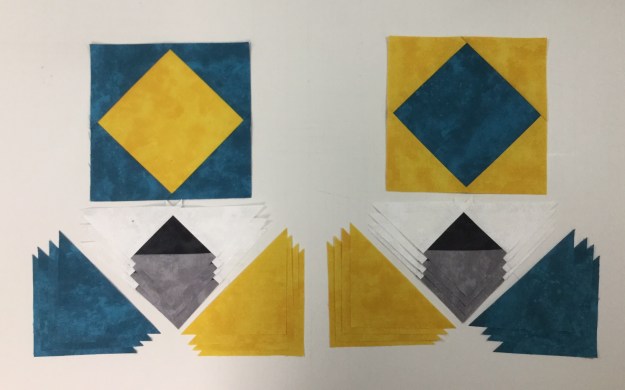
Star Blocks:  You will be making 8 star blocks, they will be made in pairs.  Each pair will contain the same colors, but their arrangements will give you two different looking blocks.  Label one of the colors in each pair as Color 1 & Color 2.  If you follow the instructions in the pattern you wont have any trouble.  After construction the diamond square units are trimmed to the cut size of 6.5″ x 6.5″

img_6288

Beautiful, perfectly trimmed units leaving a 1/4″ seam allowance, so I will not lose my points.  After all…no one wants to be pointless!

Next, we make half square triangles and perfectly trim them using our Large Square/Squared tool.

Lay out your trimmed half square triangles and the and two white triangles as shown.  Work with one triangle at a time, stitch & carefully press toward the white triangle as not to distort the shape.

img_6301

Laying Out the Blocks:   Pay close attention to Step 10.  Split your pieced geese into two piles of four.  Lay out your side triangles so that on one pile you have four Color 1 side triangles on the right side & four Color 2 side triangles on the left side.  The other pile will have four Color 2 side triangles on the right side & four Color 1 side triangles on the left side.  If you lay them as I did above for every color combination, you will be fine.

It is very important to pay attention to Step 11:  Position the right side triangle so that Color 1 shows a bit beyond the white along the top edge.  Stitch and press toward the side triangle.  Trim the units according to pattern instructions and put your blocks together.

img_6348

Crossfire is a fun, skill expanding pattern.  Finished quilt measures 60″ x 84″.

This slideshow requires JavaScript.

Blast From The Past

The fabrics featured in this post were given to me by Island Batik. 

Modern Batik Challenge 39

The Island Batik Ambassador’s challenge for June is “Modern Batik”.  Lord have mercy!  I had no idea what to do.  I love all types of quilts.  For some reason I wondered……what colors were popular in 1953?  A search on Pinterest revealed an O’Brien Paints Color Card from 1953!  It must be a sign!

I racked my brain.  I had these really cool precut rolls of 5″ WOF strips I’d received in my box “O” fabric from Island Batik.

Last year I was constantly looking for quilt blocks containing Shaded Four Patch units. This year it seems to be Split Rects units that have my mind whirling.

2 TU SR Unit Types

3 TU SR 5 thru 8

5 TU SR 12 thru 16

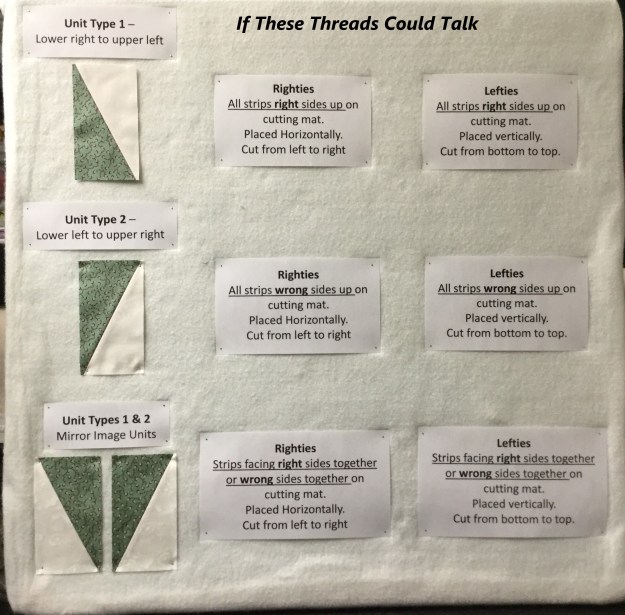
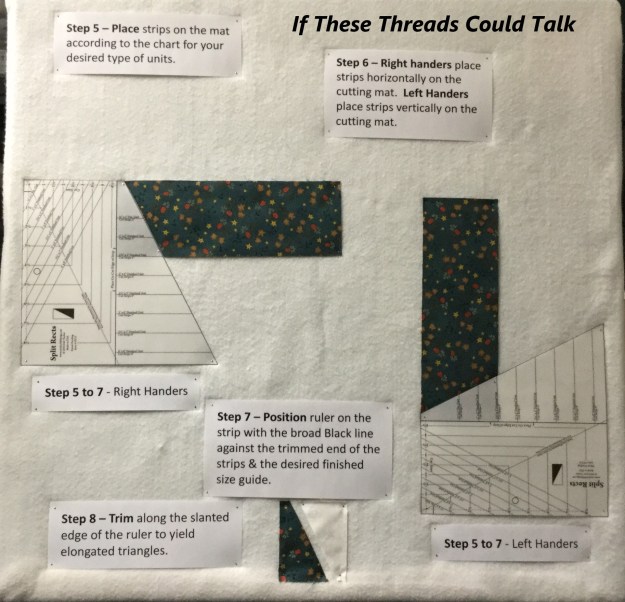
The above photo’s are my teaching step outs that explain the process of making Spilt Rects Units in case you weren’t sure what I was talking about.

img_6178

I chose 8 – 5″ WOF strips of color & cut 8 – 5″ strips of neutral.  Each strip yielded 12 pair mirror image elongated triangles for a total of 192 – 2″ x 4″ finished Split Rects Units that I will put together to make a multi-faceted Diamond unit.

I Combined the Split Rects units to make multifaceted diamonds.

img_1210

img_6180

I was very closely supervised during this part.

I had an idea of what I wanted, but wasn’t sure how to get there.  I had 48 diamond units but needed to add something more.  I decided on Rapid Fire Lemoyne Stars.

img_6193

I went to Island Batik stash and used 2 1/2″ strips from Spoolin’ Around.  These beautiful pieces of batik have been hand dyed by skilled fabric artists in the garden village of Sanur, Bali.

img_6210

This is what I came up with.  Is it modern?  The challenge description was “must incorporate ONE of the characteristics of modern quilts as defined by the Modern Quilt Guild:  the use of bold colors & prints, high contrast & graphic areas of solid color, improvisational piecing, minimalism, expansive negative space, alternate grid work”.

I may have hit one or two points!  But if you look to the past for inspiration what can you expect!  “Blast From The Past” measures 42′ x 62″.

img_6206

img_6211

As always, my quilts are lovingly pieced with Aurifil thread!

#islandbatik #debtucker #studio180design #aurifilthread

Pillow Possibilities

The products featured in this post were given to my by Island Batik.

Playful Pillows

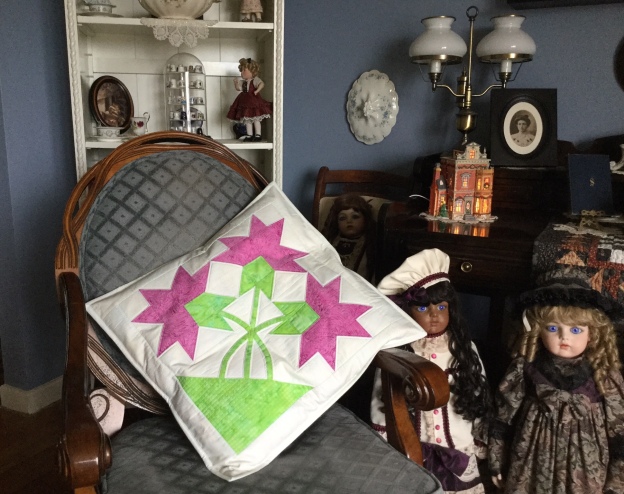
The Island Batik challenge for May is “Playful Pillows”.  As I was thinking about what pillow design I would choose, it occurred to me I had a wealth of ideas at my fingertips.  So many of my favorite quilt patterns have blocks large enough for a pillow.  I decided I would make the center block from Deb Tucker’s “Carolina Lily: One Block” wall quilt pattern.

DTP005_-_No_Y_Carolina_Lily_-_One_Block_1024x1024Carolina Lily is a companion pattern for the Wing Clipper I.

My fabrics from Island Batik & threads from Aurifil.

img_6145

For each of the 3 flower blocks you will need 4 flying geese units.  Two of the flying geese units will have one pink point & one green point as shown above.  Deb Tucker’s method for constructing flying geese requires one large square and 4 small squares.  The large square is my background fabric. Three of the small squares are my pink fabric, and one is the green fabric.  Using your Magic Wand draw two diagonal lines on the back of your small squares.

To make a flying geese units position one green square and one pink square right sides together in diagonally opposite corners of the one large square.  Do Not align the raw edges, instead nudge them in toward the center just a few threads & overlapping the two small squares.  Stitch on the lines and cut apart.

img_6148

Press the seams toward the smaller triangles.

Position the remaining pink squares in the corner of the previously pieced units.  Nudge the squares as you did before.  Stitch on the lines and cut apart as before.

img_6151

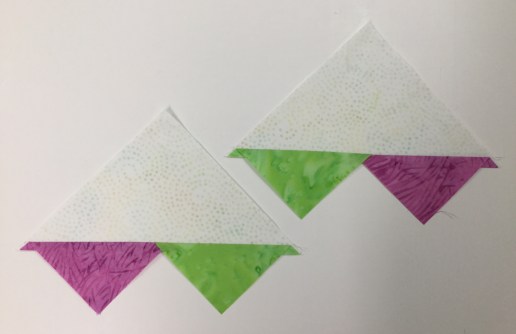
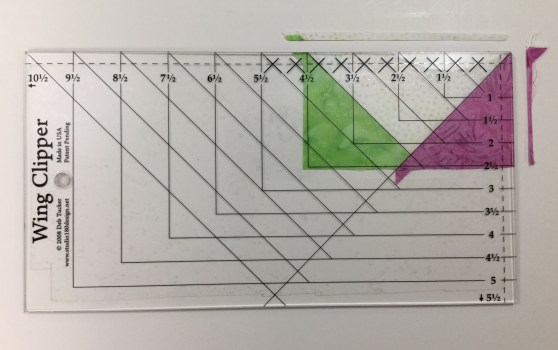
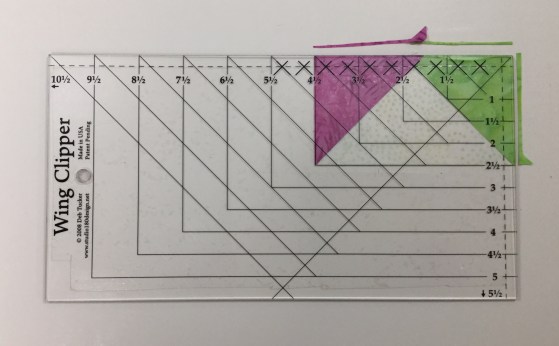
You now have four flying geese units, two with pink points and two with one green & one pink point.  For Right handed cutting position your geese unit horizontally on the cutting mat so it points toward you.  Align the diagonal guide lines of the Wing Clipper with the sewn seams of the flying geese unit.  Trim up the side and across the top.  (See your tool instructions for left handed cutting.)

img_6152

Rotate the unit and reposition the Wing Clipper to align cleanup guidelines with the previously trimmed raw edges and the “X” at the top with the intersection of the seams.  Trim up the side and across the top.  Do this for all your geese units.

img_6153

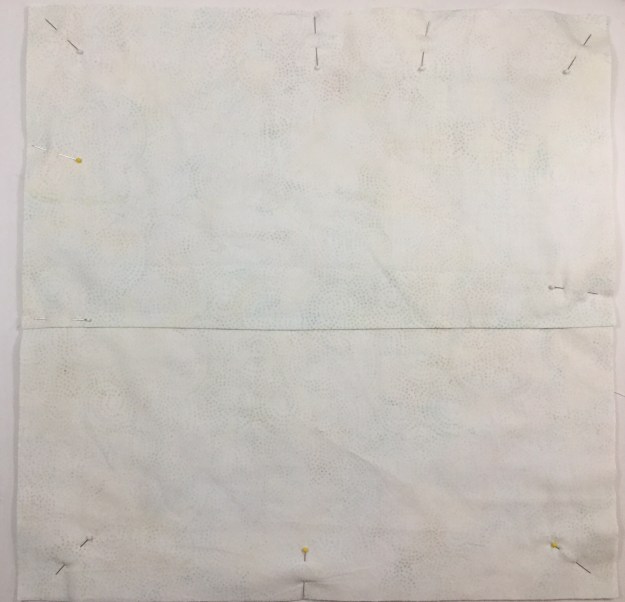
Construct your lily block according to pattern instructions.  The lily block measures about  a 16 1/2″, I added 2 1/2″ borders all around it.  I like the inside of the pillow to be neat with no raw edges showing.  I want to quilt this block so I cut a backing and batting larger than my block and pin basted it.

I used my walking foot and cross hatched the basket portion of the block.

I was carefully supervised during this process.

img_6159

Once I finished with the basket, I outlined the flower parts and squared up the pillow top.

img_6161

My pillow top now measures 20 1/2″.  I cut two pieces of fabric 12″ x 20 1/2″.  On each piece, along one of the 20 1/2″ edges fold it over about 1/4″, press it & fold it over again and press it.  Stitch on the pressed over edges for a nice finish.  Position these two pieces on the pillow with WRONG sides together aligning the raw edges so the finished edges overlap in the middle.  Pin in place and stitch around the outside edges of the pillow using a 1/4″ seam allowance.

img_6162

Now you have a pillow with raw edges around the outside edge.  I like to add a binding just like it was a quilt.  That way the inside of the pillow is completely finished with no unfinished edges, which is nice for washing the pillow case.

img_6166

I made this pillow for my sister Mary, but I think Tucker & Zoey are claiming it!

#islandbatik #Aurifilthread #islandbatikambassador #debtucker #studio180design

Refraction

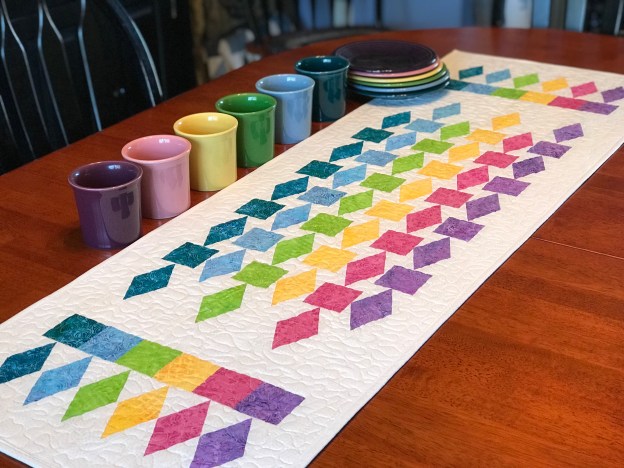
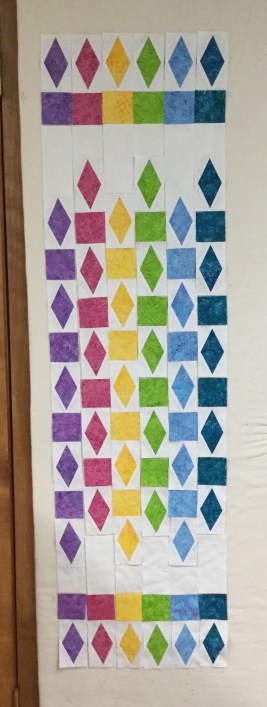
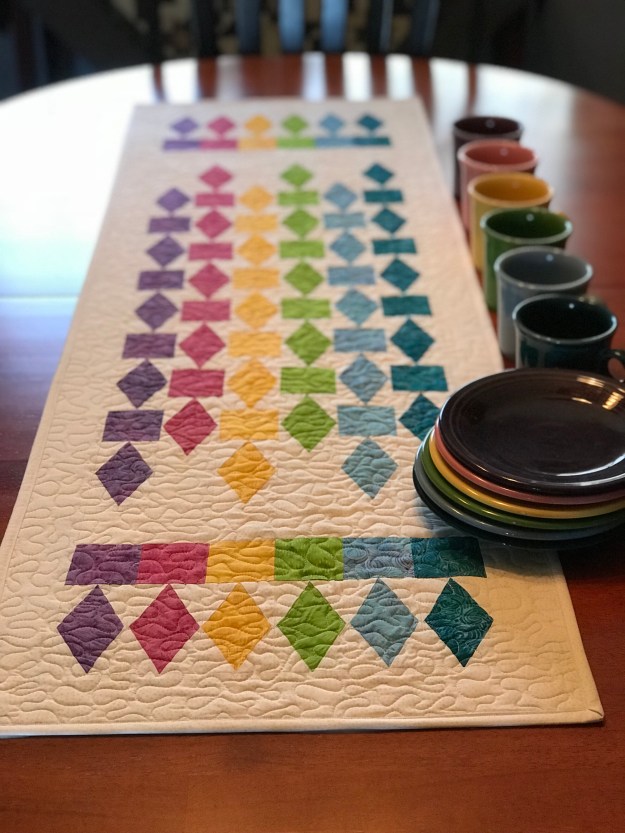
As I was preparing for an upcoming Tucker University Diamond Rects Class I though I would make Deb Tucker’s Refraction.  It is a companion pattern for the Diamond Rects tool.

This is a great pattern to make to expand your skill at using your Diamond Rects Tool.  Using six 2 1/2″ strips & background fabric this table runner is fun and quick to make.

img_6106

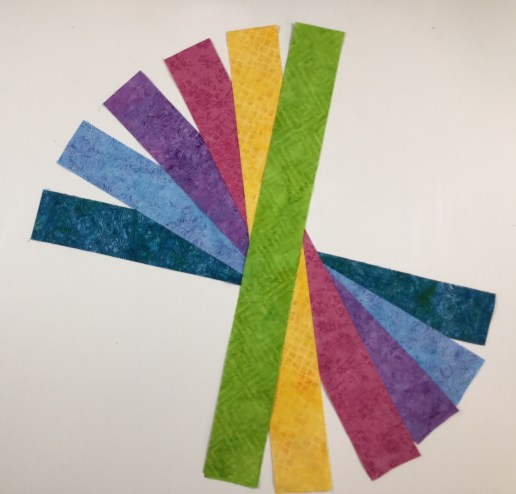
I chose six 2 1/2″ strips from Island Batik’s “Spoolin Around” Island Strips pack & Cotton Egg-White for the background.

Cutting the Diamond

I opened my strips and positioned 3 strips right sides up ( you can stack more if you are comfortable), aligning the raw edges.  I am right handed, so the selvedges are to the left.  Align the guidelines of the ruler with the raw edge of the strip.  Cut along the angled edge and across the top.

img_6108

Rotate the first piece around to make the second diagonal cut near the selvedge edge.

img_6109

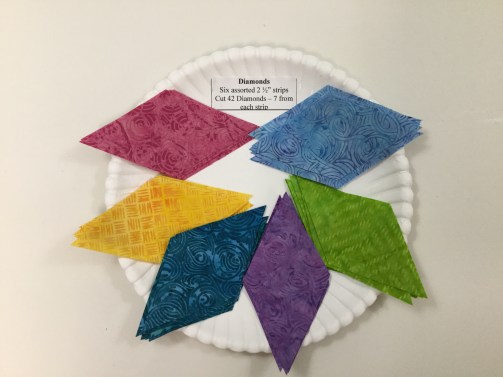
Continue to make cuts until you have 7 diamonds from each strip.

img_6111

Layer 3 more strip and continue to cut as before.

Cut 6 squares 2 1/2″ x 2 1/2″ from the remainder of each of the 2 1/2″ strips.

Cutting the Side Triangles

img_6115

Cut your rectangles from the background fabric per pattern instructions.

Position the Side triangle Cutting Section of the ruler against the raw edges of the stacked rectangles and cut along the slanted edge of the ruler.

Stitch, Press, & Trim

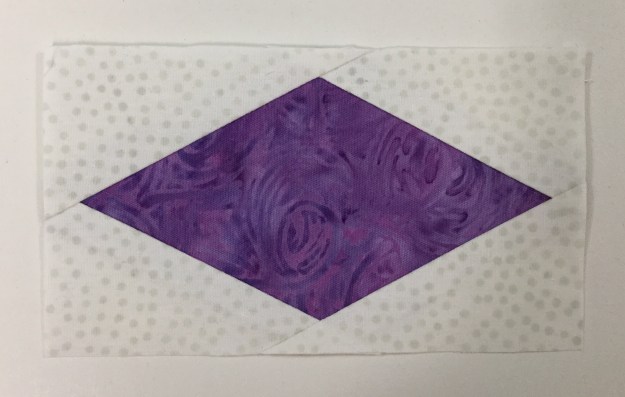
Always lay out all the pieces right sides up as they are going to be stitched.  Stitch two opposite side triangles to opposite edges of the center diamond.  I align the raw edges, but instead of centering the diamond over the side triangle, I personally nudge my side triangle toward the thicker point of the center diamond.  This gives me extra when it comes to the trim down process.  Press toward the side triangle and away from the center diamond.

Align and stitch the remaining two side triangles to the raw edges of the center diamond as before.  Press away from the center diamond.

Place the stitched and pressed unit on the cutting mat.  Position the trim down side of the ruler on the unit, aligning the “X’s” and the dashed lines with the seam intersections and the sewn seams.  Trim up the side and across the top. Rotate the unit and reposition the ruler, this time align the clean up lines on the previously trimmed sides along with the “X’s” and the dashed lines.  Trim up the side and across the top.  See tool instructions for left hand cutting.

img_6125

Complete all your diamonds.

img_6127Layout the pattern pieces, stitch into rows and add borders per pattern instructions.

img_1153

This was quick & fun!  Finished project measures 16″ x 51″.  Proudly stitched with Aurifil thread and completed with Quilter’s Dream Blend Batting.

#studio180design #debtucker #islandbatik #aurifil #diamondrects #refraction

Prism

Northcott Logo The fabrics featured in this post were given to me by Northcott.

I have been chosen to participate in Northcott’s Creative Club.  If you have not used Northcott fabrics before you will be pleasantly surprised.  Just like their logo says “Cottons that feel like Silk”!

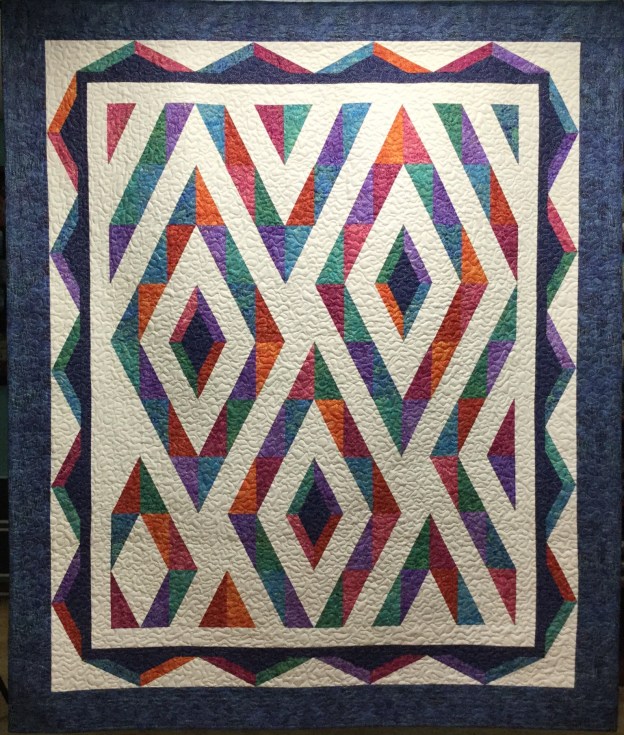
I chose to make Prism, a pattern created by Pam Goggans of Sager Creek Quilts.  Prism is a companion pattern for the Studio 180 Design Split Rects Tool.

img_6072

One of my favorite Disney movies is “Pollyanna”.  Remember this scene when they discover “rainbow makers”?  I do, and that is the inspiration for my version of Prism.

img_6025

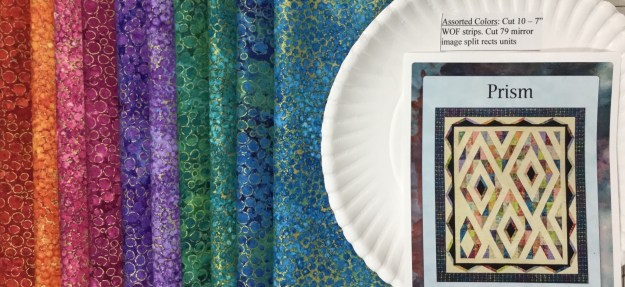
My fabrics are from Artisan Spirit Shimmer By Deborah Edwards Northcott Studio.  Aren’t they just yummy, looks like a rainbow to me!

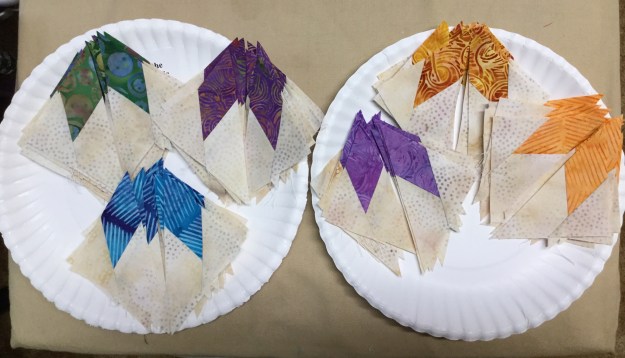
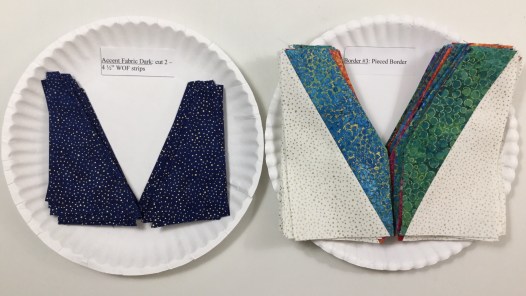
I am a purveyor of paper plates!  I use them to stay organized throughout the quilt making process.  I cut everything out but the borders (I save that till the end so I can verify my measurements) and place them on their labeled paper plate.  I can stack them up in a tub or place them in gallon size storage bags when I’m not working on them.

Split Rects Units

To make mirror image split rects units, lay the fabric strip “right sides together OR wrong sides together.  Position the ruler on the strip with the broad black line against the trimmed end of the strip and the desired finished size guide and trim along the slanted edge.  For the second cut, rotate the tool one half turn and align the small second trim “nub” line on the long edge of the strip and the “Second Trim” guide along the just-trimmed edge.  Trim along the straight edge of the tool.

img_6038

I am right handed, so my strips are placed horizontally and I cut from left to right.  Left hander’s would place their strips vertically.  See tool instructions for complete left handed cutting.

img_6040

Continue to cut all the pieces for the split rects units.

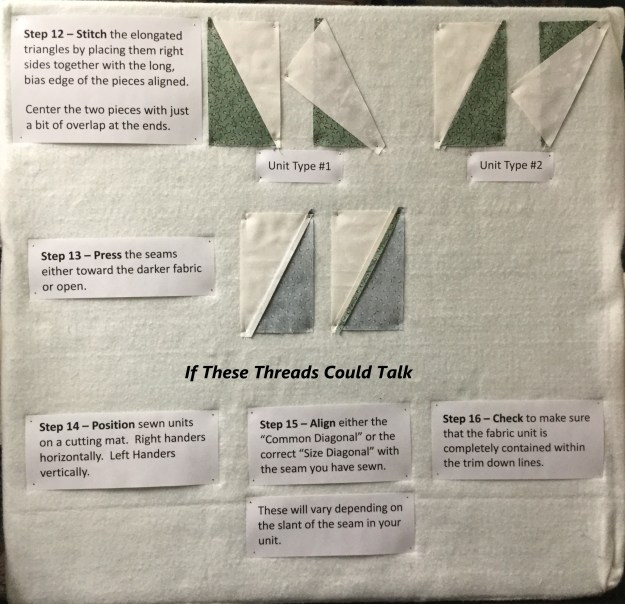
Lay out the pieces as they will be stitched together.  Stitch the elongated triangles by placing them right sides together with the long, bias edge of the pieces aligned.  Center the two pieces with just a bit of overlap at the ends.

Press the seams either toward the darker fabric or open.  As you can see I press mine open.

Align either the “Common Diagonal” or the “Size Diagonal” with the seam you have sewn.  These will vary depending on the slant of the seam in your unit.  Check to make sure that the fabric unit is completely contained within the trim down lines.  For right hander’s trim up the side and across the top.

Rotate the unit and reposition the tool on top.  Align the correct  “Cut Size” measurement with the trimmed corner and the same diagonal line used in the first trim.  Trim the remaining two edges of the unit.

img_6052

Above I have laid out my trimmed mirror image split rects units.

Double Split Rects Units

After trimming the split rects units to the correct “Cut Size” choose 24 mirror image units to make special Double Split Rects!

According to pattern instructions trim away the excess of the colored triangle.  Make sure to position the left leaning units right side up and the right leaning units right side down.

Using the Split Rects Tool, cut triangles from the accent fabric according to pattern instructions.img_6058

Lay out the trimmed units and the replacement triangles.

Stitch the dark triangles to the trimmed units.  I press my seams open.

Trim as before.  Place right leaning unit right side up and left leaning unit wrong side up.

img_6063

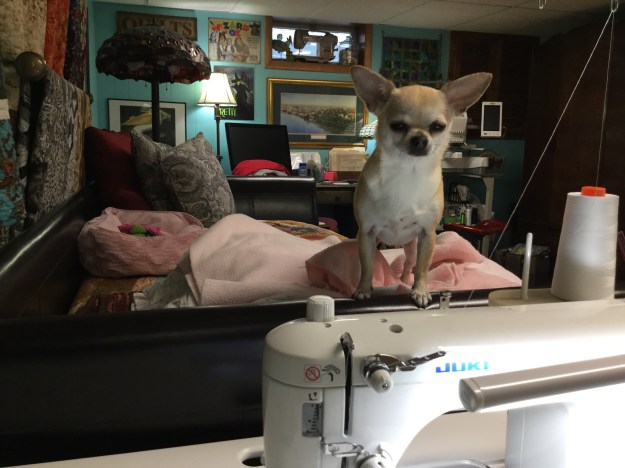
I laid out my units on the design wall, and then I noticed two units were missing!  Tucker my Chihuahua decided I had ignored her long enough.  This is her way getting my attention.  I found the units upstairs by a guilty grinning Tucker!

I stitched the units for the quilt center together and then added the borders.  The secret to this quilt is to use your best accurate 1/4″ seam!

img_6077

I quilted Prism with a meandering stitch.  (All that meander are not lost.)

img_6079

The Northcott Artisan Spirit Shimmer fabric line was perfect for this quilt!  I love it!

Even the quilt back is beautiful Northcott fabric!

I used Quilter’s Dream Blend Batting, and I do all my piecing with Aurifil thread!

Vintage Quilts Inspiring New Creations

img_5893

The April challenge for the Island Batik Ambassador’s is to “Look Back” and get inspired!  Not a problem for me.  My inspiration stems from the Hunter Star quilt.  This quilt is on many quilter’s bucket lists.   The quilt shown below represents a traditional hunter star layout.img_5895

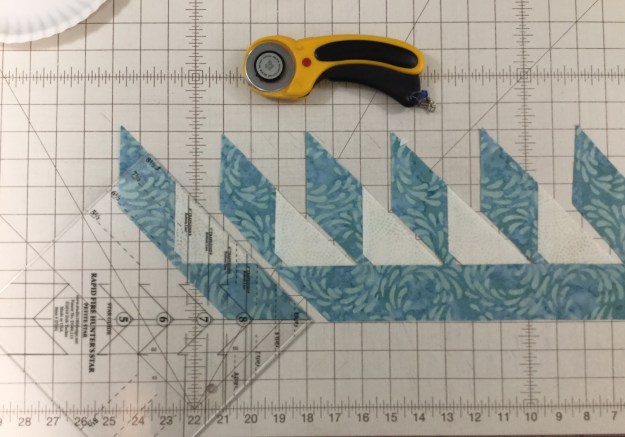
I love Deb Tucker’s Rapid Fire Hunter Star tools.  Once you learn the Rapid Fire Process you will be able to make any version of the Hunter Star Quilt.  I went to Deb Tucker’s new book “Hunter Star Royal Treasures” for my inspiration.  This book contains 40 different king & queen size hunter star layouts, including one from me “Waves of Joy”.  But what got my attention were the “Alternative” layouts.  Wow what a difference a little change can make.  Instead of the traditional piecing of the dark trapezoid to the dark triangle or a light trapezoid to a light triangle, do the reverse and piece a dark trapezoid to a light triangle and vice versa.

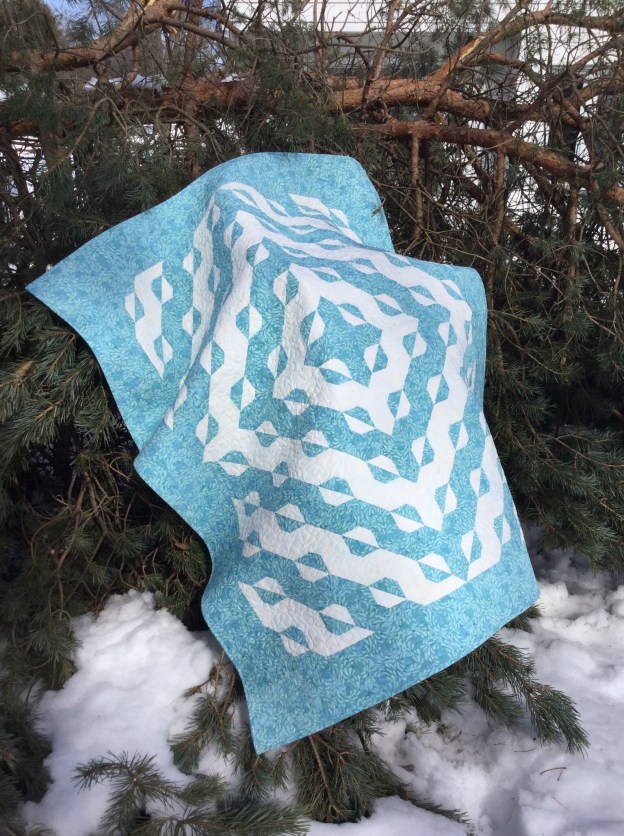
I chose “Baths of Tortola”, designed & pieced by Studio 180 Design Certified Instructor Heidi Chase (Running With Scissors Quilters).  Heidi’s quilt is a queen size, 8 x 10 block layout, made with the Large Hunter Star tool & 9″ finished blocks.  (The photo on the left of my smaller version of Baths of Tortola (50″x60″) was taken on one of the many trees we lost during one of the many nor’easters this winter.)

img_5891

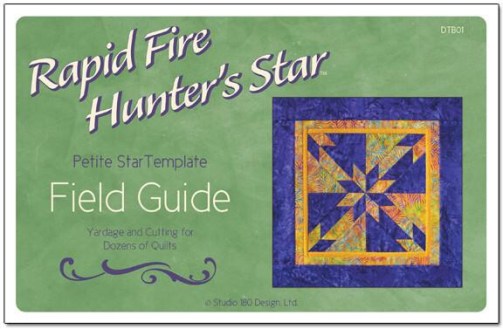
I wanted to make a smaller quilt, so I pulled out my Petite Hunter Star tool, and my Field Guide. This fabulous little book gave me the fabric requirements for a 5″ Hunter Star Petite, 8 by 10 block layout in a two color option. Sweeeet!  This book gives you yardage requirements and cutting instructions for 213 projects in 2, 3 & 4 color options for 5″, 6″ 7″ and 8″ block sizes from wall hanging to king size projects.

img_5848

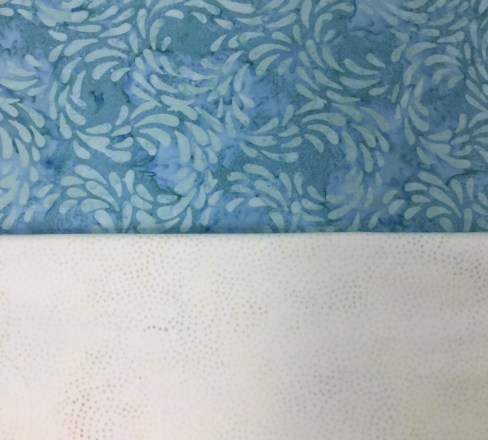
I pulled my  Crystal Cove Water Aqua & Cotton Egg-white Island Batik fabric choices from my stash.

img_5849

I start by cutting my triangle, star point & trapezoid strips in both colors.

From my 5″ triangle strips I cut 5″ squares and cut them once diagonally and set them aside for later.

As a righty, I lay my trapezoid strip horizontally on my cutting mat with the selvedges to the left. (Left handed cutting options are included in the tool instructions.)  The strip can be either right or wrong sides together.   I’m making 5″ finished blocks so I place the 5″ line on my hunter star tool on the bottom of the strip and begin cutting my trapezoids for both colors.

I cut my star point strips in half and divide them into 4 piles.  The two aqua piles will be the star points on both ends of the light trapezoids and the two light piles will be the star points on both ends of the aqua trapezoids.   Begin by positioning the trapezoids right sides together with the star point strip, staggering down from the top 2 1/4″, spacing the trapezoids about 1/4″ apart and stitch.  The hunter star tool instructions give detailed guidance. 

Once the trapezoids are stitched to the star point strip, place the strip set on the ironing board with star strip on the bottom and the trapezoids on top and carefully press as shown.  Lay the strip vertically on the cutting mat and trim using the Hunter Star tool.

This slideshow requires JavaScript.

I now have an oversized star point on one end of my trapezoid.  This time I add my trapezoids starting from the bottom and spacing them about 1/4″ apart and stitch them.  Lay the strip on the ironing board with the trapezoids on the bottom and the star strip on top and carefully press toward the star strip.  (Remember: whatever you are pressing toward, goes on top.)

img_5865

Lay the strip horizontally on the cutting mat and trim according to the instructions.  Repeat this process for both colors.

img_5868

The light and the aqua trapezoids have oversized star points on each end.  One of Deb Tucker’s great tips is to lay about 5 strips of painter’s tape layered on top of each other on your cutting mat.  Trim off a little on one side evening up the edges.  Peel up the tape and place it on ruler line to aid in making repetitive cuts. Our trapezoids were precision cut from 1 3/4″ strips. By placing the built up tape edge on the 1 3/4″ line it will make it much easier to trim the sewn units to 1 3/4″.  Trim all the units.

Each hunter star block contains 2 triangles, 2 trapezoids & 4 star points.  Remember, we are breaking the rules by centering and stitching a light trapezoid to a dark triangle & a dark trapezoid to a light triangle.

Match the triangle halves, nest the seams and stitch.  Press the diagonal seam open.

Carefully align the center line of the tool with the center seam of the block. Carefully aligning the diamonds on the tool with the seam lines of the diamonds on the pieced block, trim up the right side and across the top.  Lift the tool and rotate the block and carefully trim the other two sides, using the dashed lines along the side of the tool on the previously trimmed edges.  Trim all the blocks to the cut size.

img_5881

Layout the blocks and stitch them together into rows.  I added 5″ borders.

I Loaded it onto the quilt frame and started meandering.  Just remember, “All that Meander are Not Lost”!  I bought Jamie Wallen’s wonderful quilting tools, but I haven’t learned to use them yet! (As you can see, they are still in the original packaging, sigh.)

img_5890

This is definitely NOT your grandmother’s Hunter Star Quilt!

#islandbatikambassador  #Islandbatik  #iheartislandbatik

Scrapodopolis – BlockBuster’s #1 – #9

I just finished my quilt containing Deb Tucker’s BlockBuster patterns #1 through #9!  Scrapodopolis seems like a pretty good name.

img_6002

I used the Tucker trimmer 1, Wing Clipper 1, Square/Squared, V Block & Four Patch Square up tools from Studio 180 Design.  I was encouraged by fellow Certified Instructor Sarah Furrer to try a block layout a little outside the box, and I totally did!

01 Layout

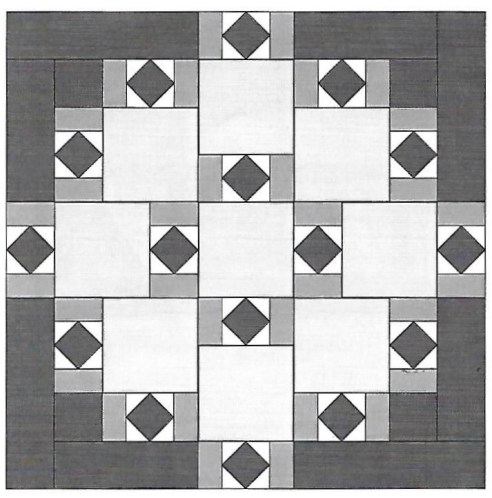
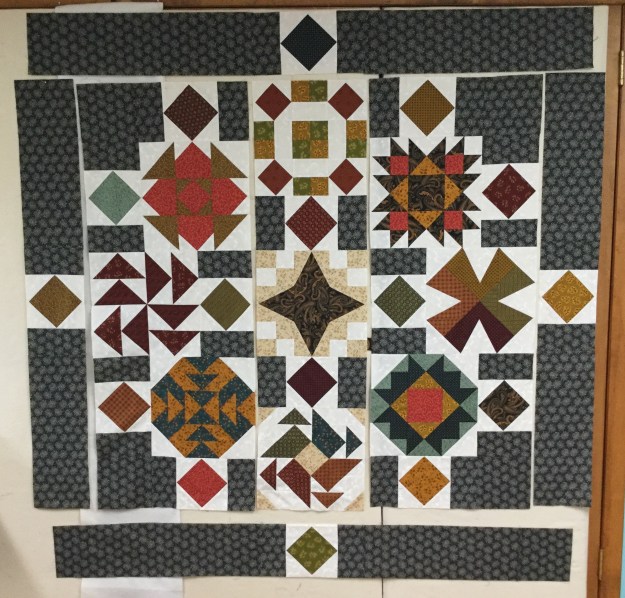
This is the layout I chose.  I did change it up a little.

02 Square Squared

My blocks are 12″ when finished.  that indicated that my Square/Squared units would finish at 6″.  I Needed 16 square/squared units and decided the center squares would be cut from 16 different fabric pulled from the blocks & the side triangles would be the same background fabric used in the blocks.  The 3″ rectangles on either side of the square/squared units would match the border fabric.  The outer borders would finish at 6″ also.  I added a 3″ border outer border to enhance the four square/squared units in the border.

03 dont do this

Don’t do what I did.  I started in the center and stitched the outer square/squared units to the center blocks, (they had to be un-sewed and sewn to the borders pieces). In each of the corners, I stitched a 12″ block to a square/squared unit & stitched a square/squared unit to a 6.5″ square and then stitched it to the block.  The two blocks on either side of the center were stitched to a square/squared unit

04

This is much better. Now there are 3 rows of blocks in the center ready to be stitched together & the border square/squared units are pieced to the border strips.

Once all the pieces were stitched together I decided I needed to add a 3″ outer border so all the units appear to be floating.

09 quilted

I am so pleased with how it came out!  My finished quilt measures 67″ x 67″.

10 a different view

I can’t wait to start the next quilt with BlockBuster  #10!

BlockBuster #9 – Three In One

This block requires your Tucker Trimmer I and V Block tools.  BlockBuster 09 Three in One provides 3 different possible block layouts.  The block is made up of V Block, Combination & Quarter Square Triangle units.  I’m making Block 1 as a 12″ block, with 4″ finished units.

BlockBuster 9 blocks

All of the units in these three blocks are the same (and placed in the same location), yet just by rotating the units and changing your fabric placement, you’ll get three very different blocks.

img_5956

These are my fabric choices.  I will be making Block 1.  I decided where I wanted my fabrics in the block by looking at the colors in block 1 and assigned my fabric choice for the units.

img_5993

I need four V Block units with the center triangle cut from the background fabric and the side triangles cut from each of my four fabric colors.  For a 4″ finished unit I cut a 5″ WOF strip of the background and each of the four fabric color groups.  (check the Size Cutting Chart in the tool instructions and on the tool itself.)

img_5966.jpg

The center unit is a Quarter Square Triangle made from each of the four fabrics.  I cut a 5 1/2″ square from each of my four fabrics. ( Check the Size Cutting Chart in the tool instructions.)

img_5964

The corner units are Combination Units.  Each combo unit is made from fabrics that match the side triangles on either side of the V Block units and the background fabric. Cut 2 each 5 1/2″ squares from each of the four fabrics and four 5 1/2″ squares from the background fabric.

V Bock Units

Everything you need to know for making V Block units is in the tool instructions.  I’m starting with the V Block center triangles.  To cut the center triangles, layer no more than two layers deep.  Fold the ends deep enough to accommodate the slanted cut for a 4″ finished unit and finger press it.

Position the tool on the strip so that the dashed line labeled “Fold Line for Center Triangle” is aligned with the fold and the correct size line of the tool is against the bottom edge of the strip. Trim along the slanted edge of the tool and unfold to reveal the center triangle pieces.

Move the cut triangles to the side and flip the strip over from top to bottom.  Align the center triangle trim line with the previously trimmed edge and cut your next pair of center triangles.  For this block you need four center triangles.

For the Side triangles. place the strips facing each other, either right sides or wrong sides together on the cutting mat.  Locate the bold solid line on the tool that reads “Cut Line for Side Triangles”.  Position that line against the trimmed end of the strip and the proper size line against the bottom of the strip.  Trim along the slanted edge of the tool. 

img_5963

Cut one set from each of the four fabrics. 

Lay out the V Block units, making sure you are lining up the long edge of the side triangles with the edges of the center triangle.  Position pieces right sides together lining up the slanted cut edges “tip to tip” and stitch one side triangle to the unit. Press toward the side triangle.  Position second triangle, stitch & press as shown.  Repeat with the other V Blocks.

Lay the V Block unit on the cutting mat with “V” pointing toward you.  Lay the tool on the unit aligning the “Finished Size” measurement with the seam lines. Trim up the right side and across the top.  (For left hand cutting directions see tool instructions.)

Lift the tool and rotate the unit. Reposition the tool on top aligning the correct “Cut Size” measurements with the previously trimmed corner and “X” with the sewn seam intersection.  Trim up the right side across the top.

Quarter Square Triangle – Center Unit

Check the Size Cutting Chart to determine size of the starter squares.  For 4″ finished units cut one 5 1/2″ square from each of the four colors.  Make half square triangles (HST) by marking two diagonal lines on the back of 2 of the fabric squares with your Magic Wand, stitch on the lines and cut apart.  Press seams toward the darker fabric.  Do Not Trim. Check your fabric placement choices to determine which fabrics to make HST’s out of.

Note:  When making half square triangles, combination units and quarter square triangles, you will be making two units at a time.  You can make two blocks or save the units for something later.

On the back of one of the HST’s, use your Magic Wand  and mark two diagonal lines. Position the HST units right sides together, carefully nesting the sewn seams.   Stitch on the lines, cut apart and press swirling the center.

Position your Tucker Trimmer over the pieced unit. Carefully align both the common diagonal and the size diagonal lines over the sewn seam lines.  Trim up the right side and across the top.  Lift the Tucker Trimmer tool and rotate the unit.  This time be sure to position both the common diagonal, the size diagonal lines and the outline of the square to the exact measurement desired. Right hander’s trim up the right side and across the top, while left hander’s will trim up the left side and across the top.

Combination Units

Check you fabric placement choice to group your fabrics for making the combo units.  There are three 5 1/2″ squares (one background & 2 darker fabrics) for each combo unit.  Start by making half square triangles (HST) by marking two diagonal lines on the back of one of the darker fabric squares and placing it right sides together with the other dark fabric square.  Stitch on the lines and cut apart and press.  Do Not Trim.  Do this for each color group.

img_5972

Mark two diagonal lines on the back of one HST. Place one HST on one background square centering it and stitch on the lines.

Cut apart and press toward the large triangle.  When you make combination units with this process, you are making mirror image  combo units.  You will only need one set of combo units for one block.  Deb Tucker has a Non Mirror Combo Technique Sheet that shows you how to make only the combo units you need.

Position the Tucker trimmer over the unit, carefully aligning both the common diagonal and the size diagonal with the stitched seams.  Right hander’s trim up the right side and across the top, while left hander’s will trim up the left side and across the top.  Lift the tool and rotate the unit.  This time line up both diagonal lines and the outline to the exact measurement desired and trim as before.

Lay out your units and stitch into rows, pressing as shown.

Stitch your rows to make your block.  I now have BlockBuster’s #1 – #9 completed!  Time to make a quilt!